 Posted by
 | Quick answer
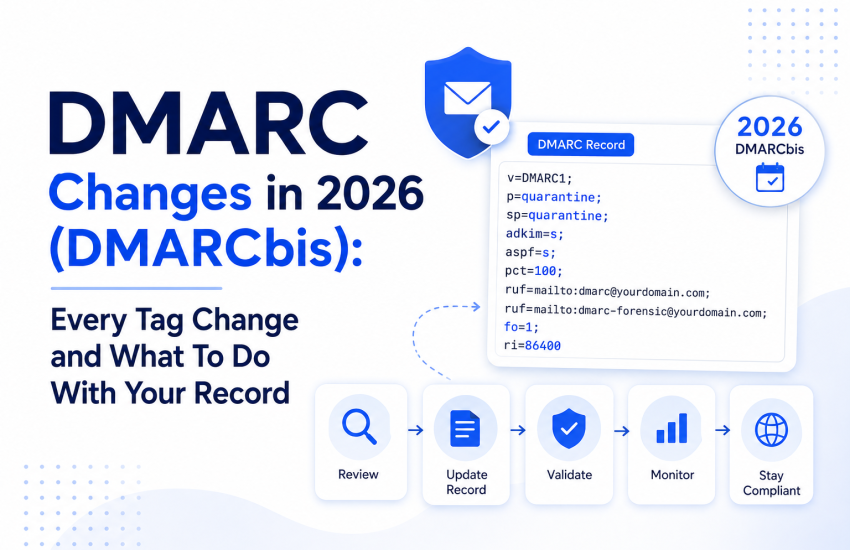
DMARCbis, the updated DMARC standard, was published in May 2026 as three RFCs: 9989 (core protocol), 9990 (aggregate reports), and 9991 (failure reports). It removes three tags (pct, rf, ri), adds three (np, psd, t), replaces the Public Suffix List with a DNS Tree Walk, and reverses the guidance on p=reject for domains that host normal user mailboxes. It is not a breaking change. Records still start with v=DMARC1 and existing records keep working. The one action that matters for most senders is dropping the pct tag and, if you have no subdomain senders, considering np=reject. |
DMARC tells receiving servers what to do with mail that fails SPF or DKIM, and it reports who is sending in your name. The original specification, RFC 7489, was published in 2015 with Informational status. In May 2026, it was replaced by a formal Standards Track version known as DMARCbis. If you set up authentication a few years ago and have not looked at it since, your record may reference tags that no longer exist in the standard. This guide covers exactly what changed, what to do about it, and how the shift interacts with Google Postmaster Tools v2.
What DMARCbis is, and why the status matters
DMARCbis was published in May 2026 as three separate RFCs, splitting the old single document so each part can evolve independently, per DMARCTrust’s reading of the new RFCs:
- RFC 9989 is the core protocol: policy evaluation, alignment, and record processing.
- RFC 9990 defines the aggregate (RUA) reporting format.
- RFC 9991 defines the failure (forensic) reporting format.
The status change is the headline. DMARC moved from Informational, an independent submission, to a Proposed Standard on the IETF Standards Track, per Security Boulevard. It obsoletes both RFC 7489 and the experimental PSD extension, RFC 9091. Crucially, this is not a breaking change. The version identifier stays v=DMARC1, existing records remain valid, and unknown tags must be ignored by receivers, so nothing breaks overnight, per DMARCTrust’s tag guide. With that baseline in place, the next change is the tag set itself.
Every tag that changed
DMARCbis removes three tags and adds three. Here is the full picture, starting with the removed tags.
|
Tag |
Status in DMARCbis | What it does |
| pct | Removed (historic) |
Applied policy to a percentage of mail. Rarely used correctly. |
|
rf |
Removed (historic) | Set failure report format. Only one format existed. |
| ri | Removed (historic) |
Set aggregate report interval. Daily was already the default. |
|
np |
Added | Policy for non-existent subdomains. Values: reject, quarantine, none. |
| psd | Added |
Public Suffix Domain flag. Values: y, n, u (default). |
|
t |
Added |
Binary test mode. t=y asks receivers to apply the next-lower policy. |
The removed tags: pct, rf, and ri
The important removal is pct, which was DMARC’s only in-protocol way to roll out enforcement gradually, for example applying p=reject to 25 percent of mail. It was inconsistently implemented and rarely used correctly, so DMARCbis retires it, per dmarcwise. The rf and ri tags controlled report format and interval and were effectively redundant, since only one report format exists and daily aggregate reports are already the norm.
What to do: Stop using pct in new records. If you publish p=reject; pct=100, remove pct. If you are mid-rollout with pct=25, use t=y for the test period instead. Existing records that still contain these tags keep working because receivers ignore unknown tags, but clean them out when you next edit.
The new tags: np, psd, and t
- np (non-existent subdomain policy). Sets a policy specifically for subdomains that do not exist in DNS, closing a long-standing spoofing gap where attackers abuse fake subdomains that return NXDOMAIN. Values are np=reject, np=quarantine, or np=none, per Ironscales. If your domain has no subdomain senders, np=reject is worth considering. If np is absent, the sp-then-p policy applies to subdomains in that order.
- psd (public suffix domain flag). A flag, not a policy. Values are y (this is a public suffix such as .bank or .gov.uk), n (this is the organizational domain), and u (unknown, the default, meaning determine it via the tree walk). Almost no ordinary domain owner needs to set this, per DMARCTrust.
- t (test mode). A binary flag that replaces the useful part of pct. With t=y, a receiver applies the next-lower policy, so p=reject; t=y is treated as quarantine while you test. t=n means full enforcement.
The DNS Tree Walk replaces the Public Suffix List.
One of the bigger structural changes is how DMARC finds your organizational domain, the boundary it uses for policy inheritance and alignment. The old method relied on the Public Suffix List, an external file maintained at publicsuffix.org. DMARCbis replaces it with a DNS Tree Walk, a native DNS-based algorithm that queries successive parent domains to find the boundary, per dmarcwise. That shift also changes how subdomain records are discovered in practice.
The walk starts at the full sending domain and climbs, stopping when it encounters a psd tag or reaches a maximum of eight levels, per Disquantified. This removes the dependency on a third-party list. Still, it has a practical consequence: if you run a complex DNS tree, audit your subdomain DMARC records, because the tree walk will start applying them where the Public Suffix List previously fell back to the parent, per DMARCTrust.
The p=reject guidance reversal, the change most senders miss
This is the change least covered elsewhere and the one most likely to surprise people who treated p=reject as the universal goal. DMARCbis explicitly advises against p=reject for domains whose users actively post to mailing lists, because indirect mail flows break SPF and DKIM alignment and legitimate messages get rejected, per PowerDMARC. One postmaster reading of the new RFCs goes further, noting that the spec discourages p=reject for domains that host general user mailboxes, per DMARC Trust. That leads to the practical guidance in the next section.
| What this does not mean
This is not a signal to abandon enforcement. For a dedicated sending domain with no human mailboxes and no mailing-list traffic, p=reject remains the right target and the strongest protection. The reversal is narrow: it warns against blanket p=reject on domains where real people send to mailing lists, where it causes collateral damage. Match the policy to how the domain is actually used. |
What most senders actually need to do
For the majority of domain owners, DMARCbis is cleanup, not a fire drill, per DMARCeye. Use this list to decide what to change.
- Stop using pct in new records or playbooks. Remove it from existing records when you next edit.
- If mid-rollout, use t=y for the test period instead of a partial pct.
- Consider np=reject if your domain has no subdomain senders, to block non-existent subdomain spoofing.
- Audit subdomain DMARC records if you have a complex DNS tree, as the tree walk can change inheritance.
- Match your p policy to usage: use p=reject for dedicated sending domains, and use more caution for domains with mailbox or mailing-list traffic.
- Watch aggregate reports for the new treewalk discovery method and the np and testing elements to see which receivers have migrated.
- Note that failure reports now require the DKIM selector so you can correlate failures with key rotations.
The enforcement gap DMARCbis does not fix.
DMARCbis cleans up the protocol but leaves the hardest problem open: how to safely cross the line from monitoring to enforcement. The data shows how many senders are stuck. In a Q1 2026 snapshot of actively monitored domains, 39.9 percent with a valid DMARC policy were permanently set to p=none, providing zero protection despite running a monitoring tool, per DMARCeye. Of those that do enforce, 93.8 percent apply the policy to all traffic with no staged rollout, and only 6.2 percent ever use a percentage below 100. Removing pct formalizes a gap that was already there. Staged enforcement now has to be handled operationally, through careful monitoring and the t flag, rather than through a percentage tag. That context matters for the Google Postmaster Tools v2 changes that follow.
How does this connect to Google Postmaster Tools v2
Authentication changes matter more now because your visibility into reputation shrank in 2025. Google retired Postmaster Tools v1 on 30 September 2025 and removed the Domain Reputation and IP Reputation dashboards entirely, the familiar Bad, Low, Medium, High tiers, per our full Postmaster Tools v2 guide. In their place is a Compliance Status dashboard with a binary Pass or Needs Work verdict tied to Gmail’s bulk sender requirements: authentication and alignment, one-click unsubscribe, and spam rate. With that mind shift, the new signals deserve attention.
In early June 2026, Google added a Deliverability analysis section that translates raw signals into a plain-language verdict with a recommended action, exposing seven real statuses plus a technical fallback, per Suped. The practical effect is that authentication status and delivery errors are now front-and-center signals, and a break in SPF, DKIM, or DMARC shows up before inbox placement collapses. For the full breakdown of v2, see our Google Postmaster Tools v2 guide.
Where email list verification fits
With the reputation dashboards gone, the signals you can still see- spam complaint rate and delivery errors- are both driven heavily by list quality. Invalid addresses produce hard bounces that show up as delivery errors. Recycled spam traps cause reputational damage without warning. Disengaged and role-based contacts depress the engagement Gmail now weighs, and raise complaint rates. That makes list quality the next operational focus.
Authentication proves your identity. It does nothing about who you send to. A perfectly authenticated message to a dead or trap-laden list still generates the bounces and complaints that the remaining v2 signals punish. Verifying your list before you send, and re-verifying on a cadence, is the most direct way to keep those signals healthy. See our guides on SPF, DKIM, and DMARC, as well as the importance of email authentication.
Frequently asked questions
Do I need to update my DMARC record for DMARCbis?
Not urgently. DMARCbis is backward compatible; records still use v=DMARC1, and existing records keep working. The main cleanup is to drop the removed pct tag and, if relevant, add np. Before making any changes, confirm them with a trusted DMARC checker.
What is the np tag?
The np tag sets a DMARC policy specifically for non-existent subdomains, blocking spoofing of subdomains you never published. Use np=reject, np=quarantine, or np=none. If your domain has no subdomain senders, consider np=reject.
Why was the pct tag removed?
The pct tag was DMARC’s only in-protocol staged-rollout mechanism, but it was inconsistently implemented and rarely used correctly. DMARCbis removes it and replaces its most useful function with the binary t-test mode flag.
Is p=reject still the goal?
For dedicated sending domains with no user mailboxes or mailing-list traffic, yes. DMARCbis specifically advises against p=reject for domains where users post to mailing lists, as it can reject legitimate forwarded mail. Match the policy to how the domain is used.
What changed in Google Postmaster Tools v2?
Google removed the Domain and IP Reputation dashboards in late 2025 and replaced them with a Compliance Status dashboard, then added a plain-language Deliverability analysis section in June 2026. Spam rate, authentication, and delivery errors are now the primary visible signals.
Does DMARC replace list verification?
No. DMARC authenticates your domain. It does not remove invalid or risky addresses. With reputation dashboards gone, bounce and complaint signals matter more, and both are driven by list quality, so verification is more important, not less.
Keep your list clean while you tighten authentication
Authentication and list hygiene solve different halves of deliverability. MyEmailVerifier gives you 100 free credits every day, no credit card required, with credits that never expire, and deletes your uploaded list the moment you download results.
- Start free with 100 daily credits and verify a sample list.
- See transparent pay-as-you-go pricing.
Related reading
- Google Postmaster Tools v2: what changed
- SPF, DKIM, and DMARC explained
- The importance of email authentication
- Microsoft Outlook authentication requirements

James P. is Digital Marketing Executive at MyEmailVerifier. He is an expert in Content Writing, Inbound marketing, and lead generation. James’s passion for learning about people led her to a career in marketing and social media, with an emphasis on his content creation.