 Posted by
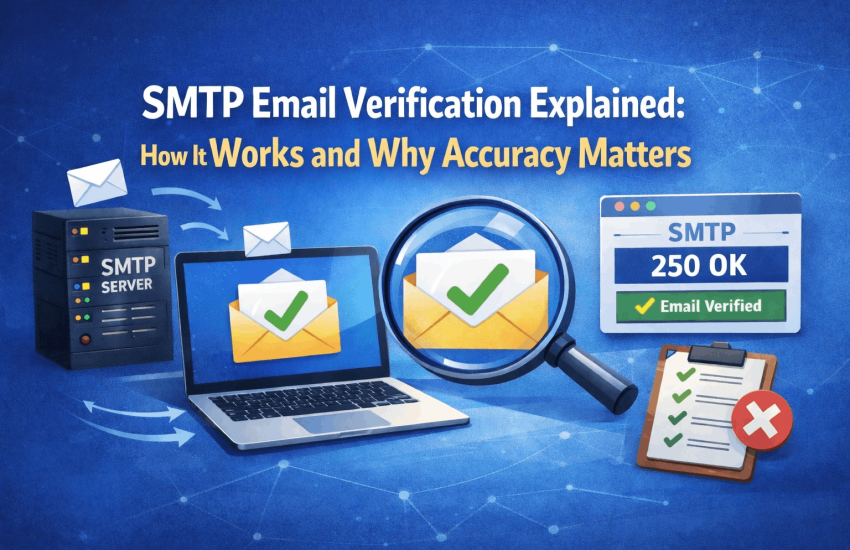
 When an email verification tool tells you an address is valid or invalid, that result does not come from a lookup table or a simple format check. It comes from a live conversation with the recipient’s mail server using the same protocol that email has relied on for decades: SMTP, the Simple Mail Transfer Protocol.
Understanding how SMTP email verification works matters for two reasons. First, it clarifies why it is more reliable than other methods for checking deliverability. Second, it shows the real limitations of SMTP checks and why a tool’s accuracy relies on steps beyond the SMTP handshake.
This guide covers the full SMTP verification process, the response codes that determine each result, the limitations of SMTP-only checking, and what separates basic SMTP verification from professional-grade accuracy. By understanding each part, you’ll be better prepared to evaluate or use verification tools.
Quick Answer: What Is SMTP Email Verification?
SMTP email verification is the process of checking whether an email address is deliverable by initiating a real-time connection to the recipient’s mail server using the Simple Mail Transfer Protocol and querying whether the target mailbox exists, without actually sending an email. The mail server’s response to this query determines whether the address is valid, invalid, temporarily unavailable, or in a special state such as greylisted or catch-all.
SMTP verification is the most accurate method of email address validation available because it checks the mailbox’s live state at the mail server level, not just the address’s format or domain.
What Is SMTP and Why Is It Used for Email Verification?
SMTP stands for Simple Mail Transfer Protocol. It is the standard protocol for sending email between mail servers across the Internet. Defined in RFC 5321, SMTP specifies the exact sequence of commands and responses that two mail servers use to exchange messages. Every email you send uses SMTP at the transport layer, regardless of which email client or platform you use.
SMTP is used for email verification because it is the only way to check if a specific mailbox exists without actually delivering a message. A verification tool can start an SMTP conversation, ask if the server will accept delivery to a target address, receive a definitive response, and then close the connection before any message is sent.
The result is a live, real-time answer from the authoritative source: the server that manages delivery for that domain. No other verification method reaches this level of accuracy for mailbox-level validation.
How SMTP Email Verification Works: Step by Step
An SMTP verification check follows a precise sequence. Here is exactly what happens from the moment a verification tool receives an address to the moment it returns a result.
Step 1: DNS Lookup and MX Record Resolution
Before attempting any SMTP connection, the verification tool checks the domain portion of the email address using DNS (Domain Name System). This system acts like an address book and tells the tool which mail server is responsible for handling email for that domain by looking up something called an MX (Mail Exchange) record.
If no MX records exist, the domain cannot receive email. The address is immediately classified as invalid without proceeding further. This catches addresses with nonexistent or misconfigured domains before any SMTP connection is attempted.
If MX records (the instructions that tell where to send email for a domain) are found, the tool picks the one with the highest priority to connect to next.
Step 2: TCP Connection to the Mail Server
The verification tool opens a TCP (Transmission Control Protocol) connection to the recipient’s mail server on port 25. Port 25 is the standard port used by computers for email. When the connection is established, the mail server sends a welcome message to confirm it is ready.
If the connection is refused, times out, or returns an error at this stage, it indicates a server-level issue rather than a problem with the email address itself. A well-designed verification tool distinguishes between a connection failure and a mailbox-level rejection.
Step 3: The SMTP Handshake Conversation
Once the connection is established, the verification tool communicates step-by-step with the mail server using standard commands for sending email (called SMTP commands). This process, known as a handshake, verifies that the target mailbox exists.
|
SMTP Command |
What It Sends | Server Response | What the Verifier Learns |
|---|---|---|---|
|
EHLO / HELO |
Verifier introduces itself as a mail server | 220 or 250 – server acknowledges connection |
The receiving server is online and accepting connections |
| MAIL FROM | Verifier declares a sender address (usually a placeholder) | 250 – sender accepted |
The server is willing to process an incoming message |
|
RCPT TO |
Verifier states the target email address being checked | 250 – mailbox exists and is accepting mail | The specific mailbox is valid and deliverable |
| RCPT TO (negative) | Same as above | 550 – no such user / mailbox does not exist |
The address is invalid. Remove from list. |
|
RCPT TO (temporary) |
Same as above | 421 or 451 – try again later | Server is greylisting or temporarily unavailable |
| QUIT | Verifier closes the connection without sending any message | 221 – connection closed |
Check is complete. No email was delivered. |
The key command in this process is RCPT TO, which is an instruction sent to the mail server that specifies the exact email address to be tested. The server’s response tells you whether the address exists: a 250 code means the mailbox is valid, while a 550 code means the mailbox does not exist.
Step 4: Connection Termination Without Sending
After receiving the RCPT TO response, the verification tool signals to the server that it is done by sending a QUIT command, then closes the connection. No email is actually sent during this check. The mail server just notes that a connection was made, but the conversation ends before any email is delivered.
This is an important technical point: SMTP verification appears to be about to send an email, but actually stops after learning what the server would do. No part of your message is ever sent to the recipient.

SMTP Response Codes: What Each One Means for Email Verification
The response codes returned by a mail server during an SMTP verification handshake are standardized under the SMTP protocol. Each code has a defined meaning that directly maps to a verification outcome. Understanding these codes is essential to correctly interpreting verification results.
| Code | Category | What It Means | Action for Email Marketers |
|---|---|---|---|
|
220 |
Connection | Server is ready to receive the SMTP conversation | No action needed. Verification is proceeding normally. |
| 250 | Success | Command accepted. For RCPT TO: mailbox exists and is accepting mail. |
Address is valid. Safe to include in your send list. |
|
421 |
Temporary failure | Service temporarily unavailable. Server is asking the sender to try again later. | Address may be valid. Could be greylisting or a server load issue. Do not suppress permanently. |
| 450 | Temporary failure | Requested mailbox action was not taken. Mailbox is unavailable temporarily. |
Retry. Suppress after repeated failures across multiple attempts. |
|
451 |
Temporary failure | Requested action aborted. Local error in processing. | Similar to 421. Retry before suppressing. |
| 452 | Temporary failure | Requested action not taken. Insufficient system storage. |
Server-side issue, not an address problem. Retry later. |
|
500 |
Permanent error | Syntax error. Command not recognised. | Verification infrastructure issue. Not an address validity signal. |
| 550 | Permanent failure | Mailbox unavailable. User does not exist or is not accepting mail. |
Address is invalid. Remove from list immediately. Never retry. |
|
551 |
Permanent failure | User is not local. Server may provide a forwarding address. | Address is effectively non-deliverable at this domain. Suppress. |
| 552 | Permanent failure | Storage allocation exceeded. Mailbox is full permanently or message exceeds size limit. |
Suppress. Persistent 552 responses indicate the mailbox is effectively unusable. |
|
553 |
Permanent failure | Mailbox name is not allowed. Invalid address format or policy rejection. | Address is invalid or against server policy. Remove from list. |
| 554 | Permanent failure | Transaction failed. Often a spam policy rejection at the domain level. |
May indicate a domain-level block. Review sending IP reputation and authentication. |
The most important codes for managing large lists are 250 and 550. A 250 code means the email address is valid and safe to send to. A 550 code means the address is invalid and should be removed. Codes starting with 5 (like 500 or 550) are all considered permanent failures, so stop trying those addresses. Codes starting with 4 (like 400 or 450) indicate a temporary problem, so you should try sending them again after waiting.
Verification Methods Compared: Why SMTP Outperforms the Alternatives
SMTP verification is the most accurate because it queries the authoritative source directly. Here’s how other methods compare:
|
Verification Method |
Accuracy Level | What It Checks | Key Limitation |
|---|---|---|---|
| Syntax check only | Very low | Confirms the address format follows the pattern of [email protected] |
Does not confirm the domain or mailbox exists. Catches typos but not invalid addresses. |
|
DNS and MX record lookup |
Low to moderate | Confirms the domain exists and has a mail server configured | Does not confirm the specific mailbox exists. A domain can have valid MX records but no active mailboxes. |
| SMTP handshake (basic) | Moderate to high | Connects to the mail server and checks whether the specific mailbox accepts delivery |
Some servers block SMTP verification or return false positives for all addresses (catch-all behaviour). |
|
SMTP handshake with domain intelligence |
High | Combines live SMTP check with historical domain data and known server behaviour patterns | Still cannot verify catch-all mailboxes with certainty. Greylist interference must be handled separately. |
| Multi-layer verification (SMTP plus proprietary data) | Very high | Combines SMTP, MX, DNS, spam trap databases, disposable domain lists, greylist detection, and historical sending data |
Highest available accuracy for commercial verification. MyEmailVerifier uses this method to achieve 99% accuracy. |
The accuracy difference between a syntax-only check and a full multi-layer SMTP verification is not theoretical. A syntax check might pass [email protected] as valid because the format is correct. An SMTP check will correctly identify that no mailbox of that name exists at example.com and return a 550 response. That difference, multiplied across thousands of addresses, is the difference between a 5% bounce rate and a 0.3% bounce rate.
Where SMTP Verification Has Limitations
SMTP verification is highly accurate but has constraints. A professional tool addresses multiple scenarios where raw SMTP checks can yield incomplete or inaccurate results.
|
SMTP Limitation |
Why It Happens | How MyEmailVerifier Addresses It |
|---|---|---|
| Catch-all domains return 250 for every address | Some mail servers accept all incoming connections regardless of whether the mailbox exists, to avoid disclosing valid address information to senders | Catch-all detection flags these domains separately so you can make an informed decision about sending risk rather than treating them as confirmed valid |
| Some servers block SMTP verification requests | Corporate and enterprise mail servers, particularly those running Microsoft Exchange or on-premises infrastructure, may block automated SMTP handshakes as an anti-spam measure |
Domain intelligence databases track known blocking patterns and supplement live SMTP results with historical data and domain-level signals |
|
Yahoo and AOL do not respond accurately to SMTP checks for disabled accounts |
Yahoo and AOL return a 250 response for disabled and suspended accounts rather than a 550, making standard SMTP checks unable to identify them as undeliverable | MyEmailVerifier is the first verification platform globally to detect Yahoo and AOL disabled user addresses, returning them with an accurate status rather than incorrectly marking them as valid |
| Greylisted servers issue temporary rejections | Greylisting systems issue 4xx responses to unrecognised senders, which can be misinterpreted as verification failures |
Greylist detection identifies 4xx responses caused by greylisting and returns addresses with a greylisted status rather than marking them as invalid or unknown |
|
Role-based addresses may exist but be undeliverable |
Addresses like info@, support@, and admin@ typically exist at the domain level but may not be read by a real person or may be heavily filtered |
Role address detection flags these addresses so you can decide whether to include or suppress them based on your campaign context |
Each of these limitations is addressable with the right combination of SMTP verification and supplementary data intelligence. This is why accuracy rates differ significantly between verification tools that rely solely on SMTP and those, like MyEmailVerifier, that layer additional detection capabilities on top of the SMTP result. For a broader overview of the full verification process and all the checks involved, see the guide on how email verification services work.
Why SMTP Verification Accuracy Directly Affects Your Deliverability
Every inaccuracy in your verification results has a direct consequence for your campaigns. False negatives: addresses marked as valid that are actually undeliverable become bounces. False positives; addresses marked as invalid that are actually deliverable; represent lost audience.
The cost of false negatives is the most visible: hard bounces accumulate against your sender reputation, inbox placement degrades, and ESP accounts are placed under review. A verification tool with 90% accuracy on a list of 100,000 addresses leaves up to 10,000 potentially problematic addresses in place. At 99% accuracy, that number drops to 2,000.
MyEmailVerifier achieves 99% accuracy by combining live SMTP verification with MX record checks, proprietary domain intelligence, spam trap databases, disposable email detection, greylist detection, and unique capabilities, including identification of Yahoo and AOL users who have been disabled. Each additional layer closes a gap that SMTP alone cannot address.
The practical outcome: a list cleaned through MyEmailVerifier delivers measurably fewer bounces per campaign than a list cleaned through a tool relying on basic SMTP checks alone. At $0.0025 per verification, this accuracy is available at the lowest per-credit rate in the market. For a full comparison of how verification tools differ in accuracy, see the beginner’s guide to email verification.
SMTP Verification in Practice: Bulk Lists vs Real-Time API
SMTP verification is used in two distinct operational contexts, each with different technical requirements.
Bulk List Verification
When verifying a full contact list, a verification tool processes thousands or millions of SMTP checks in parallel across multiple server connections. The tool manages connection limits to avoid triggering server-side rate limiting or temporary blocks, queues addresses from the same domain to avoid overwhelming individual mail servers, handles retry logic for 4xx responses, and returns a consolidated results file with the verification status of every address.
MyEmailVerifier processes up to 100,000 emails in under 1 hour using this parallel-processing architecture. The result is a downloadable CSV with a clear status for every address: valid, invalid, disposable, catch-all, greylisted, spam trap, or role-based.
Real-Time API Verification
When verifying a single address at the point of form submission, the SMTP check must complete fast enough that the user does not notice a delay. This requires a different architecture: pre-warmed server connections, cached domain intelligence, and optimized SMTP handshake sequences that minimize round-trip time.
MyEmailVerifier’s real-time API is designed for sub-second response times in production environments. It is available at the same $ 0.0025-per-request rate as bulk verification, with 100 free daily API requests, no credit card required. It connects to web forms via REST API and to no-code platforms, including Zapier and Pabbly. For the full API integration guide, see the real-time email verification API guide.
Frequently Asked Questions
What is SMTP email verification?
SMTP email verification is the process of checking whether an email address is deliverable by connecting to the recipient’s mail server using the Simple Mail Transfer Protocol and querying whether the target mailbox will accept mail, without actually sending a message. The mail server’s response to this query determines whether the address is valid, invalid, temporarily unavailable, or in a catch-all or greylisted state. It is the most accurate email validation method available because it queries the live, authoritative mail server directly.
How does an SMTP check work when verifying an email address?
An SMTP check follows a defined sequence. The verification tool first performs a DNS lookup to find the domain’s MX records and identify the responsible mail server. It then opens a TCP connection to that server, introduces itself using the EHLO or HELO command, declares a sender address with MAIL FROM, and then issues the RCPT TO command with the target email address. The server’s response to RCPT TO determines the result: a 250 code means the mailbox exists, a 550 means it does not. The tool then closes the connection with QUIT without delivering any message.
Why do some email servers block SMTP verification requests?
Some mail servers block automated SMTP verification connections as an anti-spam measure. Enterprise servers running Microsoft Exchange or a corporate on-premises mail infrastructure may refuse connections from IP addresses not associated with known legitimate senders. Servers may also detect the pattern of connection, EHLO, MAIL FROM, RCPT TO, QUIT as a verification probe and respond with a block or generic acceptance for all addresses. Professional verification tools address this using domain intelligence databases that supplement live SMTP results with historical data for known-blocking domains.
Is SMTP verification always accurate?
SMTP verification is the most accurate method available, but not all SMTP results are definitive. Catch-all domains return a 250 acceptance for every address, including nonexistent ones, making mailbox-level verification impossible via SMTP alone. Yahoo and AOL return 250 responses for disabled accounts, which a standard SMTP check cannot distinguish from those for active accounts. Greylisted servers issue temporary 4xx rejections that can be misinterpreted as failures. These limitations are addressed by layering additional detection capabilities on top of the base SMTP check, which is how verification tools like MyEmailVerifier reach 99% accuracy.
What verification methods does MyEmailVerifier use beyond SMTP?
MyEmailVerifier combines SMTP handshake verification with MX record validation, DNS lookup, spam trap detection using continuously updated trap databases, disposable email detection across known temporary email services, greylist detection that correctly classifies 4xx responses from greylisting servers, catch-all domain identification, role address detection, and Yahoo and AOL disabled user identification, a capability unique to MyEmailVerifier globally. Each layer addresses a specific gap that SMTP alone cannot address, resulting in a combined accuracy rate of 99% across bulk and real-time verification.
Why SMTP Verification Is the Foundation of Email List Quality
Every email you send to an invalid address is a bounce. Every bounce damages your sender’s reputation. Each reputation hit reduces inbox placement for subsequent campaigns. The chain of consequences from a dirty list is direct and compounding.
SMTP verification is the mechanism that breaks this chain. It reaches the authoritative source, the recipient mail server, and returns a live, real-time answer about whether delivery is possible. No other method gets closer to the truth of whether an email address is deliverable.
The accuracy of that answer depends on how the verification tool handles the SMTP result. A tool that stops at the SMTP response alone will mishandle catch-all domains, miss Yahoo and AOL disabled users, and misclassify greylisted addresses. A tool that layers SMTP with domain intelligence, proprietary databases, and specialist detection capabilities produces results you can act on with confidence.
Start verifying emails with 99% accuracy today. 100 free credits daily, no credit card required, credits that never expire.

James P. is Digital Marketing Executive at MyEmailVerifier. He is an expert in Content Writing, Inbound marketing, and lead generation. James’s passion for learning about people led her to a career in marketing and social media, with an emphasis on his content creation.