 Posted by
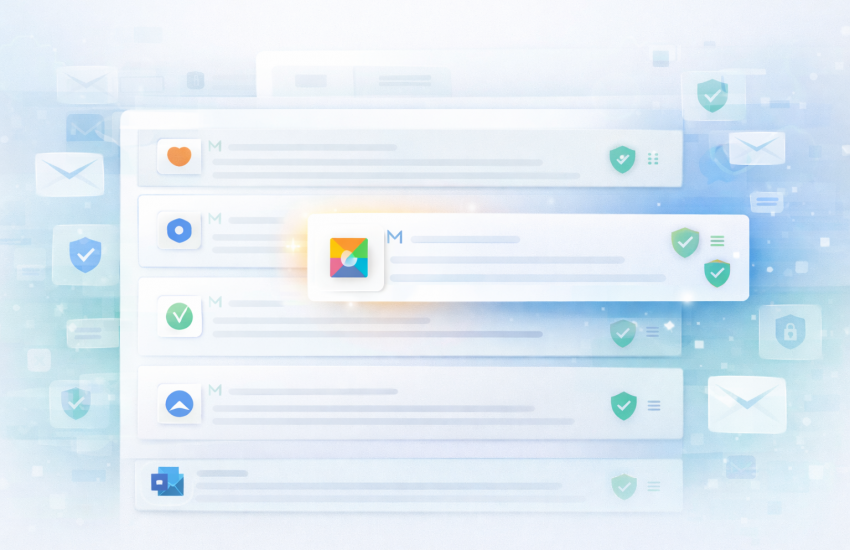
BIMI (Brand Indicators for Message Identification) allows your brand logo to appear next to your emails in Gmail, Yahoo, Apple Mail, and other supporting email clients. This visual brand indicator increases recipient trust, improves open rates, and provides instant brand recognition in crowded inboxes.
Recent updates have made BIMI more accessible than ever. Gmail’s September 2024 change now allows Common Mark Certificates (CMC), eliminating the previous requirement for costly trademark verification. This means businesses of all sizes can now display verified logos in inboxes without extensive legal documentation.
BIMI adoption grew 28% in 2024, yet only 5.7% of domains have implemented it. This creates a competitive advantage for early adopters who can stand out visually while competitors remain with generic sender names.
What You’ll Learn
- What BIMI is and how it displays your logo in major email clients
- Current BIMI support across Gmail, Yahoo, Apple Mail, and other providers
- Complete implementation requirements, including DMARC, SVG logos, and certificates
- The difference between VMC and CMC certificates, and which one you need
- Step-by-step BIMI setup process from logo creation to DNS configuration
- How email verification supports BIMI through DMARC enforcement
- Real results: open rate improvements and trust metrics
- Common implementation mistakes and how to avoid them
Understanding BIMI: Visual Brand Authentication
BIMI is an email specification that displays your company logo alongside authenticated messages in recipients’ inboxes. Think of it as verified checkmarks for email, similar to social media verification badges.
How recipients see BIMI:
When you implement BIMI correctly, your logo appears:
- Next to your sender name in the inbox list view
- In the email header, when messages are opened
- As a trust indicator showing your domain is authenticated
- Consistently across all emails from your verified domain
Why BIMI matters for email marketing:
Brand visibility in crowded inboxes creates immediate recognition. Recipients scanning through dozens of emails instantly identify your messages through visual logos rather than reading sender names. This recognition drives measurable engagement improvements.
Research shows BIMI implementation results in:
- 90% increase in consumer confidence when seeing verified brand logos
- 39% higher open rates compared to non-BIMI authenticated emails
- Reduced phishing vulnerability as recipients recognize legitimate brand communications
- Improved brand recall through consistent visual presence
Beyond metrics, BIMI demonstrates commitment to email security and authentication best practices. This technical credibility matters increasingly to both email providers and security-conscious recipients.
Current BIMI Support Across Email Clients
BIMI support has expanded significantly, though adoption remains uneven across email providers.
Fully Supporting Email Clients
Gmail (Google Workspace and Gmail.com):
- Full BIMI support launched in September 2024
- Displays logos for both VMC and CMC certificates
- Most considerable BIMI adoption impact given Gmail’s market share
- Requires DMARC enforcement (p=quarantine or p=reject)
Yahoo Mail:
- Early BIMI adopter with full support
- Displays verified logos prominently
- Requires VMC (Verified Mark Certificate)
- Strong implementation across desktop and mobile
Fastmail:
- Complete BIMI implementation
- Displays logos for authenticated senders
- Requires proper DMARC configuration
Apple Mail (partial support):
- Shows BIMI logos on iOS 16+ and macOS Ventura+
- Growing support with each OS update
- Significantly given iPhone email usage
Limited or No Support
Microsoft Outlook / Hotmail:
- No BIMI support currently
- May add support in future updates
- Focus remains on authentication requirements
Other providers:
- Implementation varies
- Check BIMI Group’s adoption page for the current status
- Support expanding as the standard matures
Market impact:
Gmail alone represents approximately 30-35% of email opens. Combined with Yahoo (10-15%) and Apple Mail (40-50% on mobile), BIMI reaches the majority of consumer email users even without Outlook support.
BIMI Implementation Requirements
BIMI requires three core elements working together: domain authentication, logo preparation, and certificate verification.
Requirement 1: DMARC Enforcement Policy
BIMI only works with enforced DMARC policies. You must have DMARC set to either:
- p=quarantine (suspicious emails go to spam)
- p=reject (unauthorized emails are blocked)
Why enforcement matters:
BIMI is a trust indicator. Email providers only display your logo if they can verify you’re protecting your domain from unauthorized use. The monitoring-only policy (p=none) does not qualify because it doesn’t actually block spoofed emails.
Before implementing BIMI:
You should already have:
- Valid SPF record authorizing your sending servers
- DKIM signatures on all outbound email
- DMARC policy has been actively monitored for several weeks
- Confirmation that all legitimate email passes authentication
Moving to DMARC enforcement without preparation blocks legitimate emails. Many businesses discover authentication issues only after implementing enforcement, causing delivery failures.
The email verification connection:
DMARC enforcement reveals email list quality issues. Invalid email addresses create bounce backs. High bounce rates from invalid addresses can trigger spam filters even with proper authentication. Verifying your email list before DMARC enforcement prevents bounce-related reputation damage.
Requirement 2: SVG Logo File
BIMI requires logos in SVG (Scalable Vector Graphics) format with specific technical requirements.
SVG specifications:
- Format: SVG Portable/Secure (SVG-P/S) or SVG Tiny 1.2
- Size: Square aspect ratio (1:1) recommended
- Dimensions: Minimum 144×144 pixels
- File size: Under 32 KB recommended
- Background: Transparent or solid color
- Content: Logo only, no text unless part of logo design
- Version: SVG 1.2 Tiny profile preferred
Familiar logo preparation mistakes:
Many companies export standard SVGs from design software without meeting BIMI requirements. Issues include:
- Complex gradients are unsupported in SVG Tiny
- Multiple artboards or layers
- Embedded raster images
- External references or links
- Script elements
Getting your logo BIMI-ready:
Most designers can convert existing logos to BIMI-compliant SVG format. Alternatively, specialized services convert logos for $50 to $200. Some certificate authorities include logo conversion with certificate purchases.
Validator tools check SVG compliance before implementation. The BIMI Group provides validators to verify your SVG meets technical requirements.
Requirement 3: Verified Mark Certificate (VMC) or Common Mark Certificate (CMC)
Certificates prove you own the logo and have the right to display it.
Verified Mark Certificate (VMC):
A traditional BIMI certificate requires trademark verification.
- Cost: $899 to $1,500 annually, depending on provider
- Requires: An Active registered trademark for your logo
- Processing time: 5 to 10 business days after trademark verification
- Providers: DigiCert, Entrust, CSC (limited number of authorized issuers)
- Validation: Certificate Authority verifies trademark registration
- Best for: Established brands with registered trademarks
Ordinary Mark Certificate (CMC):
Gmail’s September 2024 update introduced CMC as a trademark-free alternative.
- Cost: Free or minimal fee (varies by provider)
- Requires: No trademark registration needed
- Processing time: Usually 1 to 3 business days
- Validation: Proves domain control only
- Limitation: Only supported by Gmail currently (Yahoo still requires VMC)
- Best for: Small businesses and startups without trademarks
Which certificate do you need?
Consider your primary audience:
- Gmail-focused audience: CMC provides cost-effective BIMI display
- Yahoo and multi-platform: VMC required for broader support
- Long-term strategy: VMC future-proofs against platform changes
Most enterprise brands choose VMC for comprehensive coverage. Small businesses often start with CMC for Gmail and evaluate ROI before investing in VMC.
Step-by-Step BIMI Implementation Guide
Follow this structured approach to implement BIMI successfully. Timeline: 2 to 4 weeks, depending on certificate type and existing authentication status.
Step 1: Audit Current Email Authentication
Week 1, Days 1-2
Before BIMI implementation, verify your authentication foundation.
Check SPF record:
- Confirm the SPF record exists for your domain
- Verify all sending sources are authorized
- Ensure SPF passes for all legitimate emails
Check DKIM signing:
- Verify DKIM signatures on sent emails
- Confirm DKIM passes authentication checks
- Ensure DKIM selector records are correct
Check DMARC policy:
- Review the current DMARC record
- Confirm policy level (p=none, p=quarantine, or p=reject)
- Review DMARC reports for authentication failures
Use free testing tools like MXToolbox, DMARCian, or mail-tester.com to verify all three protocols.
If authentication is incomplete:
Do not proceed with BIMI until you have:
- Working SPF authorization
- Active DKIM signing
- DMARC monitoring (minimum p=none), collecting reports
Step 2: Move to DMARC Enforcement
Week 1-2, Days 3-10
If your DMARC policy is currently p=none (monitoring only), you must move to enforcement before BIMI works.
Phase 1: Review monitoring data
Analyze DMARC aggregate reports from your monitoring period:
- Identify all legitimate sending sources
- Confirm all pass either SPF or DKIM authentication
- Document any failing sources requiring fixes
Phase 2: Gradual enforcement
Start with partial enforcement to test without full commitment:
v=DMARC1; p=quarantine; pct=10; rua=mailto:[email protected]
This quarantines 10% of failed emails as a test. Monitor reports for legitimate emails being quarantined incorrectly.
Phase 3: Full enforcement
After confirming no legitimate email is blocked, increase to 100%:
v=DMARC1; p=quarantine; rua=mailto:[email protected]; ruf=mailto:[email protected]
Many brands stop at quarantine for BIMI. Some advance to p=reject for maximum protection. Both policies qualify for BIMI implementation.
Critical reminder:
DMARC enforcement can block legitimate email if authentication is misconfigured. Clean email lists before enforcement using email verification to avoid bounce-rate reputation damage. Invalid addresses creating bounces can trigger spam filters even with proper authentication.
Step 3: Prepare Your Logo
Week 2, Days 11-14
Convert your logo to BIMI-compliant SVG format.
Option A: Professional conversion
Hire a designer or specialized service ($50-$200):
- Provide high-resolution logo files (AI, EPS, or PNG)
- Specify BIMI compliance requirements (SVG Tiny 1.2, square format)
- Request validator testing before delivery
- Ensure transparent background unless brand requires solid color
Option B: DIY conversion
If you have design experience:
- Export logo as SVG from design software
- Remove unsupported elements (gradients, embedded images, scripts)
- Set square viewBox (e.g., viewBox=”0 0 144 144″)
- Validate against BIMI requirements using online validators
- Test rendering across different sizes
Logo hosting:
Host your SVG logo on a publicly accessible HTTPS URL:
- Example: https://yourdomain.com/bimi/logo.svg
- Ensure the URL is stable and won’t change
- Add CORS headers if required by the validator
- Test accessibility using various tools
Some brands host logos on CDNs for reliability and performance. Others use their main domain with proper caching headers.
Step 4: Obtain Certificate
Week 2-3, Days 15-21
Choose and obtain either VMC or CMC based on your requirements and budget.
For VMC (Verified Mark Certificate):
- Choose certificate authority: DigiCert, Entrust, or CSC
- Verify trademark: Provide trademark registration documentation
- Complete application: Submit logo, domain information, and verification documents
- Wait for validation: 5 to 10 business days typically
- Receive certificate: PEM format file for DNS publication
For CMC (Common Mark Certificate):
- Find CMC provider: Check Gmail’s documentation for current providers
- Verify domain control: Prove you control the domain
- Submit logo: Upload BIMI-compliant SVG
- Complete validation: Usually 1 to 3 business days
- Receive certificate: PEM format file for DNS publication
Certificate management:
Certificates expire annually (VMC) or after a set period (CMC). Calendar reminders for renewal prevent BIMI from breaking when certificates expire.
Step 5: Create BIMI DNS Record
Week 3-4, Days 22-28
Publish the BIMI record as a TXT record in your domain’s DNS.
BIMI record structure:
v=BIMI1; l=https://yourdomain.com/bimi/logo.svg; a=https://yourdomain.com/bimi/certificate.pem
Record components:
- v=BIMI1: Version identifier (required)
- l=URL: Location of SVG logo file (required)
- a=URL: Location of VMC or CMC certificate (required for logo display)
DNS configuration:
Add TXT record at subdomain: default._bimi.yourdomain.com
Example full setup:
- Hostname: default._bimi.yourdomain.com
- Type: TXT
- Value: v=BIMI1; l=https://yourdomain.com/bimi/logo.svg; a=https://yourdomain.com/bimi/certificate.pem
Multiple domains or subdomains:
Each domain or subdomain sending email needs its own BIMI record:
- Main domain: default._bimi.yourdomain.com
- Newsletter subdomain: default._bimi.newsletter.yourdomain.com
DNS propagation:
Allow 24 to 48 hours for DNS changes to propagate globally. Use DNS lookup tools to verify that your BIMI record is published and accessible.
Step 6: Test and Verify
Week 4, Days 29-30
Confirm BIMI is working correctly before announcing to customers.
Testing methods:
- Send test emails to Gmail: Create a Gmail account and send test messages
- Check logo display: Verify logo appears in the inbox and email header
- Test from multiple accounts: Different Gmail accounts may cache differently
- Try Yahoo if using VMC: Confirm Yahoo also displays the logo
- Use BIMI validators: Online tools check BIMI record syntax and accessibility
Common testing issues:
- Logo doesn’t appear immediately: Email providers cache logos, which may take hours to days
- Certificate errors: Verify the certificate URL is accessible and valid
- SVG issues: Validator tools identify specific formatting problems
- DMARC not enforced: Logo won’t display with p=none policy
Troubleshooting:
Most issues relate to:
- SVG file formatting errors
- Inaccessible logo or certificate URLs
- DMARC policy is not at the enforcement level
- Certificate not matching the domain
- DNS record syntax errors
BIMI validators provide specific error messages identifying problems. Gmail’s Postmaster Tools may also show BIMI status for your domain.
ROI and Performance Metrics
Understanding BIMI’s business impact helps justify the implementation investment.
Measurable Results
Open rate improvements:
Studies show 10% to 39% open rate after BIMI implementation. Exact results vary by:
- Industry and audience
- Email frequency and type
- Existing brand recognition
- List quality and engagement
Trust and confidence metrics:
Research from Agari (now part of Fortra) found:
- 90% increase in consumer confidence when seeing verified logos
- 75% of consumers say brand logos help identify legitimate emails
- Reduced phishing report rates for BIMI-enabled domains
- Higher brand recall in A/B testing
Long-term engagement:
BIMI affects metrics beyond opens:
- Click-through rates improve as trust increases
- Spam complaints decrease with clear brand identification
- Unsubscribe rates may stabilize as legitimate senders are recognized
- Customer lifetime value can be improved through consistent brand presence
Cost-Benefit Analysis
Implementation costs:
- VMC certificate: $899 to $1,500 annually
- CMC certificate: Free to minimal fee
- Logo conversion: $50 to $200 one-time (if needed)
- Development time: 20 to 40 hours internal or consultant time
- Testing and maintenance: 5 to 10 hours annually
Break-even calculation:
For a business sending 500,000 emails monthly:
- Baseline open rate: 20% (100,000 opens)
- BIMI improvement: 15% increase (115,000 opens)
- Additional opens: 15,000 per month
- Typical conversion rate: 2% (300 additional conversions monthly)
- Average order value: $50
- Additional revenue: $15,000 monthly or $180,000 annually
Even a conservative 5% open rate improvement justifies VMC investment within the first month for active email programs.
Non-monetary benefits:
- Brand consistency across email platforms
- Competitive differentiation in crowded inboxes
- Phishing protection through clear brand identification
- Marketing team confidence in brand presentation
- Technical credibility with email providers
Industry-Specific BIMI Considerations
Different industries face unique BIMI implementation challenges and opportunities.
Financial Services and Banking
Unique challenges:
- High phishing target requiring maximum security
- Regulatory compliance documentation
- Multiple brands and subsidiaries
- Transaction vs. marketing email distinction
BIMI advantages:
- Significantly reduces successful phishing attempts
- Clear visual distinction from fraudulent emails
- Customer confidence in legitimate communications
- Meets heightened security expectations
Implementation priority: Very high given phishing risks.
E-commerce and Retail
Unique challenges:
- Seasonal email volume spikes
- Multiple product lines or brands
- International domains and subdomains
- Promotional vs. transactional email separation
BIMI advantages:
- Improves promotional email open rates
- Strengthens brand recognition across touchpoints
- Increases trust for abandoned cart emails
- Visual consistency with website and app branding
Implementation priority: High for competitive differentiation.
B2B and SaaS Companies
Unique challenges:
- Multiple sending domains (product, marketing, support)
- Complex authentication for various tools
- Technical audience expectations
- Subdomain management
BIMI advantages:
- Professional appearance in business inboxes
- Technical credibility demonstration
- Improved onboarding email engagement
- Stand out against competitor emails
Implementation priority: Medium-high for brand building.
Healthcare and Medical
Unique challenges:
- HIPAA compliance considerations
- Patient communication sensitivity
- Multiple locations or practices
- Appointment reminder importance
BIMI advantages:
- Patient trust in legitimate communications
- Reduced confusion about appointment reminders
- Protection against healthcare phishing
- Professional brand presentation
Implementation priority: High for patient trust.
Agencies Managing Multiple Clients
Unique challenges:
- Implementing BIMI across numerous domains
- Client budget constraints
- Varying authentication maturity
- Support and maintenance scaling
BIMI advantages:
- Value-added service offering
- Differentiation from competitors
- Ongoing revenue from renewals
- Demonstrable client results
Implementation priority: Offer as a premium service tier.
Common BIMI Implementation Mistakes
Learning from common errors saves time and prevents implementation failures.
Mistake 1: Implementing BIMI Before DMARC Enforcement
Many businesses attempt BIMI with DMARC set to p=none. This doesn’t work. BIMI requires enforcement policies (p=quarantine or p=reject) because it’s a trust indicator.
Solution: Spend adequate time in the DMARC monitoring phase. Review reports thoroughly. Fix any authentication issues with legitimate sending sources. Only then move to enforcement and implement BIMI.
Mistake 2: Skipping Email List Verification Before Enforcement
Moving to DMARC enforcement without clean lists causes bounce rate spikes. Invalid email addresses create bounces that harm the sender’s reputation, even with proper authentication.
Solution: Verify your email list before implementing DMARC enforcement. Remove invalid, disposable, and spam trap addresses. This protects reputation during authentication changes.
Mistake 3: Using Non-Compliant SVG Files
Standard SVG exports from design software often fail BIMI requirements. Complex gradients, embedded images, and unsupported elements prevent display.
Solution: Use BIMI-specific validators before publishing. Work with designers familiar with SVG Tiny 1.2 requirements; test logos in validators provided by BIMI Group or certificate authorities.
Mistake 4: Inaccessible Logo or Certificate URLs
Logos hosted on servers with restrictions, incorrect CORS headers, or authentication requirements won’t load for email providers.
Solution: Host logos on public HTTPS URLs. Test accessibility from multiple networks. Ensure no authentication is required. Add appropriate CORS headers if needed. Use reliable hosting with high uptime.
Mistake 5: Not Planning for Certificate Renewal
VMC certificates expire annually. Forgetting renewal causes BIMI to stop working, removing logos from emails.
Solution: Calendar reminders 60 days before expiration. Some certificate authorities offer auto-renewal. Document renewal process for team continuity. Budget annually for certificate costs.
Mistake 6: Forgetting Subdomain BIMI Records
Many companies send email from multiple subdomains (newsletter.domain.com, support.domain.com) but only implement BIMI on the main domain.
Solution: Audit all sending subdomains. Implement BIMI records for each subdomain sending significant email volume. Prioritize customer-facing subdomains first.
Mistake 7: Expecting Immediate Logo Display
Email providers cache BIMI information. Logos may not appear for hours or days after implementation. Some providers update faster than others.
Solution: Set appropriate expectations. Test over several days. Cache timing varies by provider. Gmail typically updates within 24 to 48 hours. Some recipients may see logos before others due to distributed caching.
BIMI and Email Deliverability
BIMI implementation connects directly to the overall email deliverability strategy.
BIMI as Deliverability Signal
While BIMI itself doesn’t directly affect inbox placement, it signals email program maturity. Implementing BIMI requires:
- Proper SPF, DKIM, and DMARC configuration
- Domain authentication best practices
- Commitment to email security
- Technical competence
Email providers notice these signals. Senders with full authentication and BIMI implementation demonstrate legitimacy and security commitment.
The Clean List Foundation
BIMI’s DMARC enforcement requirement makes list quality critical. Enforcement policies reveal a list of problems:
- Invalid addresses create authentication-passing bounces
- Disposable emails inflate engagement metrics artificially
- Spam traps damage reputation even with authentication
- Role-based addresses may have higher complaint rates
Clean lists before DMARC enforcement prevent these issues from surfacing during BIMI implementation.
Ongoing List Maintenance
BIMI isn’t a one-time implementation. Maintaining logo display requires:
- Continued DMARC compliance
- Regular list verification to maintain quality
- Monitoring authentication pass rates
- Quarterly list cleaning to remove decayed addresses
Email lists decay approximately 22.5% annually. Regular email list management maintains the quality foundation supporting BIMI display.
Frequently Asked Questions
Does BIMI work with all email providers?
No. BIMI currently works with Gmail, Yahoo, Fastmail, and partially with Apple Mail. Microsoft Outlook does not support BIMI yet. However, supported providers represent 60-75% of consumer email usage, making implementation worthwhile despite incomplete coverage.
Can I use BIMI without a trademark?
Yes, with limitations. Gmail’s Common Mark Certificate (CMC) allows BIMI without trademark registration. However, CMC currently only works for Gmail. Yahoo still requires a Verified Mark Certificate (VMC), which needs trademark registration. Consider your audience concentration when choosing the certificate type.
How much does BIMI implementation cost?
Costs vary based on certificate choice. VMC ranges from $899 to $1,500 annually. CMC is free or minimal cost. Additional costs include logo conversion ($50 to $200 if needed) and implementation time (20 to 40 hours). Most businesses with active email programs see positive ROI within the first month from improved open rates.
Will BIMI improve my email deliverability?
BIMI doesn’t directly affect inbox placement algorithms. However, the authentication requirements (enforced DMARC) do improve deliverability. Additionally, higher open rates from visual brand recognition send positive engagement signals to email providers, indirectly supporting better placement over time.
How long does BIMI implementation take?
The timeline depends on the starting authentication status. If SPF, DKIM, and DMARC are already at the enforcement level, implementation takes 2 to 3 weeks. Starting from no authentication requires 4 to 8 weeks, including the monitoring phase, before enforcement. VMC certificate processing adds 5 to 10 business days.
What happens if my certificate expires?
Your logo stops displaying in recipients’ inboxes. Emails continue delivering typically, but without the visual brand indicator. Certificate renewal is straightforward, typically taking 3 to 5 business days. Set renewal reminders 60 days before expiration to prevent gaps in logo display.
Do I need BIMI for transactional emails?
BIMI works for all authenticated emails from your domain, including both marketing and transactional messages. For businesses where transactional emails (receipts, shipping notifications, password resets) represent significant communication, BIMI provides consistent branding and trust signals across all message types.
Can I use different logos for different subdomains?
Yes. Each subdomain can have its own BIMI record with different logos. This allows product-specific branding, departmental logos, or regional variations. Each subdomain needs its own BIMI DNS record, logo file, and may need separate certificates depending on how they’re issued.
Bonus Tips for Email Marketers
1. Prioritize Gmail Implementation First
If the budget is limited, start with CMC for Gmail-only implementation. Gmail represents the largest single email client. Test ROI with free CMC before investing in VMC for broader coverage. Many businesses see sufficient improvement from Gmail alone to justify full implementation.
2. Coordinate BIMI Launch with Campaign
Announce BIMI implementation to subscribers. Educate them about the logo appearing in your emails. This attention to security and brand experience can become the marketing message itself. Some brands create a “verified sender” campaign around the BIMI launch.
3. Test Logo Variations Before Commitment
Create several logo versions in BIMI-compliant format. Test different variations with small audience segments if possible. Square format constraints may affect logo appearance differently than website or other marketing materials. Choose the version that maintains brand recognition at small sizes.
4. Document Your Implementation Process
Create internal documentation covering your BIMI setup, certificate details, renewal dates, and technical configuration. This protects against knowledge loss during team changes. Include troubleshooting steps and validator tool links for future reference.
5. Monitor DMARC Reports After Enforcement
DMARC enforcement can reveal unexpected sending sources. Continue monitoring aggregate reports weekly after BIMI implementation. New sending sources (new marketing tools, support systems, etc.) need authentication before they work with enforcement policies.
6. Clean Lists Before Certificate Renewal
Time list cleaning with annual certificate renewals. This creates a natural checkpoint for list quality. Verify emails quarterly, but coordinate deep cleaning with BIMI renewal activities to maintain optimal authentication pass rates throughout the year.
7. Use BIMI in Recruitment and Hiring
Technical candidates notice email authentication practices. BIMI implementation demonstrates technical sophistication and attention to security. Mention BIMI in technical blog posts or documentation to attract security-minded engineering candidates.
8. Consider BIMI for Internal Email
Large enterprises can implement BIMI for internal domains. This trains employees to recognize legitimate internal communications and identify potential internal phishing attempts. Particularly valuable for organizations with multiple internal business units or acquisitions.
9. Track Logo Display Rates
Monitor what percentage of your emails display BIMI logos over time. If display rates drop, investigate authentication issues, certificate expiration, or provider caching problems. Some analytics platforms now track BIMI logo display as a deliverability metric.
10. Plan for Multiple Brand Portfolios
If you operate multiple brands, implement BIMI for the highest-volume brand first. Learn the process with a single domain before scaling to the entire portfolio. Some businesses create a phased rollout over 6 to 12 months across all brands rather than simultaneous implementation.
Getting Started with BIMI Today
BIMI implementation provides measurable brand visibility and trust improvements in email inboxes. While requirements seem technical, the step-by-step process is manageable for businesses of all sizes.
Immediate first steps:
- Audit current authentication status using tools like MXToolbox or DMARCian
- Review DMARC reports to identify any legitimate sending sources needing fixes
- Prepare logo files or engage a designer for BIMI-compliant SVG creation
- Decide on certificate type based on budget and target email clients
- Verify email lists to prepare for DMARC enforcement requirements
Common implementation timeline:
- Weeks 1-2: Complete authentication setup and move to DMARC enforcement
- Week 2: Prepare and validate logo files
- Week 3: Obtain certificate (VMC or CMC)
- Week 4: Publish BIMI DNS record and test
Remember the verification connection:
BIMI requires DMARC enforcement. Enforcement reveals list quality issues through authentication failures and bounce rates. Clean your email list before moving to DMARC enforcement to prevent reputation damage from invalid addresses.
Resources to help:
- BIMI Group’s official documentation provides technical specifications and validation tools
- Certificate authorities (DigiCert, Entrust) offer implementation guides
- Email verification services ensure list quality before authentication changes
Need help preparing for BIMI?
MyEmailVerifier offers 100 free daily email verifications to help you clean your lists before DMARC enforcement. Proper list hygiene combined with authentication creates the strongest foundation for successful BIMI implementation and continued logo display.
Conclusion
BIMI represents evolution in email marketing where visual brand presence and technical authentication converge. The 28% adoption growth in 2024 signals mainstream acceptance, yet low overall implementation (5.7% of domains) creates a competitive advantage for early adopters.
Gmail’s Common Mark Certificate introduction removed a significant barrier to entry. Small businesses can now implement BIMI without trademark costs or complex legal requirements. This democratization of BIMI means brand visibility in inboxes is no longer limited to large enterprises with extensive legal departments.
The results justify the implementation effort. Open rate improvements of 10% to 39%, combined with a 90% increase in consumer confidence, translate directly to revenue for email-dependent businesses. Even conservative estimates show positive ROI within the first month for active email programs.
Technical requirements seem daunting initially, but break down into manageable steps. Most challenges arise from skipping foundation work, particularly DMARC monitoring before enforcement and list verification before authentication changes. Businesses following a structured implementation process successfully deploy BIMI within 4 weeks.
The future of email increasingly requires authentication. BIMI isn’t an optional feature but a part of the professional email program baseline. Email providers continue expanding authentication requirements and visual trust indicators. Implementing BIMI now positions businesses ahead of future requirements while capturing immediate competitive advantages.
Start with an authentication audit today. Move systematically through DMARC enforcement, logo preparation, and certificate acquisition. The visual brand presence in inboxes and measurable performance improvements reward the technical investment.
Ready to prepare your email program for BIMI implementation? Start verifying your email list today with 100 free daily credits to build the clean list foundation BIMI requires.

James P. is Digital Marketing Executive at MyEmailVerifier. He is an expert in Content Writing, Inbound marketing, and lead generation. James’s passion for learning about people led her to a career in marketing and social media, with an emphasis on his content creation.