Trello → Verify → Slack

Verify email from Trello card and notify team in Slack. Perfect for sales pipeline management.

Use This Template
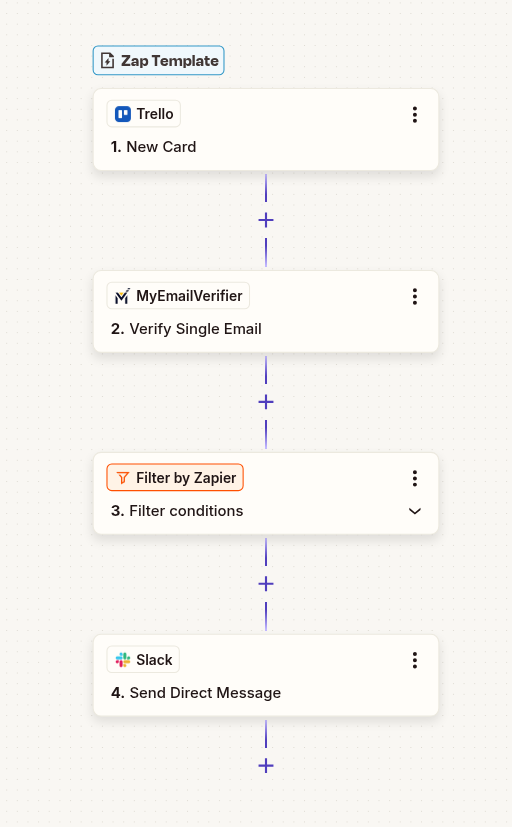
Trello to Slack email verification workflow with Zapier automation
Card Moved/Created

New entry detected

MyEmailVerifier

Verify email quality

Slack

Add/update with verified email
Why Use This Integration?

Data Quality

Automatically verify every email before it enters your system. Maintain pristine data quality without manual checking.

Save Time

Eliminate manual email verification. Focus on engaging with real leads while automation handles validation.

Better Results

Reduce bounce rates, improve deliverability, and protect your sender reputation with verified email addresses.

Step-by-Step Setup Guide

1Connect Trello as Trigger

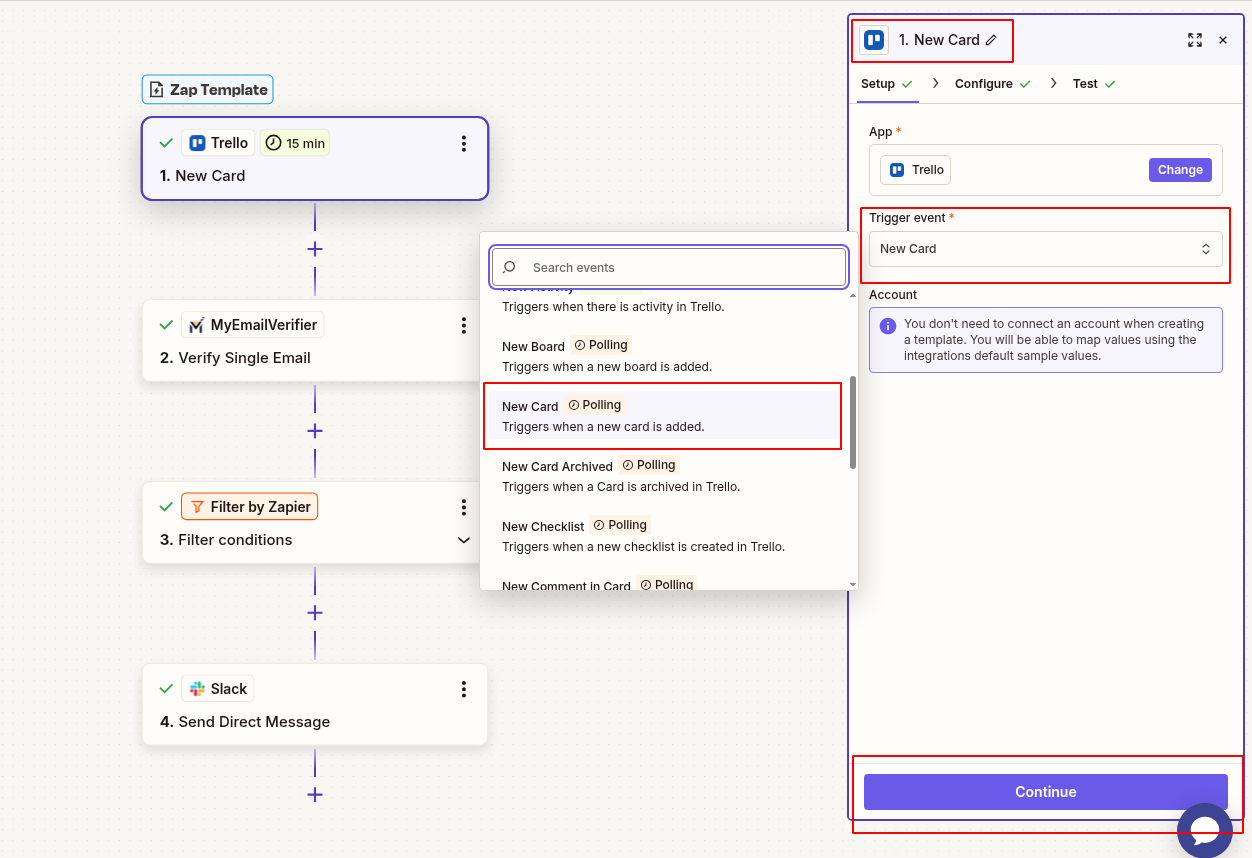
Set up Trello to capture new entries:

  • Log in to Zapier and create new Zap
  • Search for "Trello" and select it
  • Choose appropriate trigger event
  • Connect your Trello account
  • Configure trigger settings
  • Test to pull sample data
Connect Trello new card trigger in Zapier

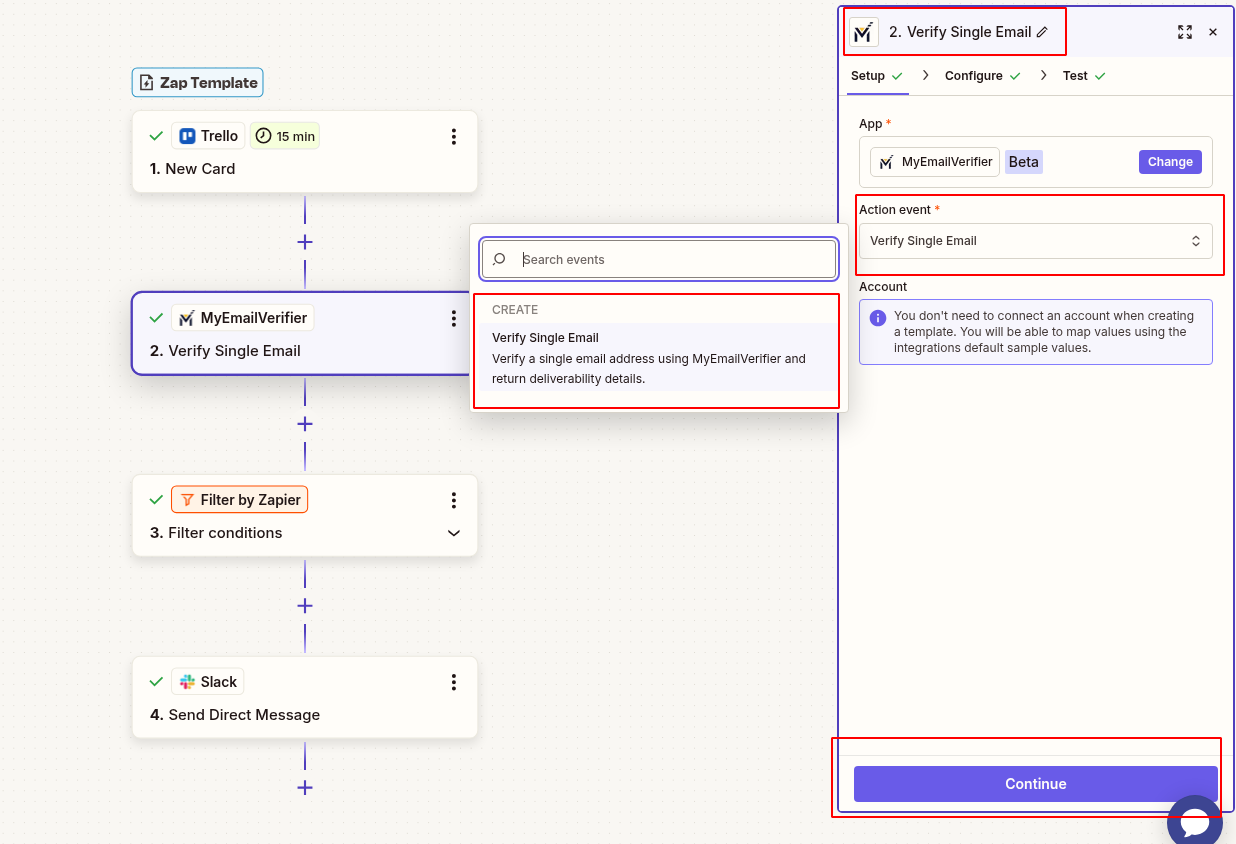
2Add MyEmailVerifier Action

Verify the email address:

  • Click "+" to add action
  • Search for "MyEmailVerifier"
  • Choose: "Verify Email"
  • Connect your MyEmailVerifier account
  • Map email field to verification input
  • Test to see verification results
MyEmailVerifier verify Trello email in Zapier

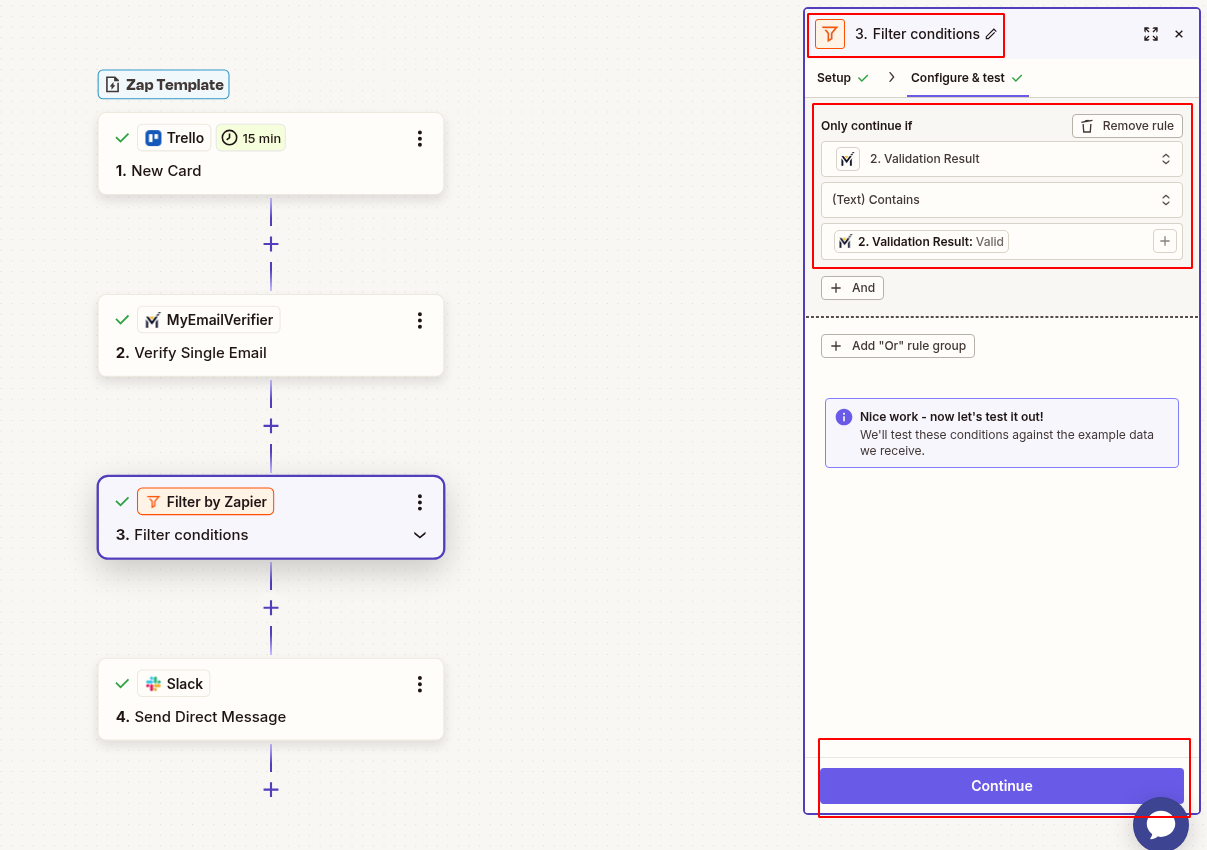
3Add Filter (Only Valid Emails)

Only proceed with verified emails:

  • Add "Filter by Zapier" step
  • Set condition: Status equals "valid"
  • This prevents invalid emails from proceeding
Zapier filter valid emails only for Trello

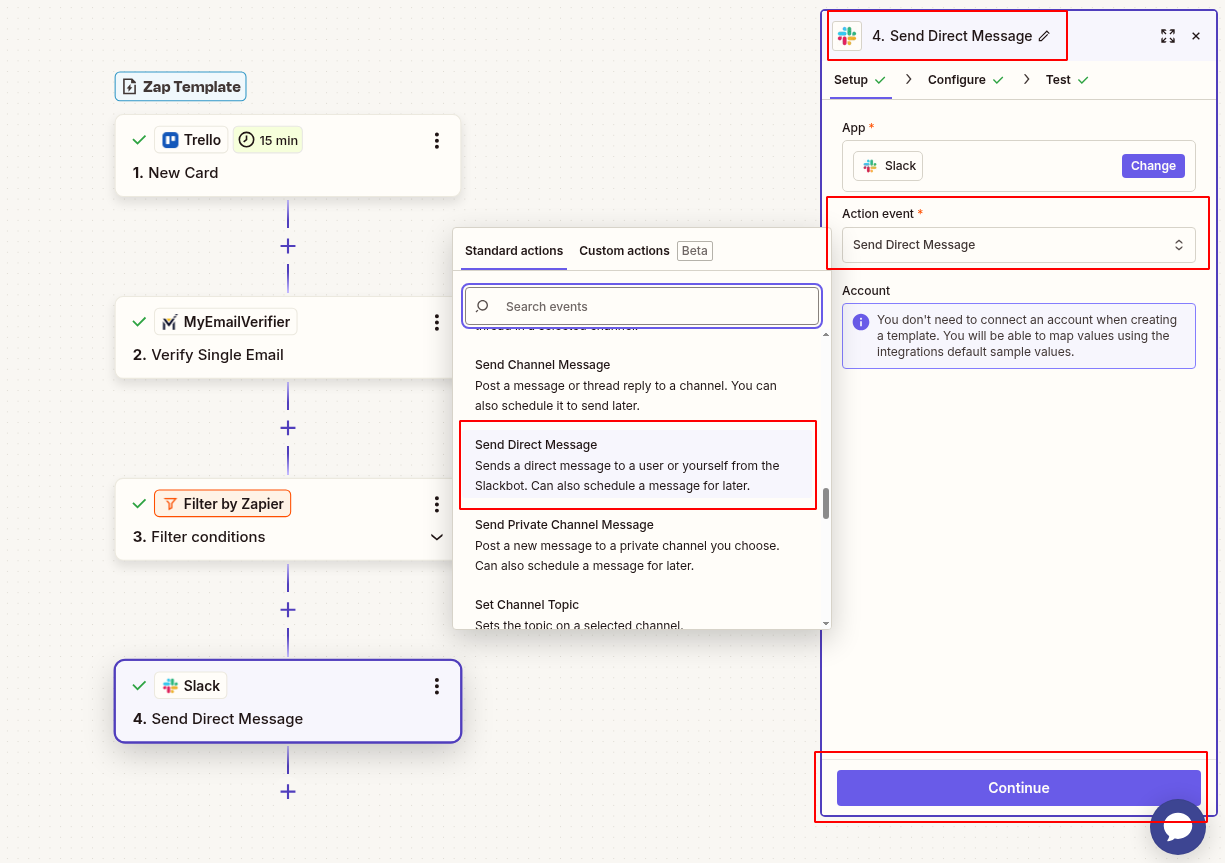
4Send Notification to Slack

Alert team about verified emails:

  • Add Slack action: "Send Channel Message"
  • Connect your Slack workspace
  • Select target channel (e.g., #leads, #sales)
  • Compose message with:
    • Card title and description
    • Verified email address
    • Email quality score
    • Link back to Trello card
  • Test the notification
Send verification notification to Slack

5Test & Activate

Verify everything works:

  • Test complete workflow with sample data
  • Verify fields map correctly
  • Check notification appears in Slack
  • Turn on Zap when testing successful

Real-World Use Cases

Lead Management

Scenario: Capture leads from Trello and maintain data quality.

Benefit: Only verified emails enter your marketing automation, reducing bounces and improving campaign performance.

Database Hygiene

Scenario: Automatically clean incoming data before it pollutes your CRM.

Benefit: Maintain pristine database quality without manual intervention or periodic cleanups.

Campaign Optimization

Scenario: Ensure all outreach campaigns use verified email addresses.

Benefit: Higher deliverability rates, better engagement metrics, protected sender reputation.

Ready to Automate Email Verification?

Set up this integration in minutes and ensure data quality automatically.

Create This Zap View All Templates
MyEmailVerifier

Copyright © 2026 · MyEmailVerifier · All Rights Reserved