1. Home
  2. Integration
  3. Convertkit

ConvertKit → Verify → Tag Subscribers

Automatically verify new ConvertKit subscribers with MyEmailVerifier via Zapier. Tag by quality, segment audiences, and keep creator email lists pristine.

Set Up Integration
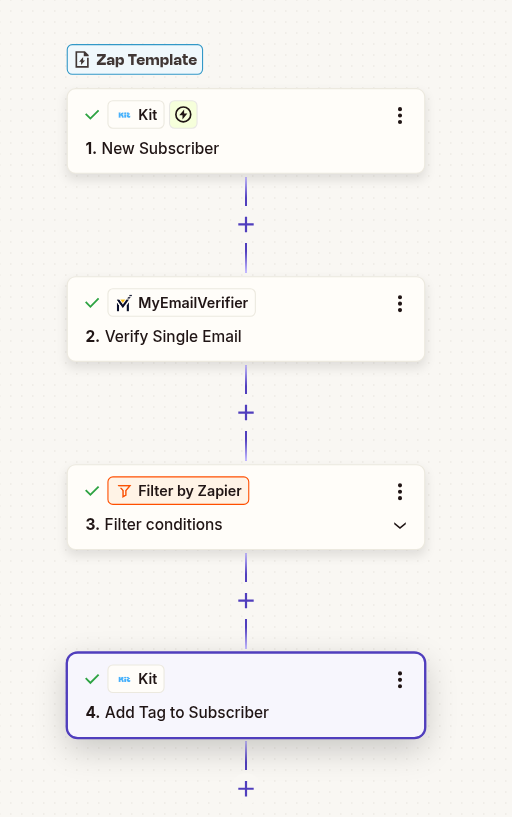
ConvertKit email verification workflow

Why Verify ConvertKit Subscribers?

Build Quality Audiences

As a creator, your email reputation is critical. Verify subscribers to maintain high deliverability and inbox placement.

Smart Segmentation

Tag by email quality and type. Create targeted sequences for different audience segments.

Maximize Engagement

Clean lists lead to higher open rates and stronger community engagement. Focus on real, interested subscribers.
Quick Setup Guide

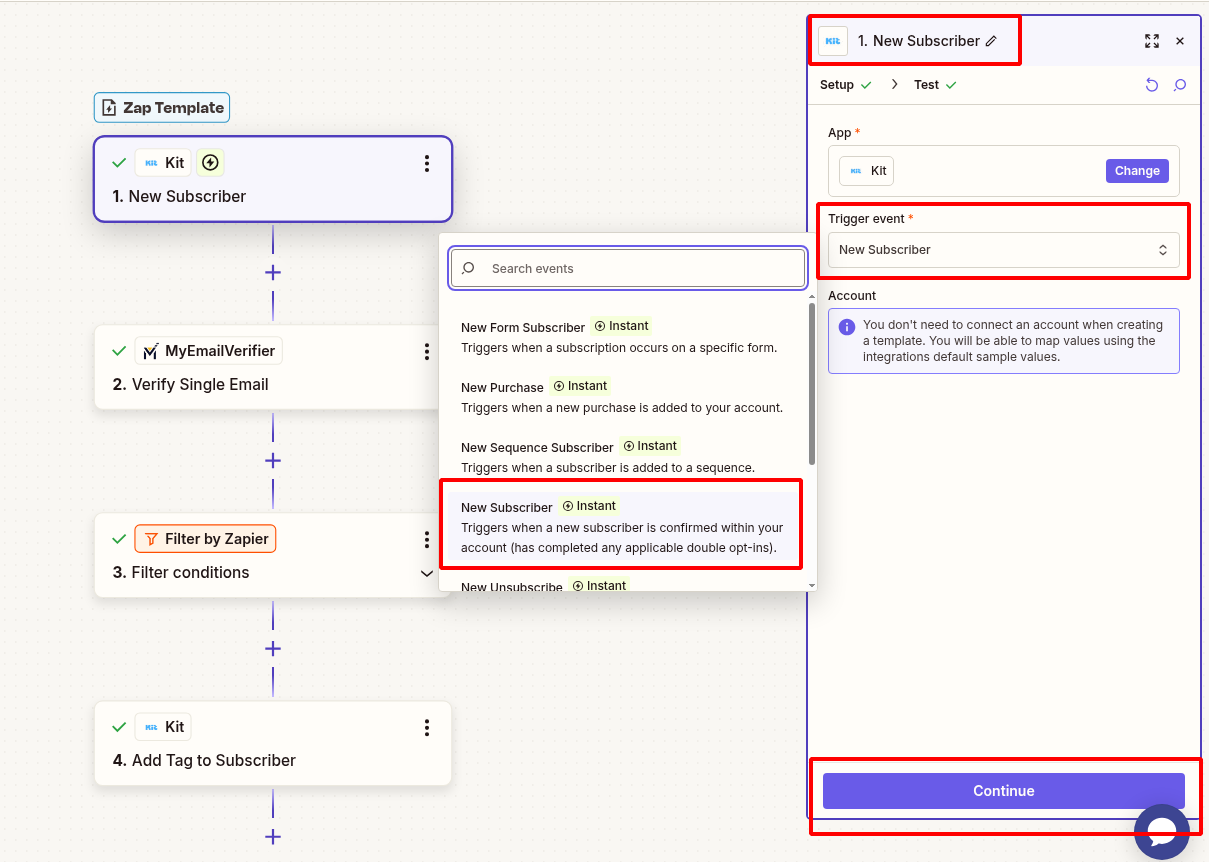
1Connect ConvertKit Trigger

  • Log in to Zapier and create new Zap
  • Search for "ConvertKit" and select it as trigger
  • Choose trigger event: "New Subscriber"
  • Connect your ConvertKit account
  • Select the Form or Sequence to monitor
  • Test trigger to pull sample subscriber
ConvertKit trigger setup

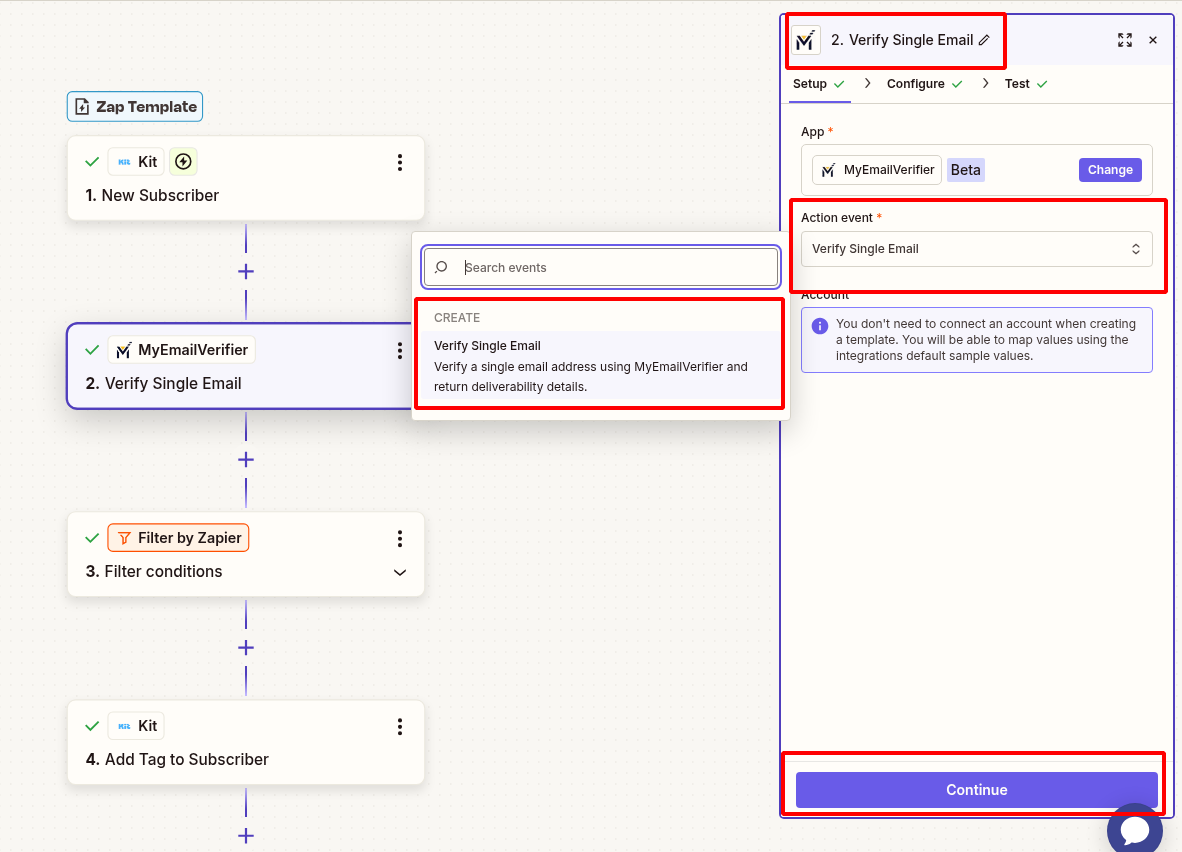
2Verify Subscriber Email

  • Click "+" to add action step
  • Search for "MyEmailVerifier"
  • Choose action: "Verify Email"
  • Connect your MyEmailVerifier account with API key
  • Map the "Email Address" field from ConvertKit
  • Test to see verification results
MyEmailVerifier action setup

3Filter for Valid Emails

Add a Filter step to only continue when email is valid:
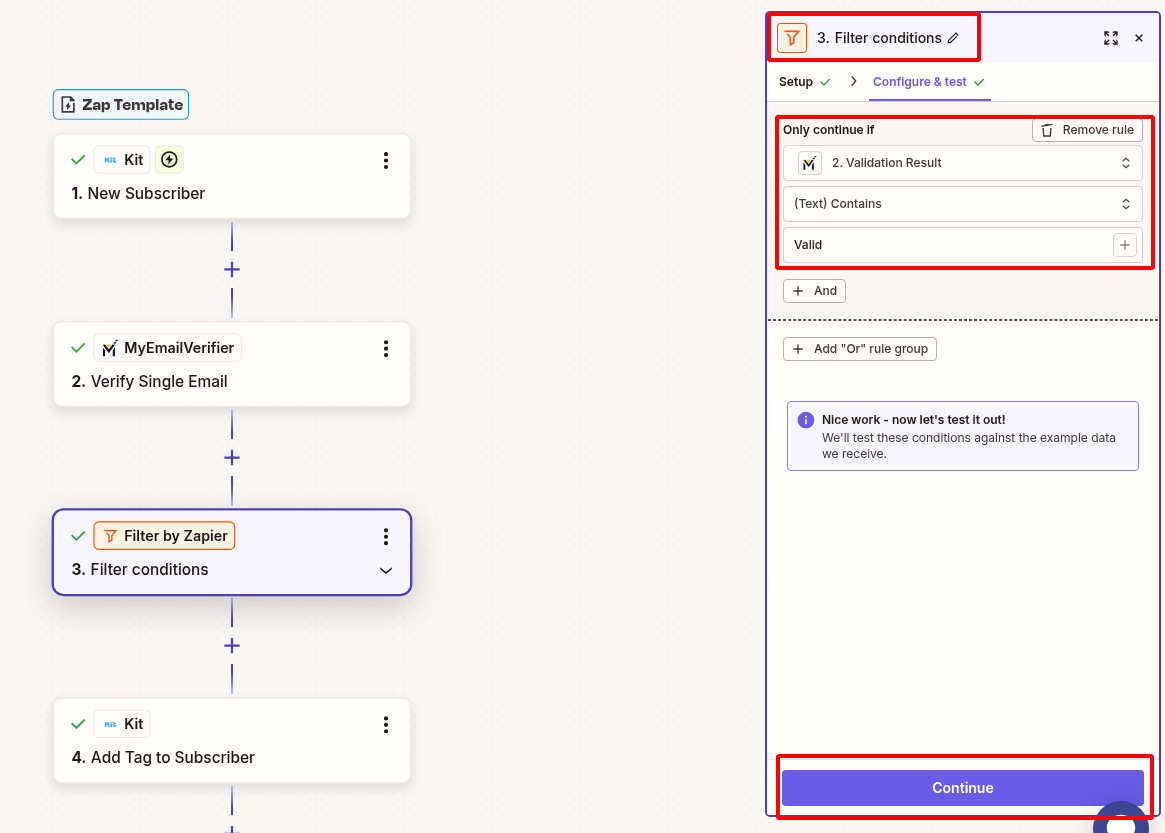
  • Click "+" to add a Filter step
  • Choose "Filter by Zapier"
  • Set condition: "Status" exactly matches "valid"
  • Test the filter to ensure it works correctly
Filter setup
Note: Only verified subscribers proceed to tagging step.

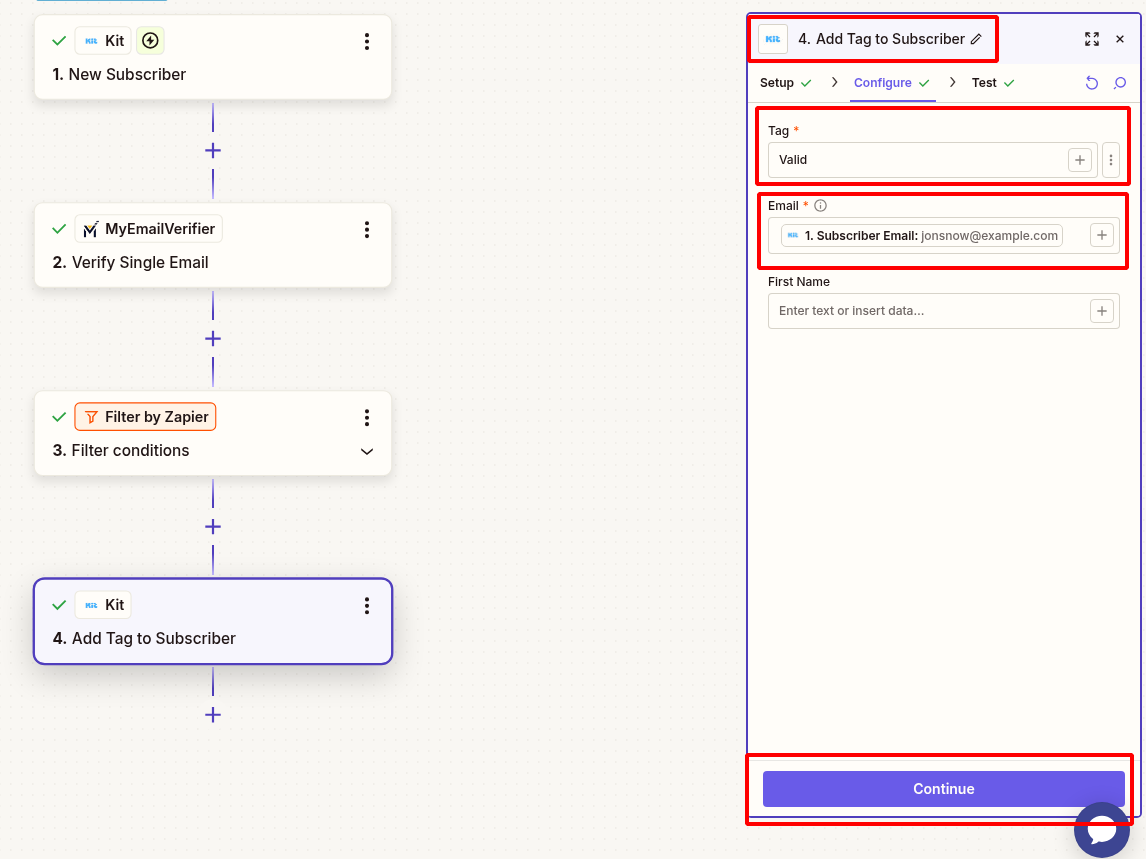
4Tag Valid Subscribers

  • Click "+" to add final action
  • Search for ConvertKit and select: "Add Tag to Subscriber"
  • Map email address from the trigger step
  • Add tag: "Verified-Valid"
  • Optional: Create different tags for different quality levels
  • Test the action to confirm tag is applied
Tag action setup

5Test & Go Live

  • Add a test subscriber with valid email
  • Verify Zap triggers and tag is applied correctly
  • Test with invalid email to confirm filter blocks it
  • Turn on your Zap to start automatic verification
  • Monitor Zap history for smooth operation

Ready to Build a Quality Subscriber Base?

Set up automatic verification for your ConvertKit lists.

Start Integration View All Templates

MyEmailVerifier

Copyright © 2026 · MyEmailVerifier · All Rights Reserved