Zoom → Verify → Mailchimp
Automatically verify email addresses from Zoom webinar registrations before adding attendees to your Mailchimp lists. Ensure only valid registrants receive follow-up emails.
Use This Template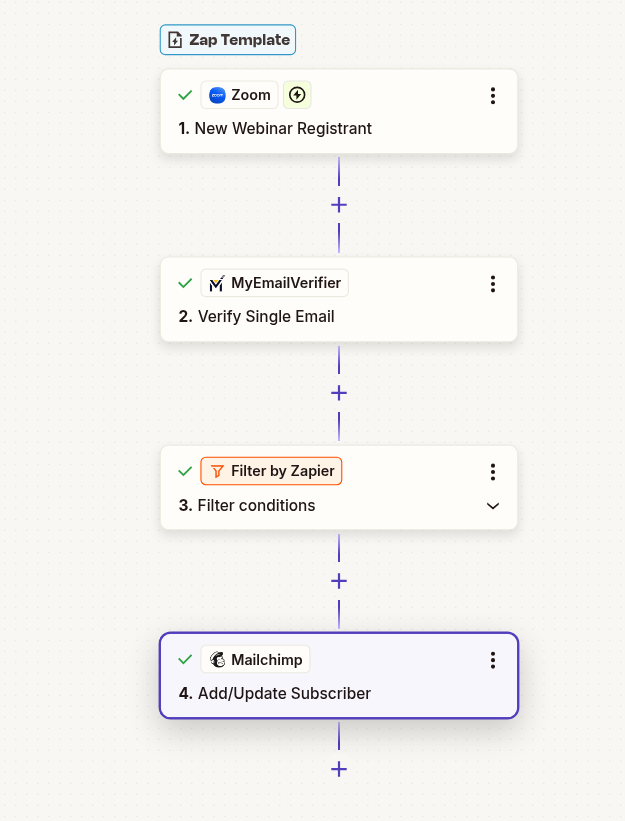
Automatically verify email addresses from Zoom webinar registrations before adding attendees to your Mailchimp lists. Ensure only valid registrants receive follow-up emails.
Use This Template
Verify webinar registrants before follow-up campaigns. Ensure reminder emails and post-webinar content reach real attendees.
Only add verified emails to Mailchimp. Prevent fake registrations from polluting your lists and harming sender reputation.
Higher email deliverability means better open rates and engagement. Reach real prospects with your post-webinar campaigns.
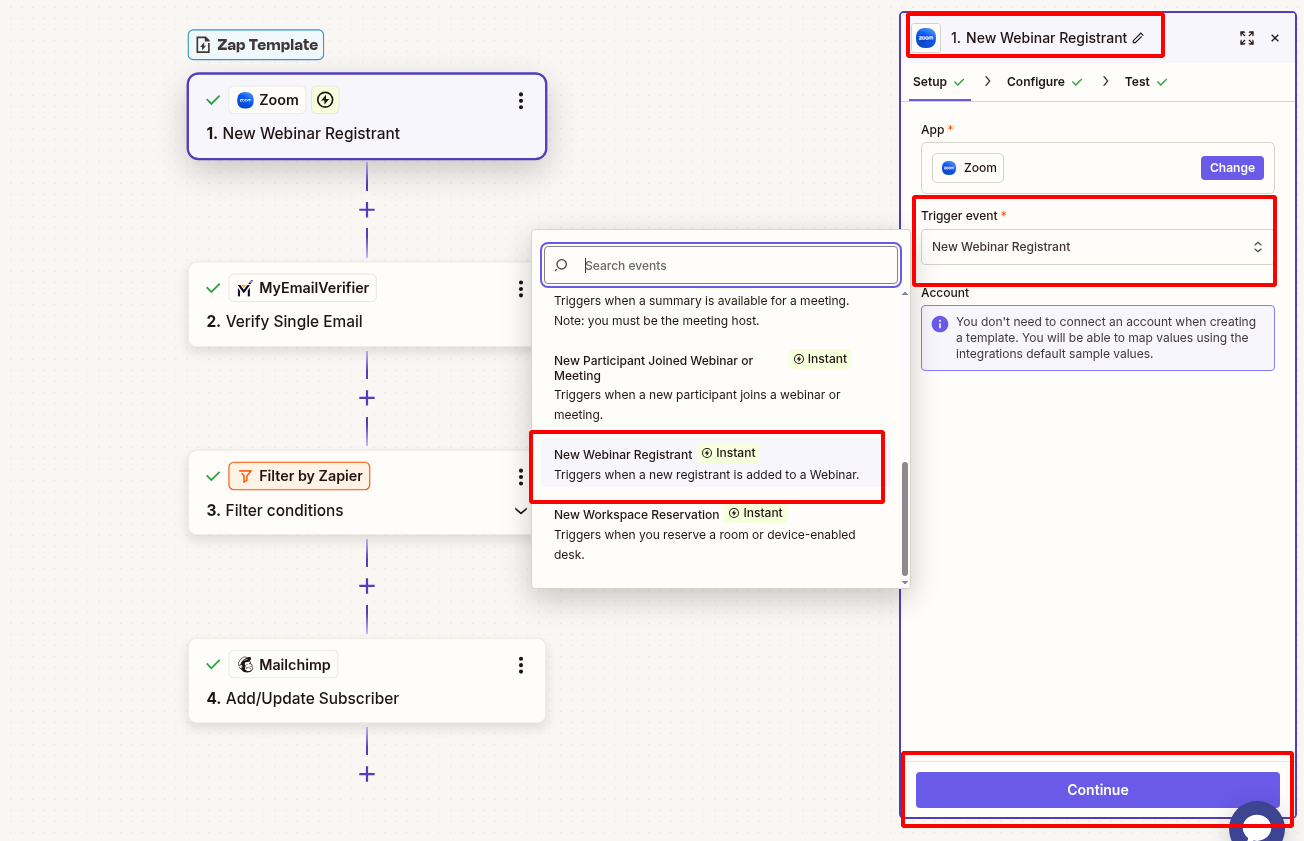
Set up Zoom to detect new webinar registrants:
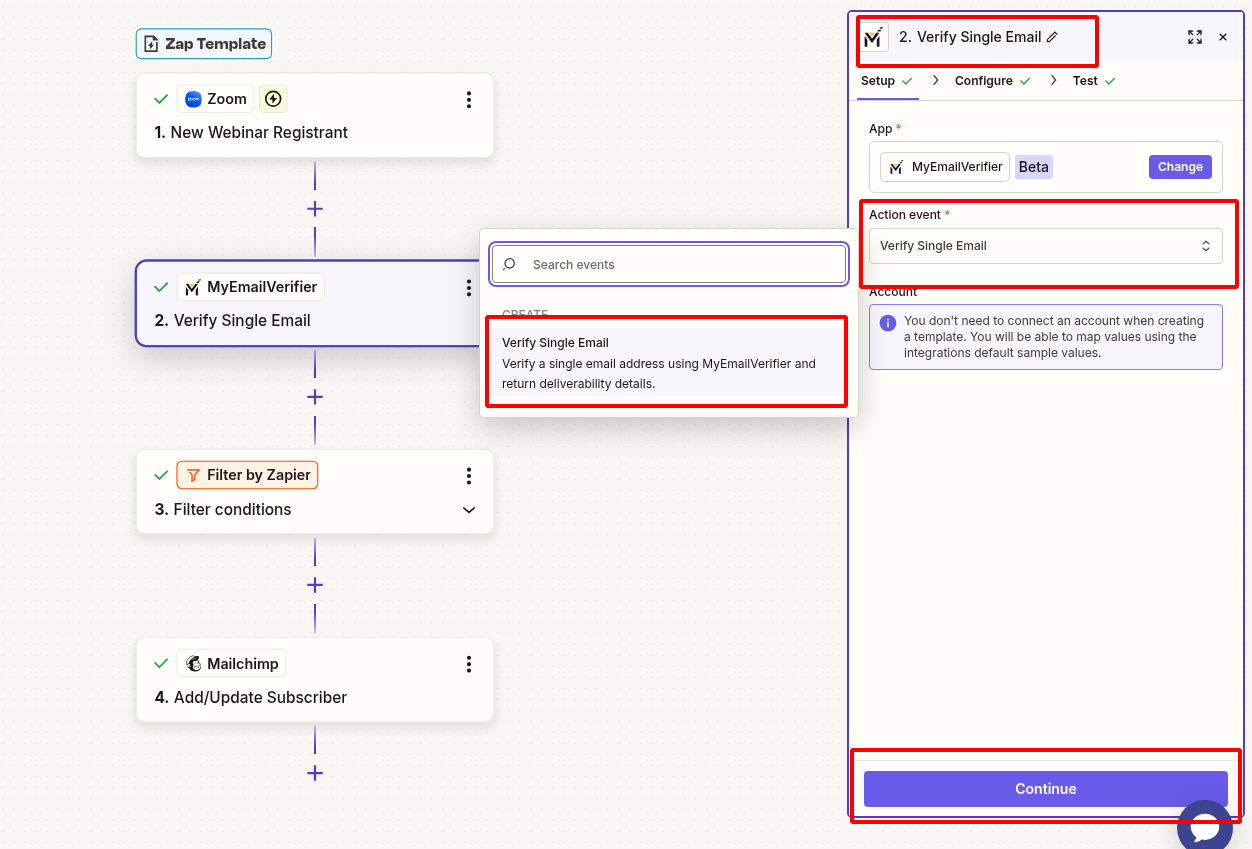
Verify the email address:
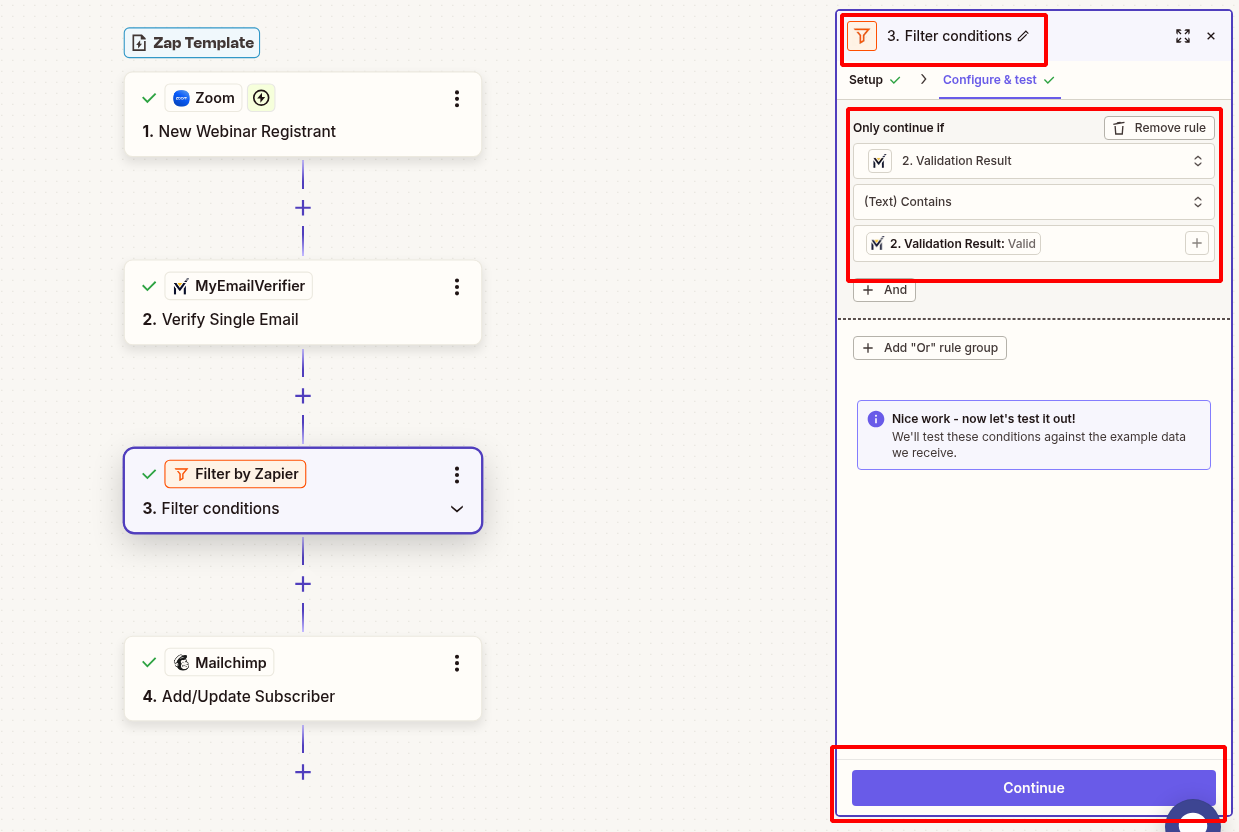
Only add verified emails to Mailchimp:
Subscribe verified registrant to your list:
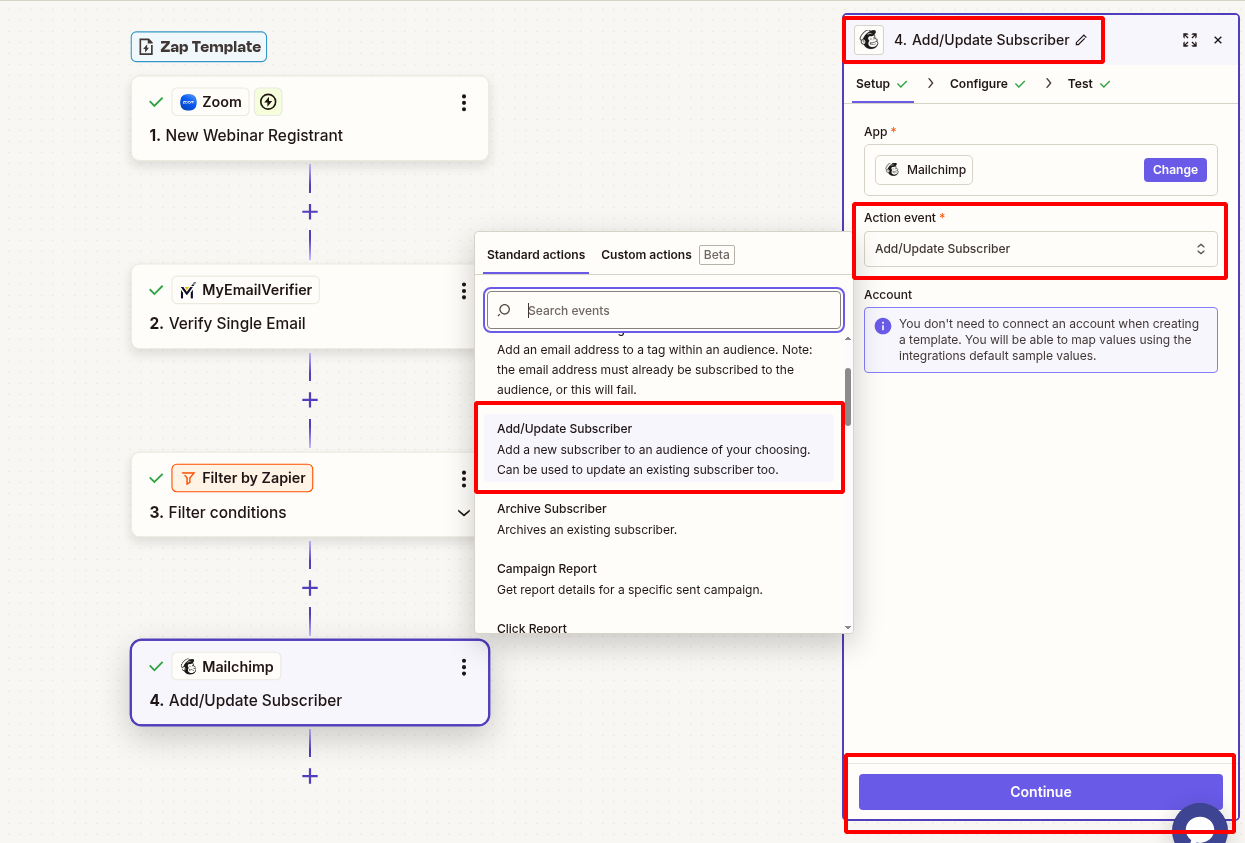
Verify everything works:
Scenario: Run regular webinars and build email lists from registrants.
Benefit: Only verified attendees receive reminder emails and post-webinar follow-ups, improving engagement and reducing bounces.
Scenario: Convert webinar participants into customers through automated email sequences.
Benefit: Maintain clean lists ensure your nurture campaigns reach real prospects with high deliverability.
Scenario: Manage multiple webinars and track engaged attendees across series.
Benefit: Verified email quality enables accurate segmentation and personalized follow-up campaigns.
Set up this integration in minutes and ensure webinar data quality automatically.
Create This Zap View All Templates
Copyright © 2026 · MyEmailVerifier · All Rights Reserved