Complete Workflow Overview
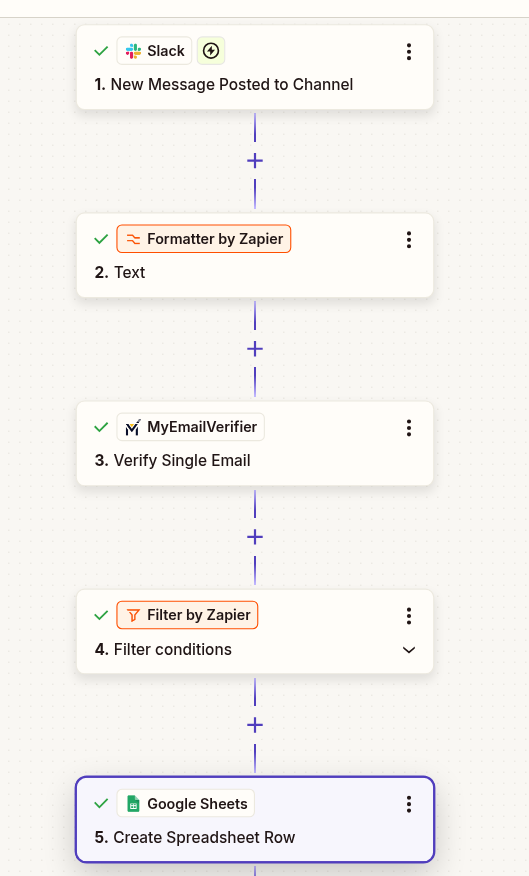
Automatically verify email addresses shared in Slack and log them to Google Sheets. Perfect for team referrals, lead sharing, and collaborative prospecting.
Use This TemplateNew message with email detected
Verify email validity in real-time
Log verified email with status
When team members share potential leads in Slack, automatically verify and log them to a centralized spreadsheet. No manual data entry required.
Email addresses are verified in real-time as they're shared. Get immediate feedback on email quality before outreach begins.
Build a verified email database automatically. All team contributions flow into one organized Google Sheet for easy access.
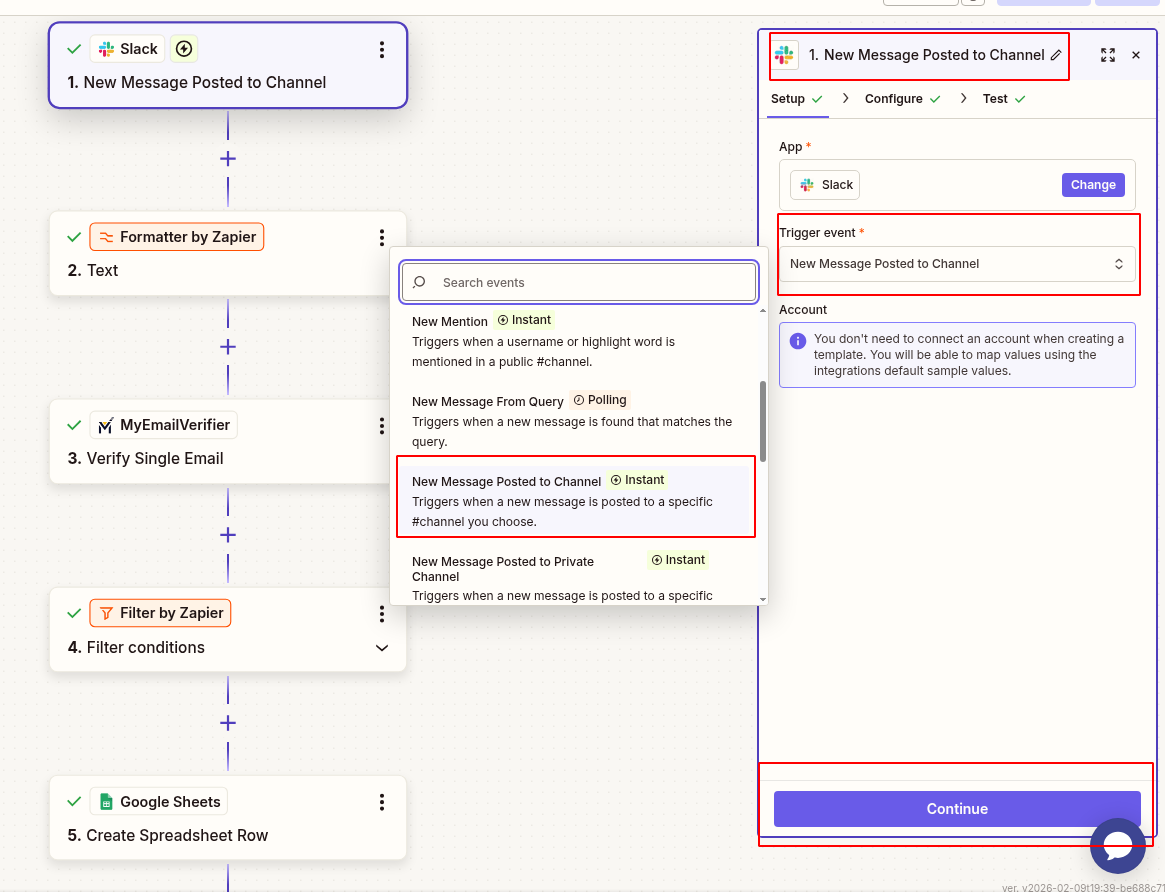
Start by connecting your Slack workspace to Zapier:
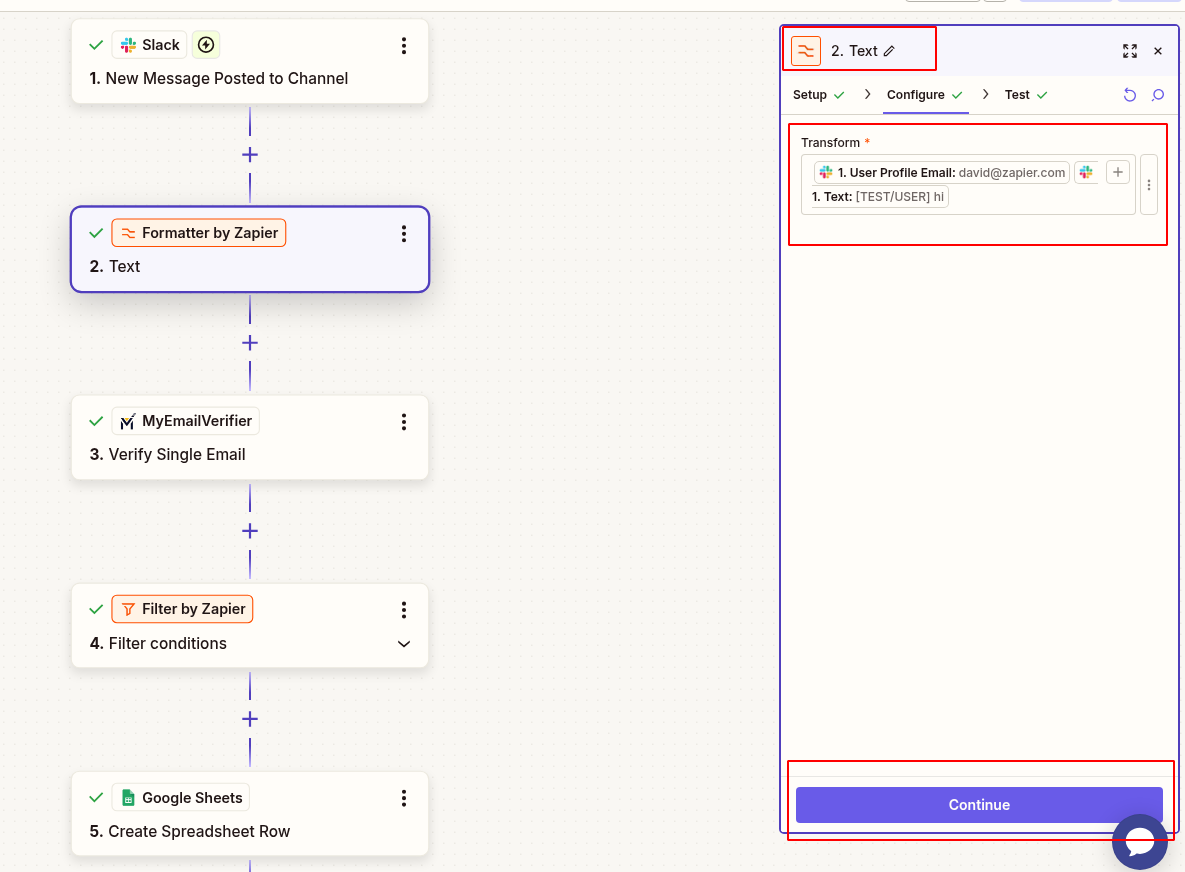
Configure how to extract email addresses from Slack messages:
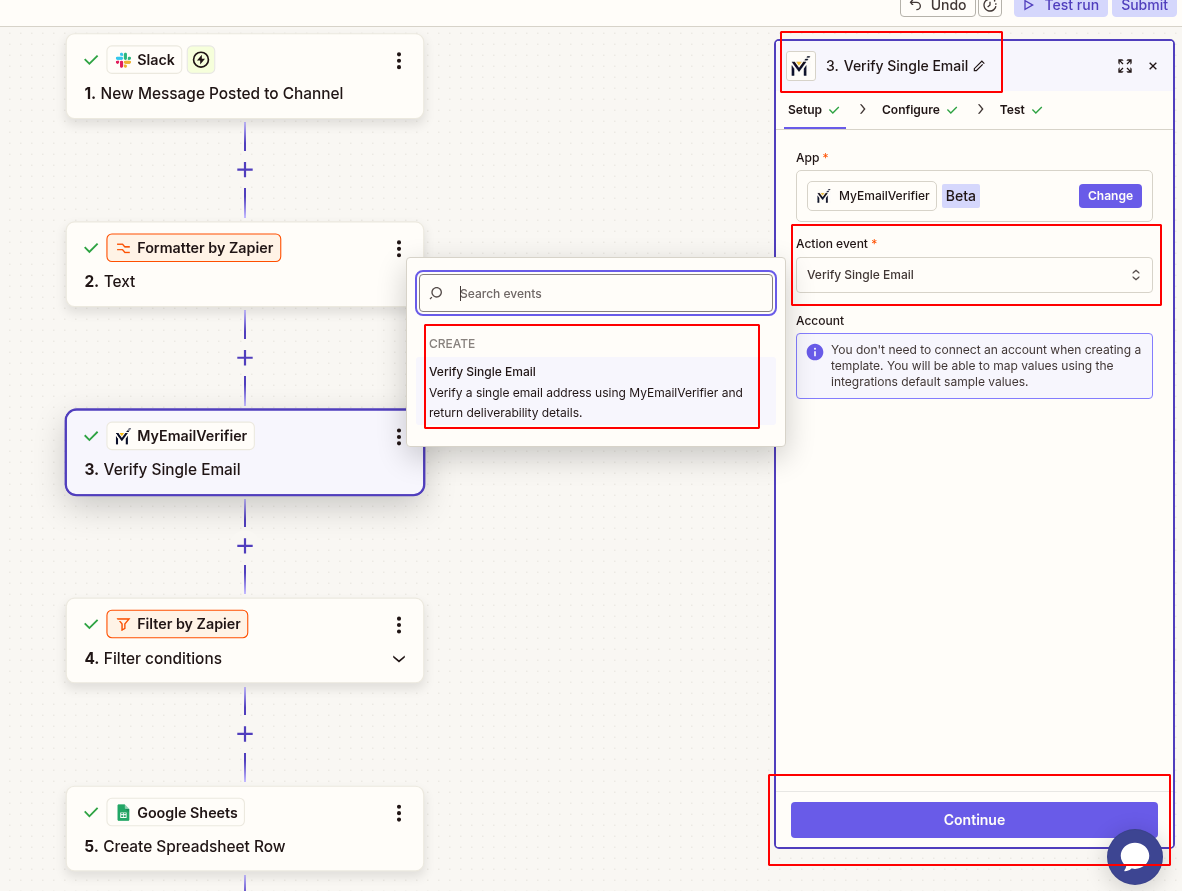
Verify the extracted email address:
Only log valid emails to avoid clutter:
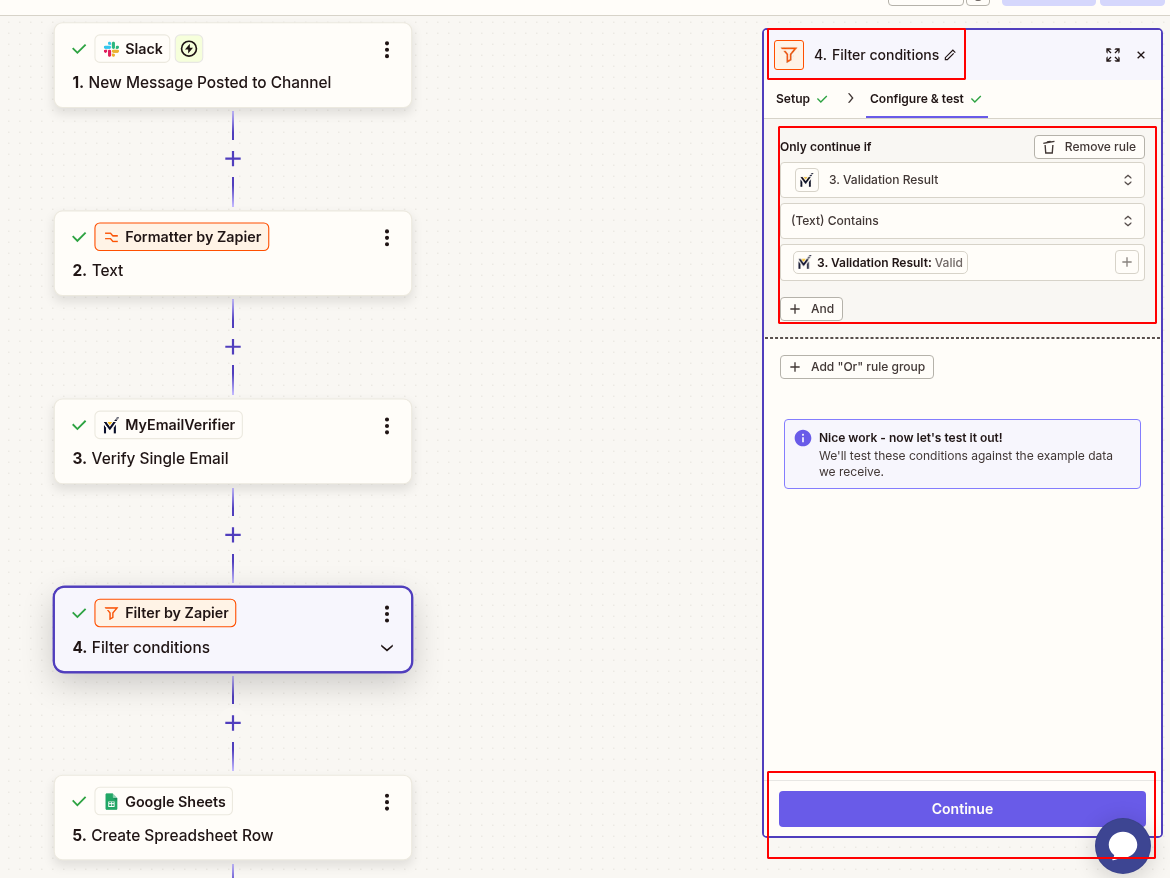
Log verified emails to your spreadsheet:
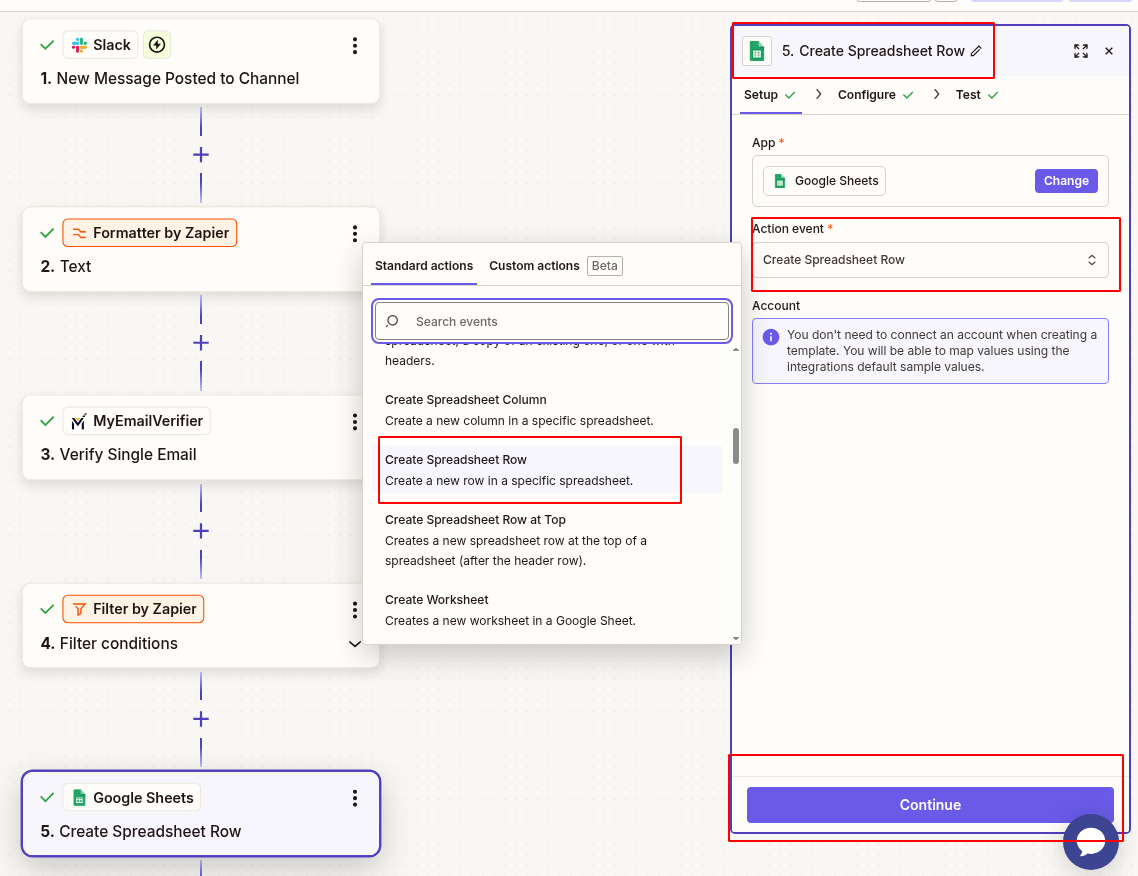
Test your Zap before going live:
Scenario: Your sales team shares potential leads they meet at conferences or networking events in a #referrals Slack channel.
Workflow: Any email mentioned in #referrals is automatically verified and logged to a "Referral Database" spreadsheet with the referring rep's name, verification status, and date.
Benefit: Build a verified referral database without manual entry. Track which reps contribute the most quality leads.
Scenario: Your SDR team finds prospects across various platforms (LinkedIn, company websites, events) and shares them in #prospects.
Workflow: Each email posted is instantly verified and logged with verification diagnosis, preventing duplicate entries and invalid contacts.
Benefit: Maintain a single source of truth for prospect data. Avoid wasting time on invalid emails before outreach.
Scenario: Run an employee referral program where team members submit candidate emails via Slack.
Workflow: HR monitors #referrals channel, and all candidate emails are automatically verified and logged with employee name and timestamp.
Benefit: Streamline referral collection, ensure valid contact info, and track referral sources automatically.
Scenario: Business development team shares potential partner contacts in #partnerships channel.
Workflow: Partner emails are verified, logged with diagnosis, and flagged for quality before outreach.
Benefit: Build a high-quality partner database. Avoid embarrassing bounces when reaching out to potential partners.
Admin or member access to your workspace
Free or paid plan (multi-step Zaps require paid plan)
Active account with API credits
Free Google account with Sheets access
Issue: Formatter doesn't find email in message
Solution: Ensure email is in standard format ([email protected]). Use regex pattern if needed: [\w\.-]+@[\w\.-]+\.\w+
Issue: Message contains several email addresses
Solution: Use "Extract Pattern" with "All" option, then add Looping by Zapier to verify each email separately
Issue: Same email logged multiple times
Solution: Add a "Lookup Spreadsheet Row" step before creating new row to check if email already exists
Issue: Zap paused due to too many triggers
Solution: Use a dedicated channel for lead sharing. Configure trigger to only monitor that specific channel
Set up this Zap in under 10 minutes and start building your verified email database automatically.
Create This Zap View All Templates
Copyright © 2026 · MyEmailVerifier · All Rights Reserved