Keap → Verify → Update Keap
Automatically verify email addresses for new Keap (formerly Infusionsoft) contacts and update their records with verification results. Enrich your CRM with email deliverability data.
Use This Template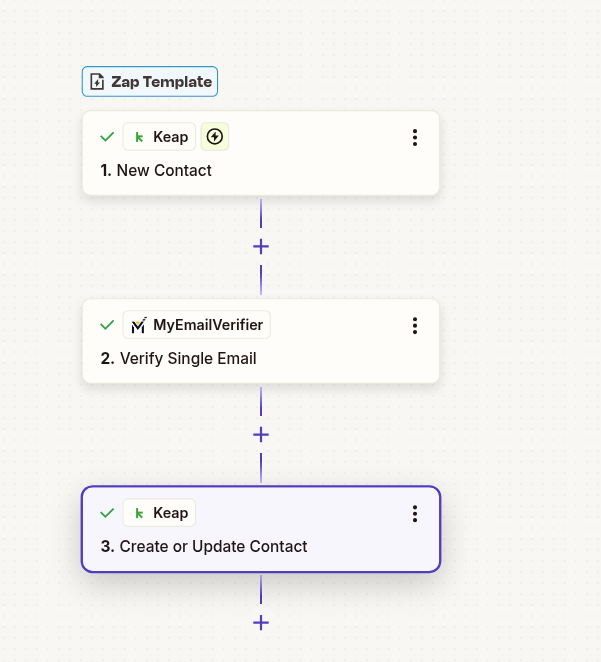
Automatically verify email addresses for new Keap (formerly Infusionsoft) contacts and update their records with verification results. Enrich your CRM with email deliverability data.
Use This Template
Automatically add email quality data to every new Keap contact. Enable smart segmentation and campaign targeting based on email deliverability.
Send campaigns only to verified contacts. Improve open rates and deliverability by focusing on quality email addresses.
Keep your Keap database clean automatically. Every new contact gets quality-checked without manual intervention.
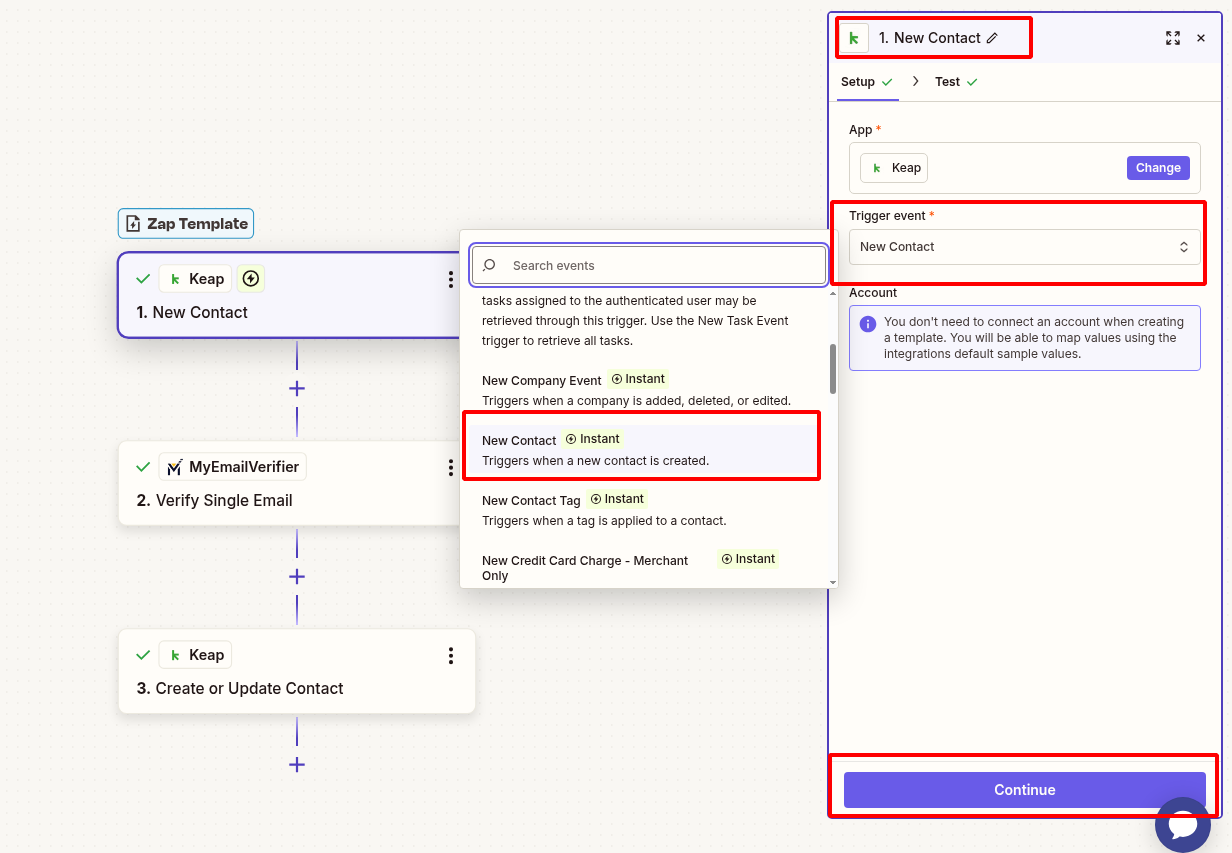
Set up Keap to detect new contacts:
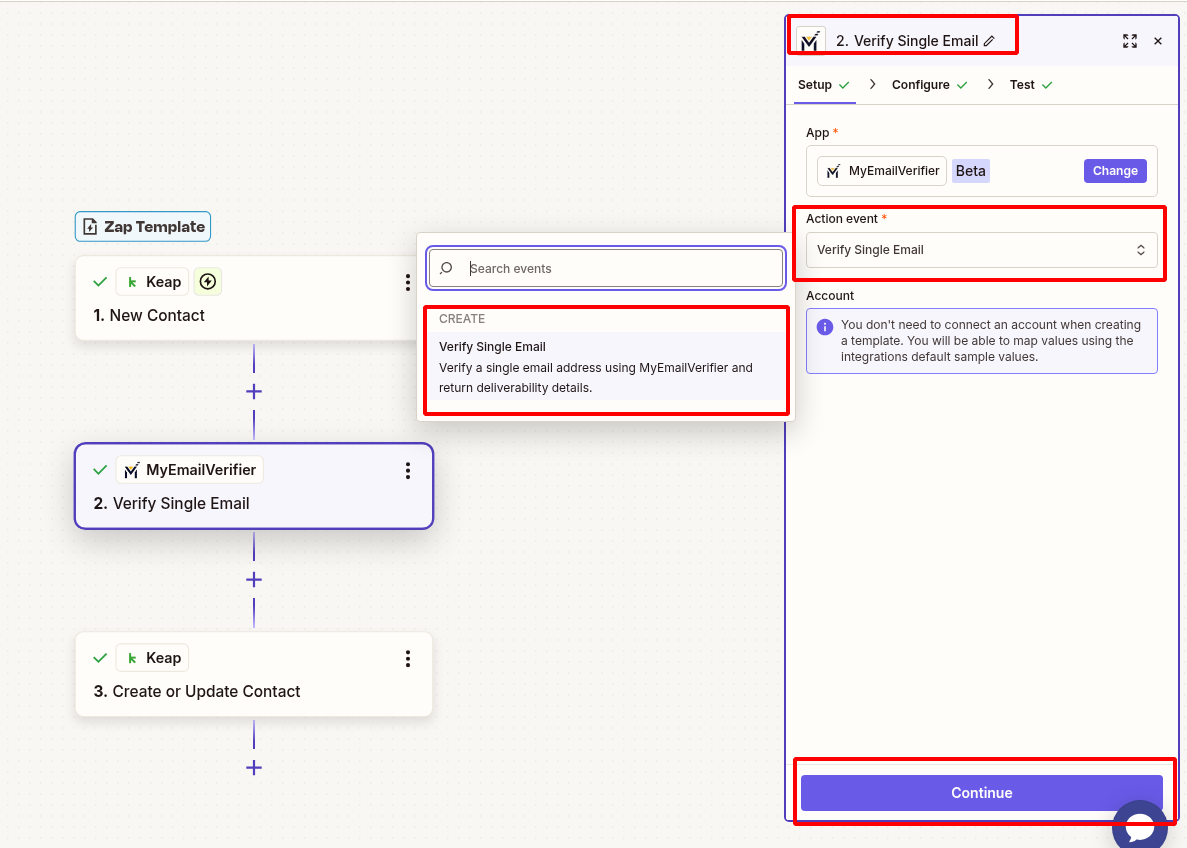
Verify the email address:
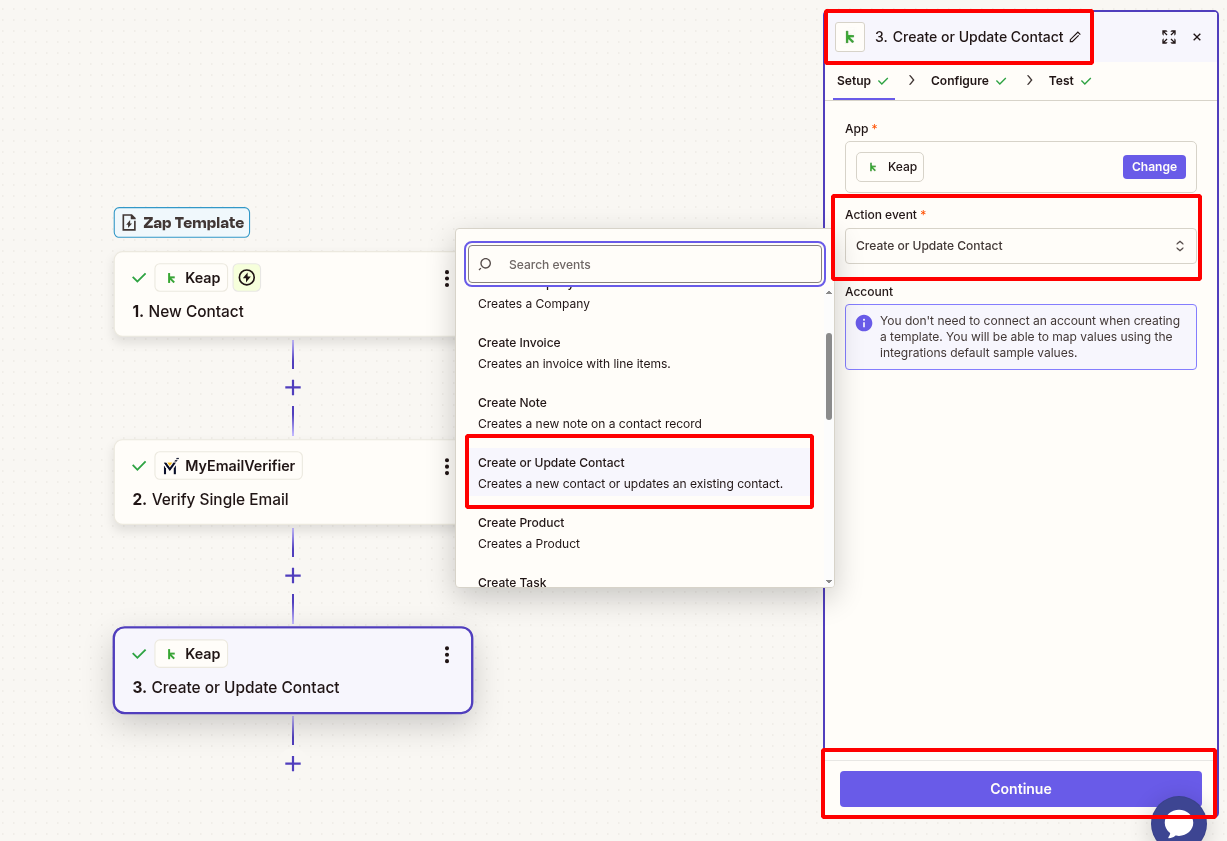
Add verification results back to the contact record:
Verify everything works:
Scenario: Create email campaigns targeting only verified contacts.
Benefit: Improve deliverability rates and engagement by focusing on quality email addresses in your marketing automation.
Scenario: Add email quality as a factor in automated lead scoring.
Benefit: Prioritize leads with verified emails for sales follow-up, improving conversion rates and sales efficiency.
Scenario: Monitor email quality across different lead sources.
Benefit: Identify which sources provide the best quality contacts and optimize marketing spend accordingly.
Set up this integration in minutes and enrich every Keap contact automatically.
Create This Zap View All Templates
Copyright © 2026 · MyEmailVerifier · All Rights Reserved