Dynamics 365 → Verify → Update Dynamics

Automatically verify email addresses for new Microsoft Dynamics 365 contacts and update their records with verification results. Enrich your enterprise CRM with email quality data.

Use This Template
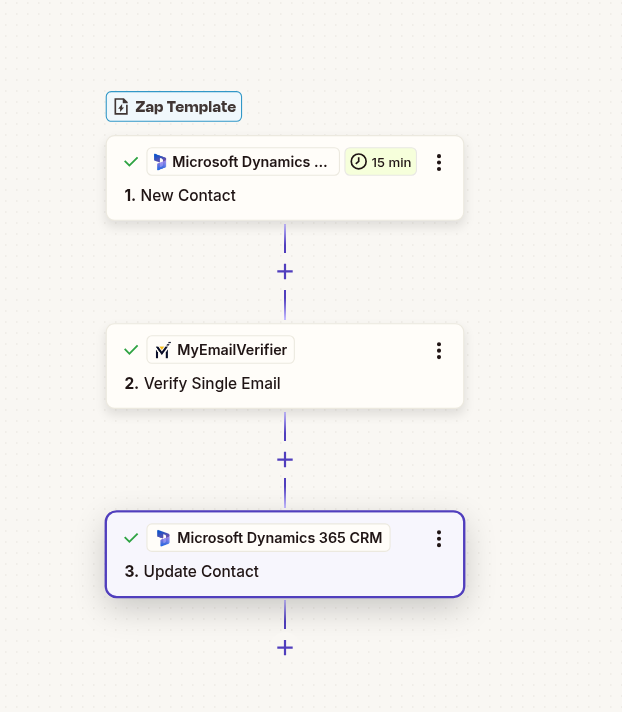
Microsoft Dynamics 365 email verification workflow with Zapier automation

Why Use This Integration?

Enterprise Data Quality

Automatically add email quality data to every new contact at scale. Enable enterprise-wide data governance and contact management.

Organization-Wide Benefits

Provide all teams with verified contact data. Sales, marketing, and support teams access reliable email information from day one.

Improve Outreach ROI

Focus resources on verified contacts. Reduce bounce rates and improve campaign effectiveness across your organization.

Step-by-Step Setup Guide

Note: This is an "update" workflow - it verifies ALL new contacts and adds verification data to their records. No contacts are filtered out.

1Connect Microsoft Dynamics 365 as Trigger

Set up Dynamics 365 to detect new contacts:
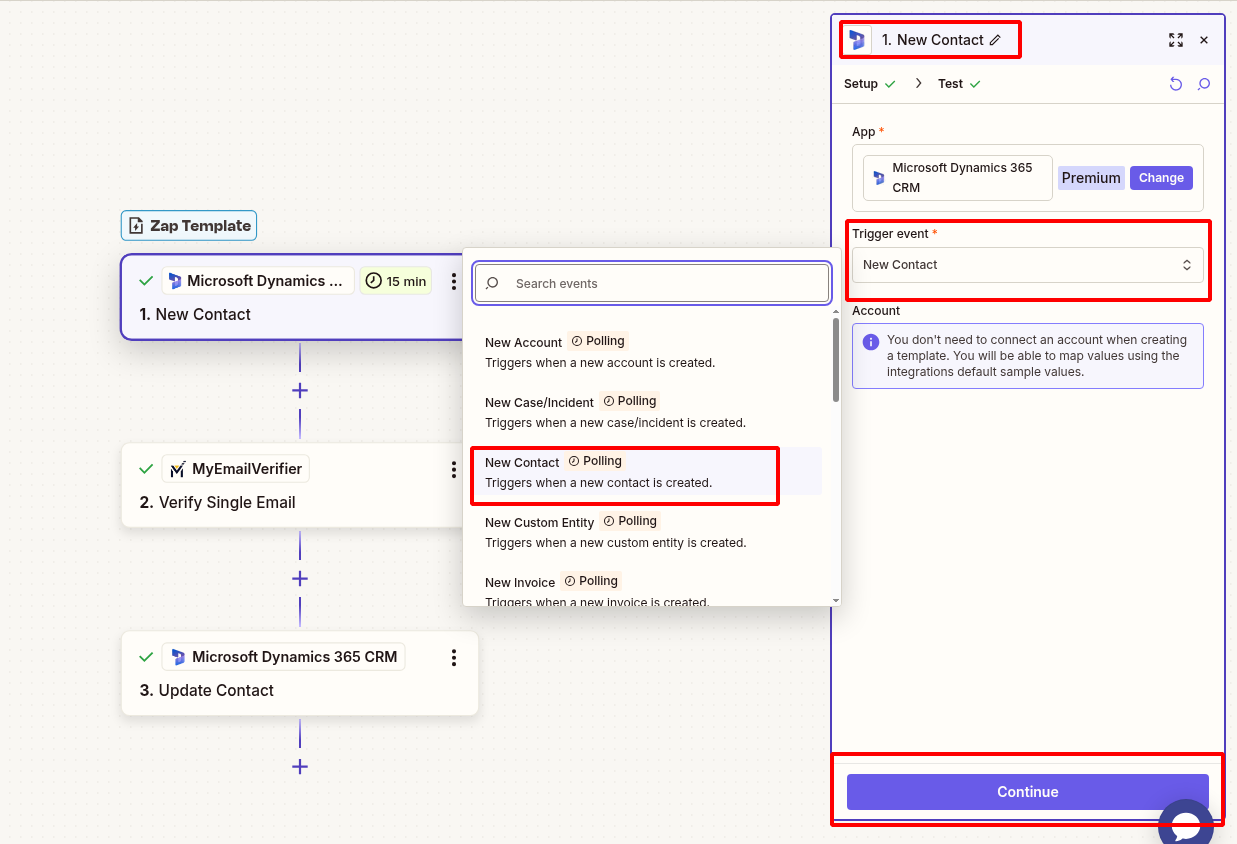
  • Log in to Zapier and create new Zap
  • Search for "Microsoft Dynamics 365 CRM" and select it
  • Choose trigger: "New Contact"
  • Connect your Dynamics 365 account
  • Configure trigger settings (all contact fields)
  • Test to pull sample contact data
Connect Microsoft Dynamics 365 new contact trigger in Zapier

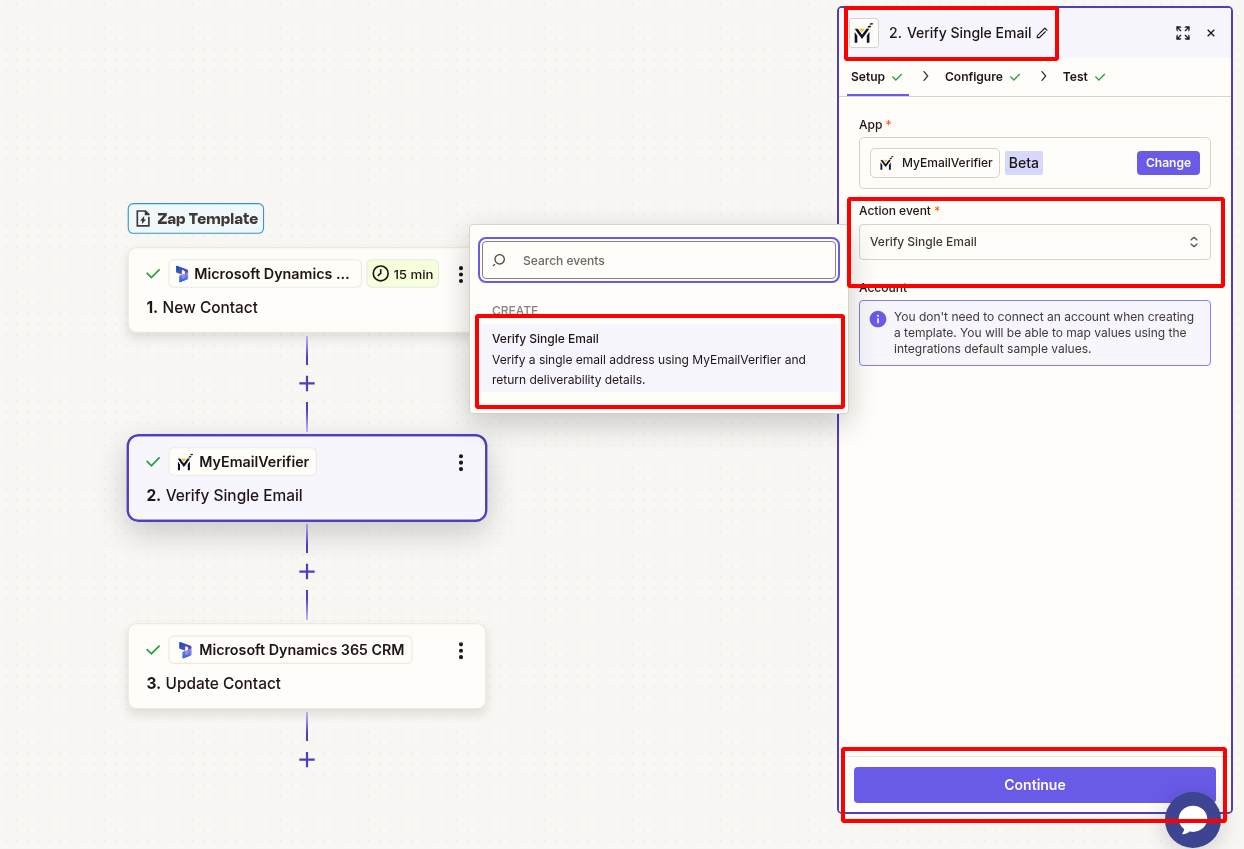
2Add MyEmailVerifier Action

Verify the email address:

  • Click "+" to add action
  • Search for "MyEmailVerifier"
  • Choose: "Verify Email"
  • Connect your MyEmailVerifier account
  • Map Dynamics 365 contact email field to verification input
  • Test to see verification results
MyEmailVerifier verify Microsoft Dynamics 365 contact email in Zapier

3Update Dynamics 365 Contact with Verification Data

Add verification results back to the contact record:
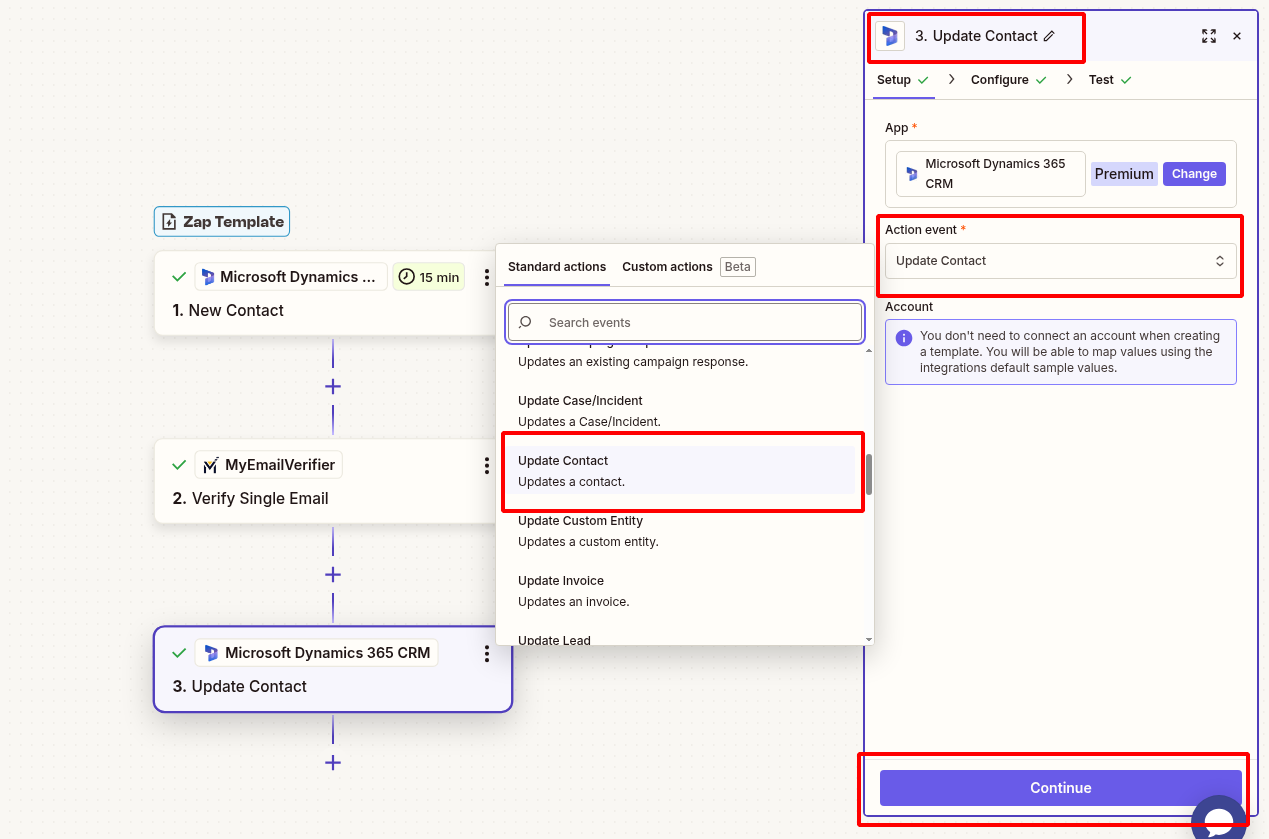
  • Add Dynamics 365 action: "Update Contact"
  • Use the same Dynamics 365 account
  • Map the Contact ID from step 1
  • Create or select custom fields:
    • Email Verification Status: Valid/Invalid/Risky from MyEmailVerifier
    • Email Quality Score: Deliverability rating
    • Verification Date: Timestamp
    • Email Risk Level: Risk assessment
  • Map all verification fields to custom attributes
  • Test to verify data appears in Dynamics 365
Update Microsoft Dynamics 365 contact with verification results

4Test & Activate

Verify everything works:

  • Test complete workflow with sample data
  • Verify custom fields are created in Dynamics 365
  • Check verification data appears in contact records
  • Turn on Zap when testing successful

Real-World Use Cases

Enterprise Data Governance

Scenario: Maintain data quality standards across large organizations.

Benefit: Every contact entering Dynamics 365 is automatically verified, ensuring consistent data quality across departments and regions.

Lead Scoring Enhancement

Scenario: Add email quality as a factor in automated lead scoring models.

Benefit: Prioritize leads with verified emails for sales outreach, improving conversion rates and resource allocation.

Multi-Team Collaboration

Scenario: Provide verified contact data to sales, marketing, and support teams.

Benefit: All teams work with reliable email data, improving communication effectiveness and customer experience.

Ready to Automate Email Verification?

Set up this integration in minutes and enrich every Dynamics 365 contact automatically.

Create This Zap View All Templates

MyEmailVerifier

Copyright © 2026 · MyEmailVerifier · All Rights Reserved