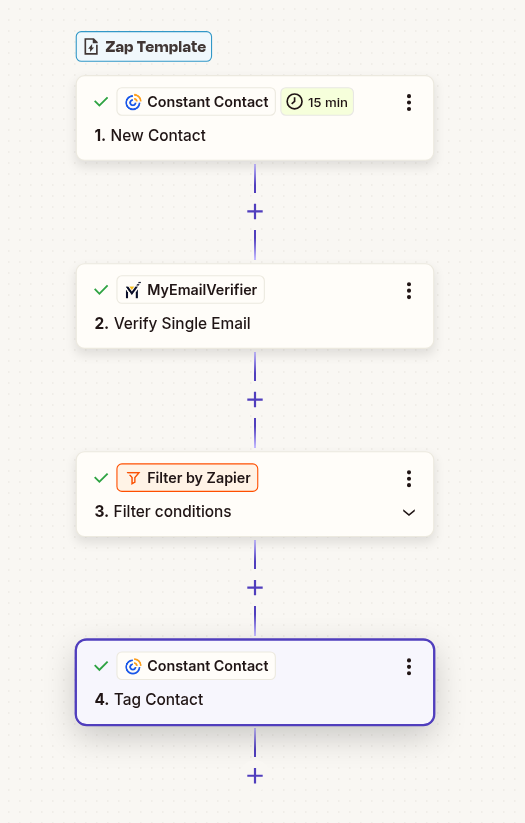
Constant Contact → Verify → Mailchimp

Automatically verify email addresses when subscribers join your Constant Contact lists before syncing them to Mailchimp. Perfect for list consolidation and migration.

Use This Template
Constant Contact to Mailchimp email verification workflow with Zapier automation

Why Use This Integration?

Clean List Migration

Only sync verified contacts between platforms. Ensure your Mailchimp list maintains high quality during consolidation or migration.

Protect Both Platforms

Maintain sender reputation across both email platforms. Filter out invalid emails before they affect deliverability.

Multi-Platform Strategy

Build verified lists across multiple platforms. Enable sophisticated segmentation and targeting strategies.

Step-by-Step Setup Guide

Note: This workflow filters emails - only verified subscribers are added to Mailchimp. Invalid emails are stopped automatically.

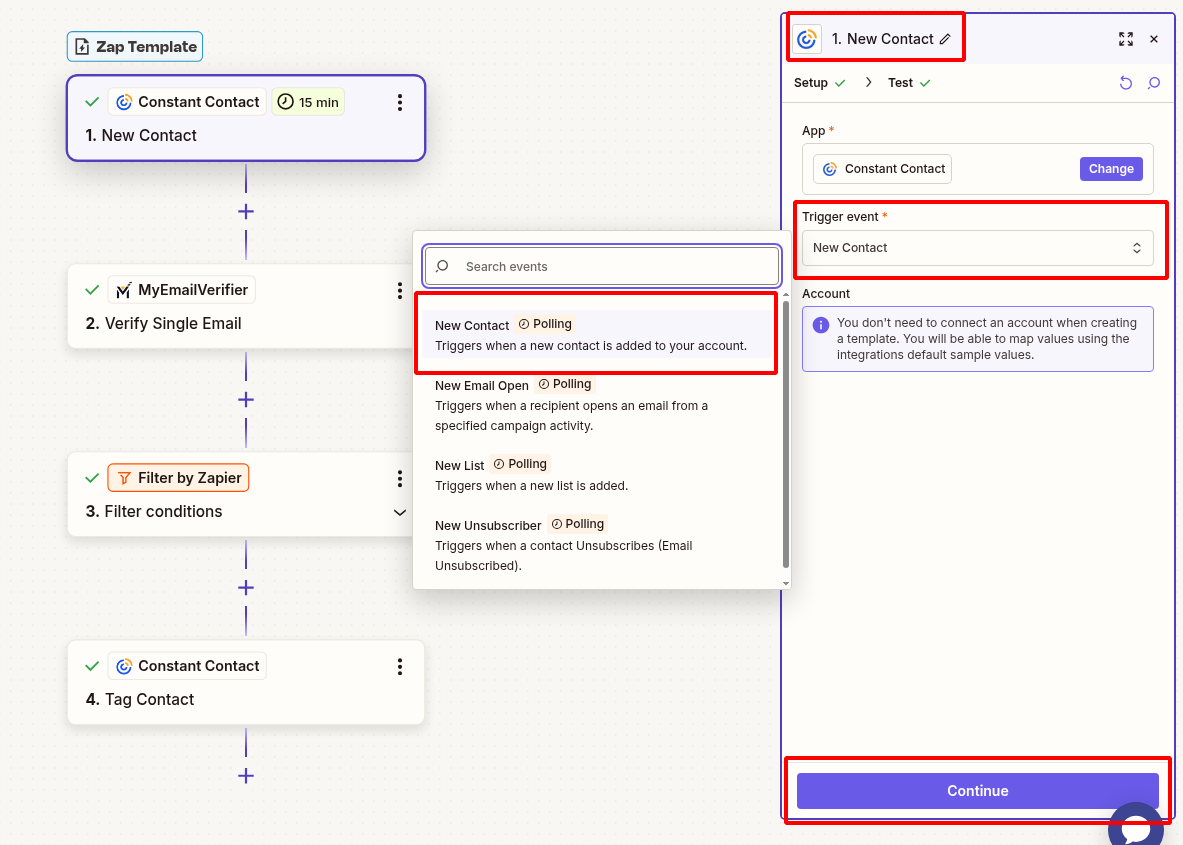
1Connect Constant Contact as Trigger

Set up Constant Contact to detect new contacts:

  • Log in to Zapier and create new Zap
  • Search for "Constant Contact" and select it
  • Choose trigger: "New Contact"
  • Connect your Constant Contact account
  • Select the list to monitor
  • Test to pull sample contact data
Connect Constant Contact new subscriber trigger in Zapier

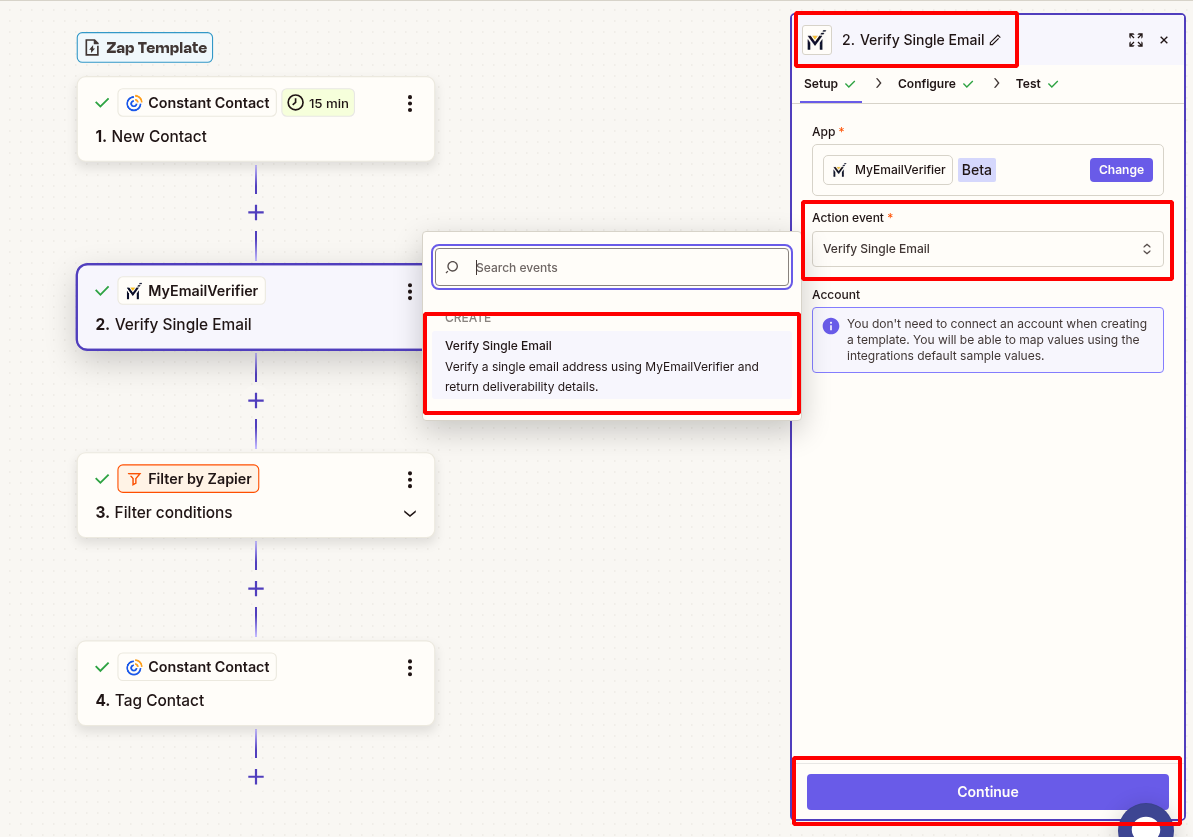
2Add MyEmailVerifier Action

Verify the subscriber email:

  • Click "+" to add action
  • Search for "MyEmailVerifier"
  • Choose: "Verify Email"
  • Connect your MyEmailVerifier account
  • Map Constant Contact email field to verification input
  • Test to see verification results
MyEmailVerifier verify Constant Contact subscriber email in Zapier

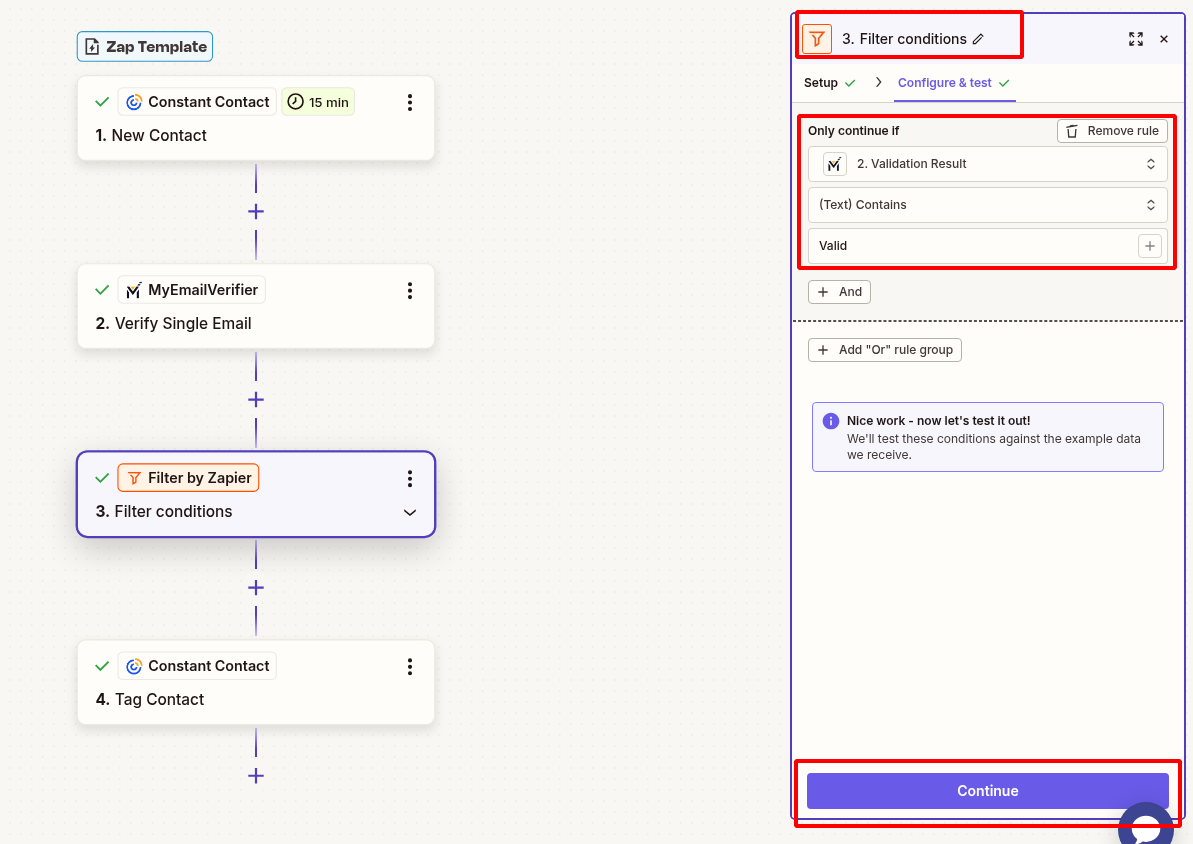
3Add Path Filter (Only Valid Emails)

Only add verified emails to Mailchimp:

  • Add "Filter by Zapier" step
  • Set condition: Verification Status equals "valid"
  • This prevents invalid/risky emails from reaching Mailchimp
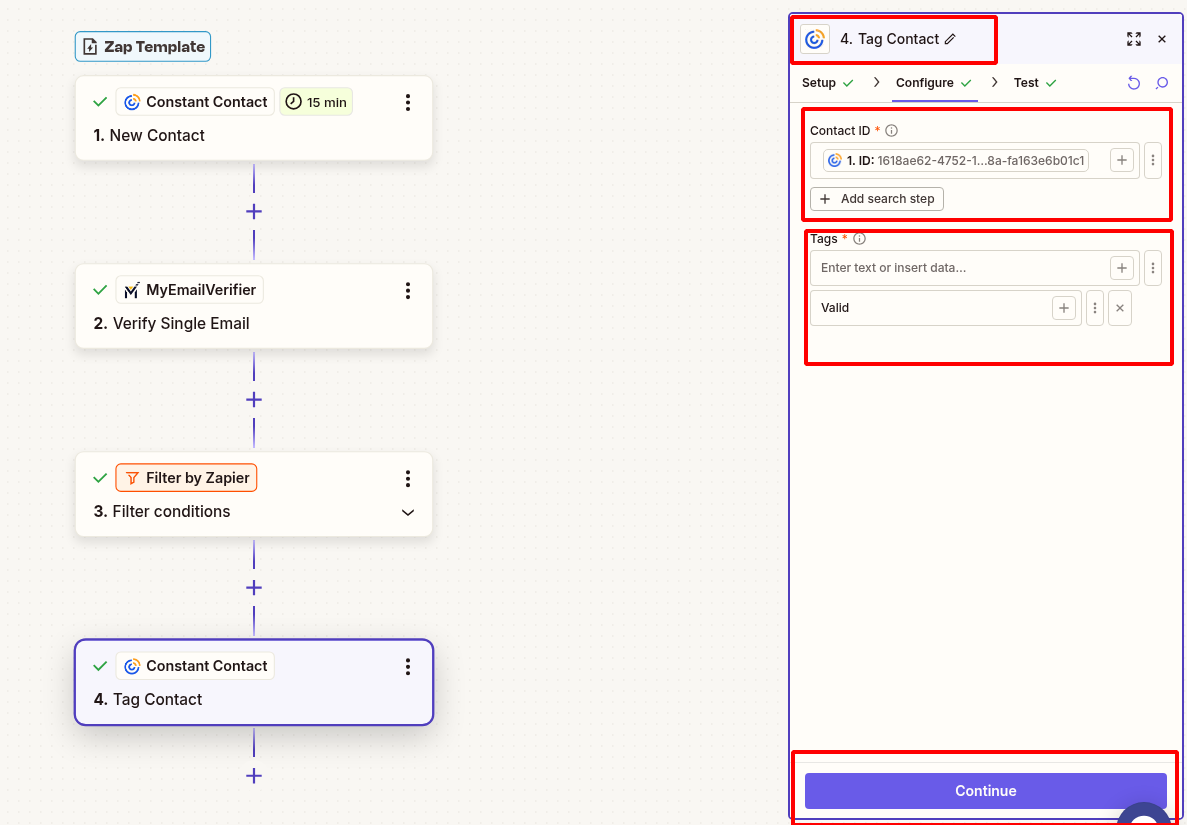
Zapier filter valid emails only for Constant Contact subscribers

4Add to Mailchimp

Subscribe verified contact to your Mailchimp list:

  • Add Mailchimp action: "Add/Update Subscriber"
  • Connect your Mailchimp account
  • Select target Audience/List
  • Map fields:
    • Email: Contact Email from Constant Contact
    • First Name: First Name
    • Last Name: Last Name
    • Tags: "constant-contact", "verified-email"
    • Status: Subscribed (or Pending if double opt-in)
  • Test to verify subscriber appears in Mailchimp
Add verified Constant Contact subscriber to Mailchimp

5Test & Activate

Verify everything works:

  • Test complete workflow with sample contact
  • Verify only valid emails reach Mailchimp
  • Check tags and fields are populated correctly
  • Turn on Zap when testing successful

Real-World Use Cases

Platform Migration

Scenario: Migrate from Constant Contact to Mailchimp with clean lists.

Benefit: Start fresh in Mailchimp with only verified, deliverable emails, maintaining sender reputation from day one.

Multi-Platform Strategy

Scenario: Run campaigns across both platforms with verified lists.

Benefit: Maintain high deliverability on both platforms by ensuring list quality is consistent everywhere.

List Consolidation

Scenario: Combine multiple Constant Contact lists into Mailchimp.

Benefit: Build a master verified list in Mailchimp without duplicate or invalid emails.

Ready to Automate Email Verification?

Set up this integration in minutes and sync only verified Constant Contact subscribers to Mailchimp automatically.

Create This Zap View All Templates
MyEmailVerifier

Copyright © 2026 · MyEmailVerifier · All Rights Reserved