ClickFunnels → Verify → ActiveCampaign
Automatically verify email addresses from ClickFunnels submissions and add verified leads to ActiveCampaign automation sequences. Maximize funnel ROI with clean email lists.
Use This Template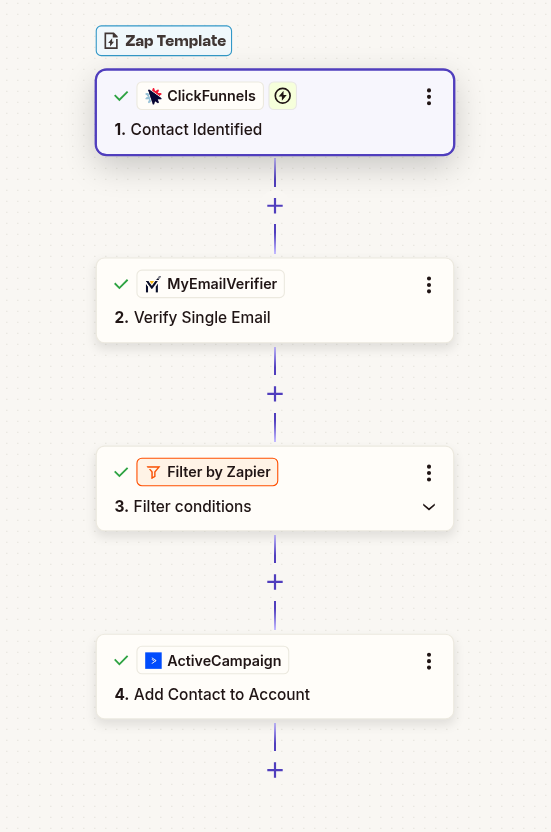
Automatically verify email addresses from ClickFunnels submissions and add verified leads to ActiveCampaign automation sequences. Maximize funnel ROI with clean email lists.
Use This Template
ClickFunnels attracts both quality leads and tire-kickers. Verify emails before they enter your nurture sequences to save automation credits.
You paid for funnel traffic. Ensure every valid lead gets proper follow-up with verified email addresses. No missed opportunities.
Clean leads mean better open rates, click rates, and conversions. Protect your ActiveCampaign sender reputation from the start.
Set up ClickFunnels to capture new contacts:
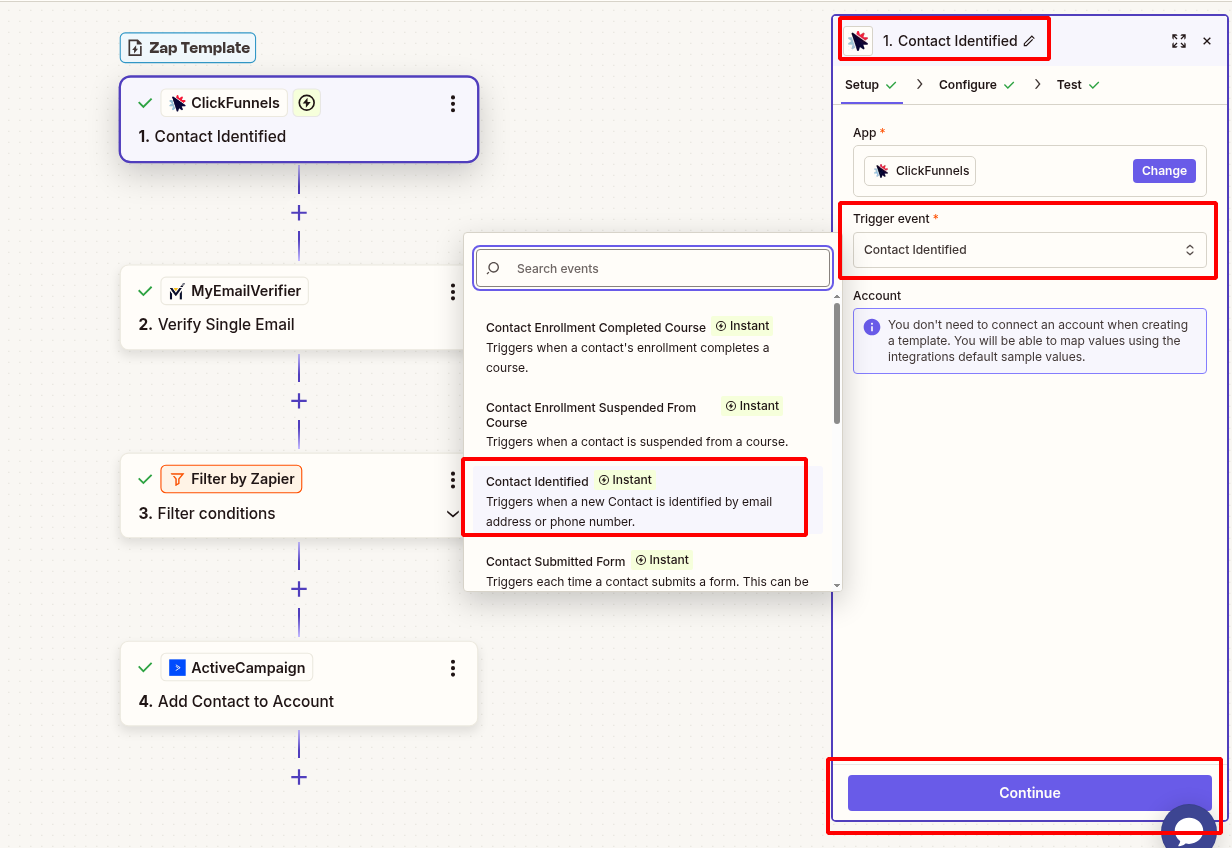
Verify the email address:
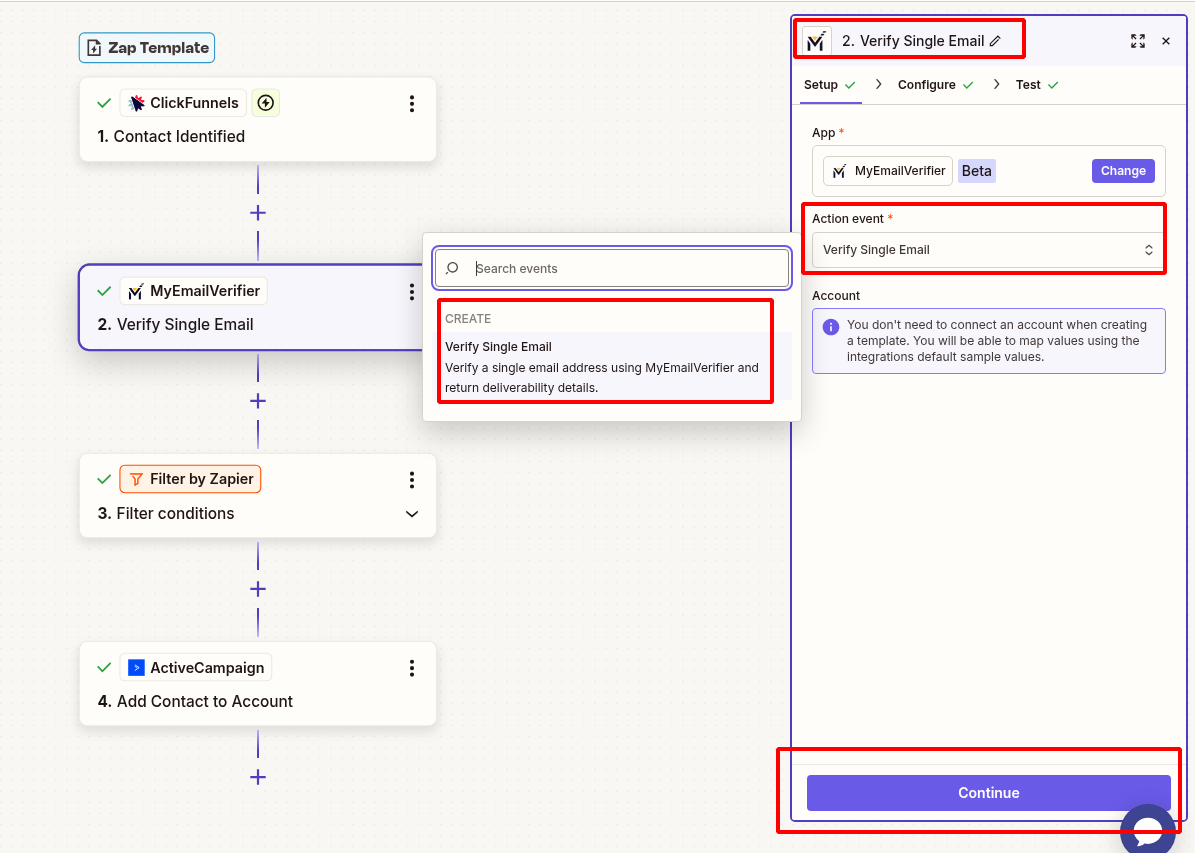
Route leads based on verification status:
For verified emails only:
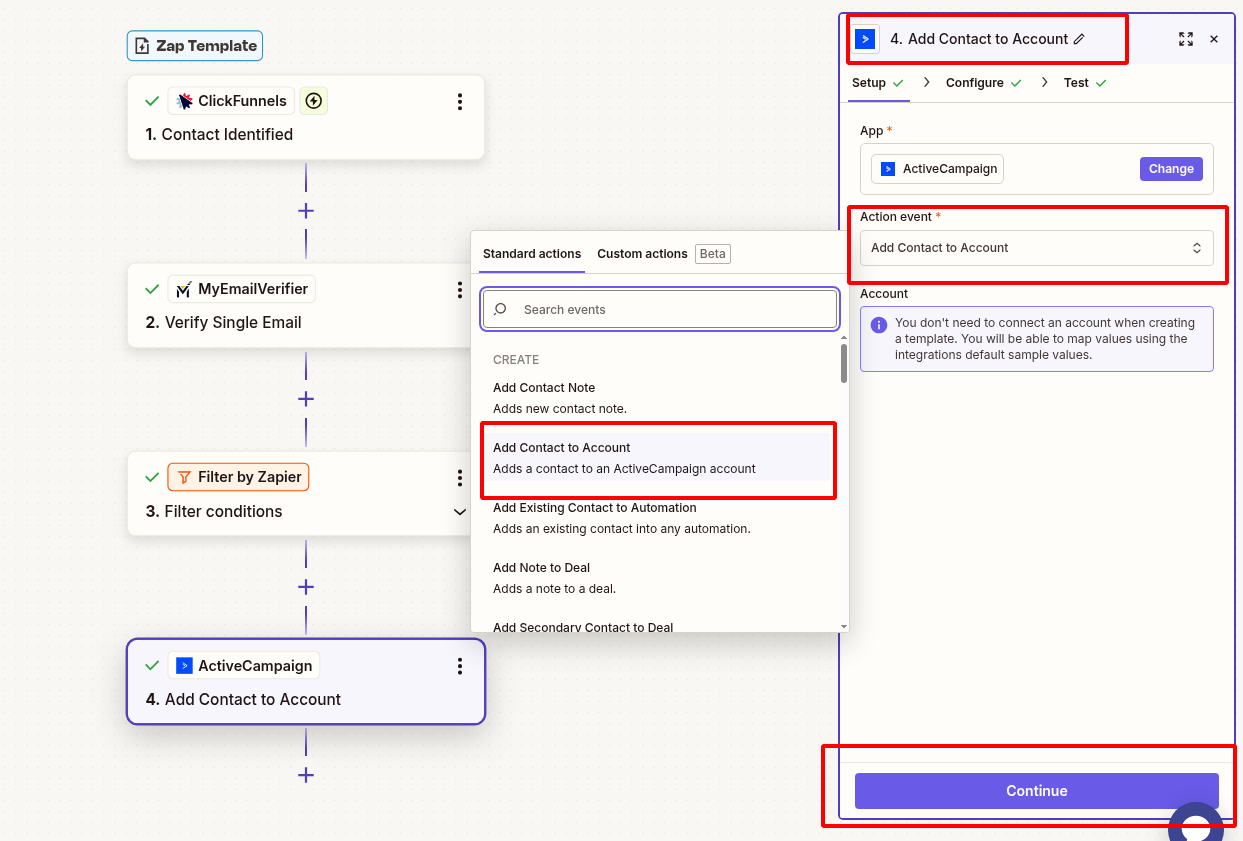
Add verification status back to ClickFunnels:
Verify complete workflow:
Scenario: Free guide/ebook download funnel attracting traffic from Facebook ads.
Workflow: Visitor opts in → Email verified → Valid emails get lead magnet + added to 7-day nurture sequence in ActiveCampaign.
Benefit: Only real prospects enter nurture sequence. Save automation sends on fake emails. Improve conversion rates.
Scenario: Automated webinar funnel with email follow-up sequence.
Workflow: Registration → Verify email → Valid: Send webinar link + add to attendee list. Invalid: Log but don't send (save bandwidth).
Benefit: Ensure webinar reminders reach real people. Track accurate attendance metrics.
Scenario: Product purchase funnel with post-purchase email sequence.
Workflow: Purchase → Verify buyer email → Add to "Customer" list with LTV tracking. Trigger cross-sell automation.
Benefit: Ensure order confirmations and upsell emails reach buyers. Reduce support tickets from delivery issues.
Scenario: High-ticket service funnel with application form and booking.
Workflow: Application submitted → Verify email → Valid: Add to "Qualified Leads" + notify sales team. Start pre-call nurture.
Benefit: Sales team only contacts real prospects. Better use of high-value sales time.
Active account with API access
Paid plan for multi-step Zaps
Active account with credits
Active account with automation
Issue: Zap not triggering for new contacts
Solution: Check ClickFunnels integration settings. Ensure webhook is enabled and pointing to Zapier. Test with manual funnel submission.
Issue: Same email added multiple times
Solution: Use "Create or Update Contact" action instead of "Create Contact". ActiveCampaign will update existing records.
Issue: Wrong path executed for verification status
Solution: Check path conditions use exact match: "valid", "invalid", "risky" (lowercase). Test each path separately.
Issue: Contact added but automation doesn't start
Solution: In ActiveCampaign, ensure automation trigger is set to "Subscribes to list" or "Tag added". Check automation is active.
Verify emails before they enter your nurture sequences and maximize funnel ROI.
Create This Zap View All Templates
Copyright © 2026 · MyEmailVerifier · All Rights Reserved