Complete Workflow Overview
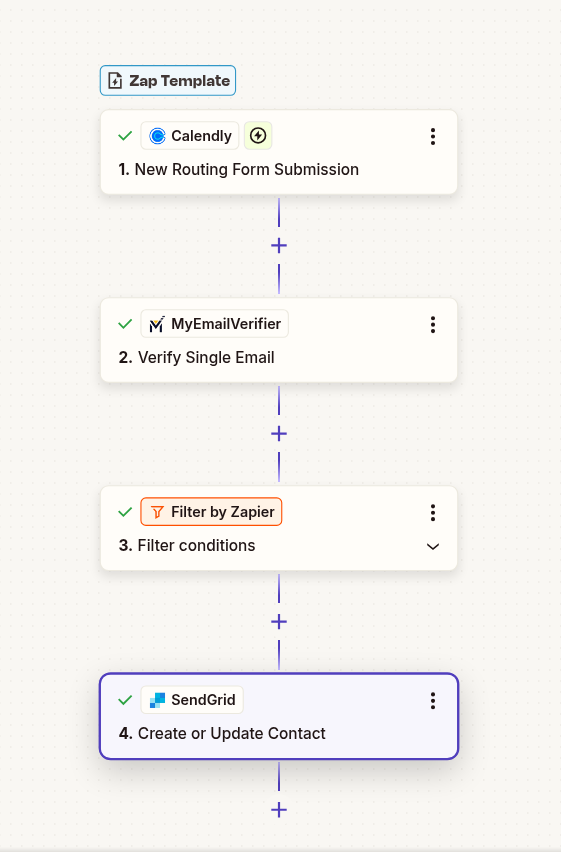
Verify Calendly routing form submissions and add to SendGrid for automated email campaigns and follow-ups.
Use This Template
Filter out invalid emails before they reach your SendGrid contacts, preventing bounces and maintaining sender reputation.
Eliminate manual email verification. Every Calendly entry is automatically validated in real-time.
Higher deliverability and engagement rates by ensuring you only contact valid, active email addresses.
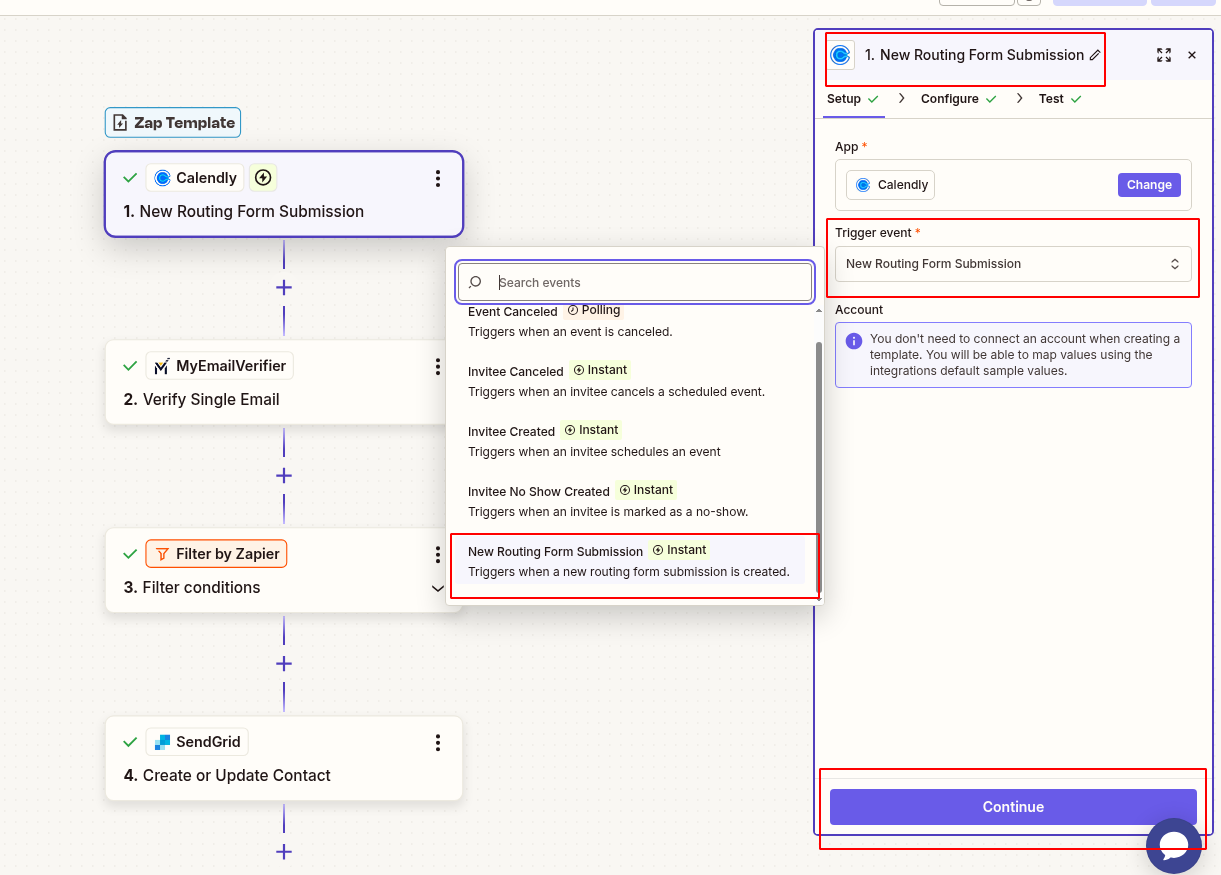
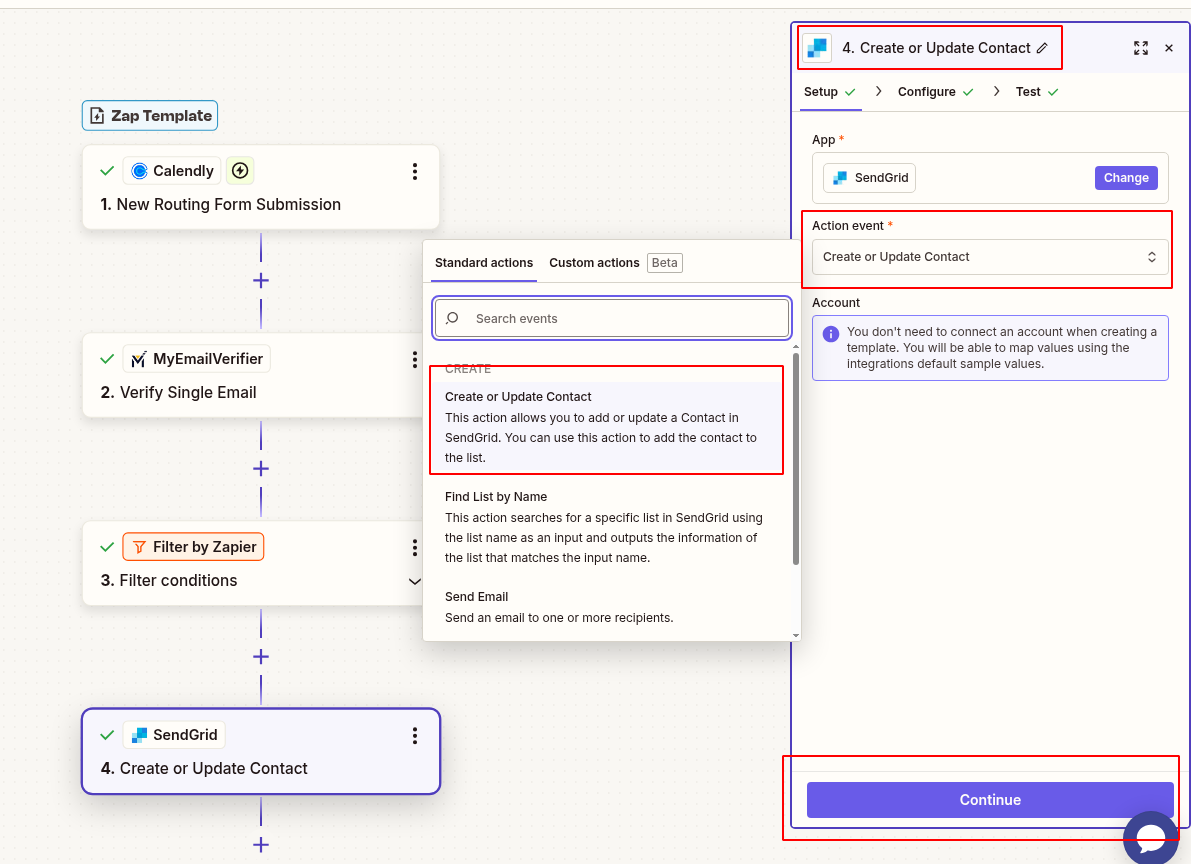
Sign in to your Zapier account and click "Make a Zap". Search for Calendly and select the trigger "New Routing Form Submission".
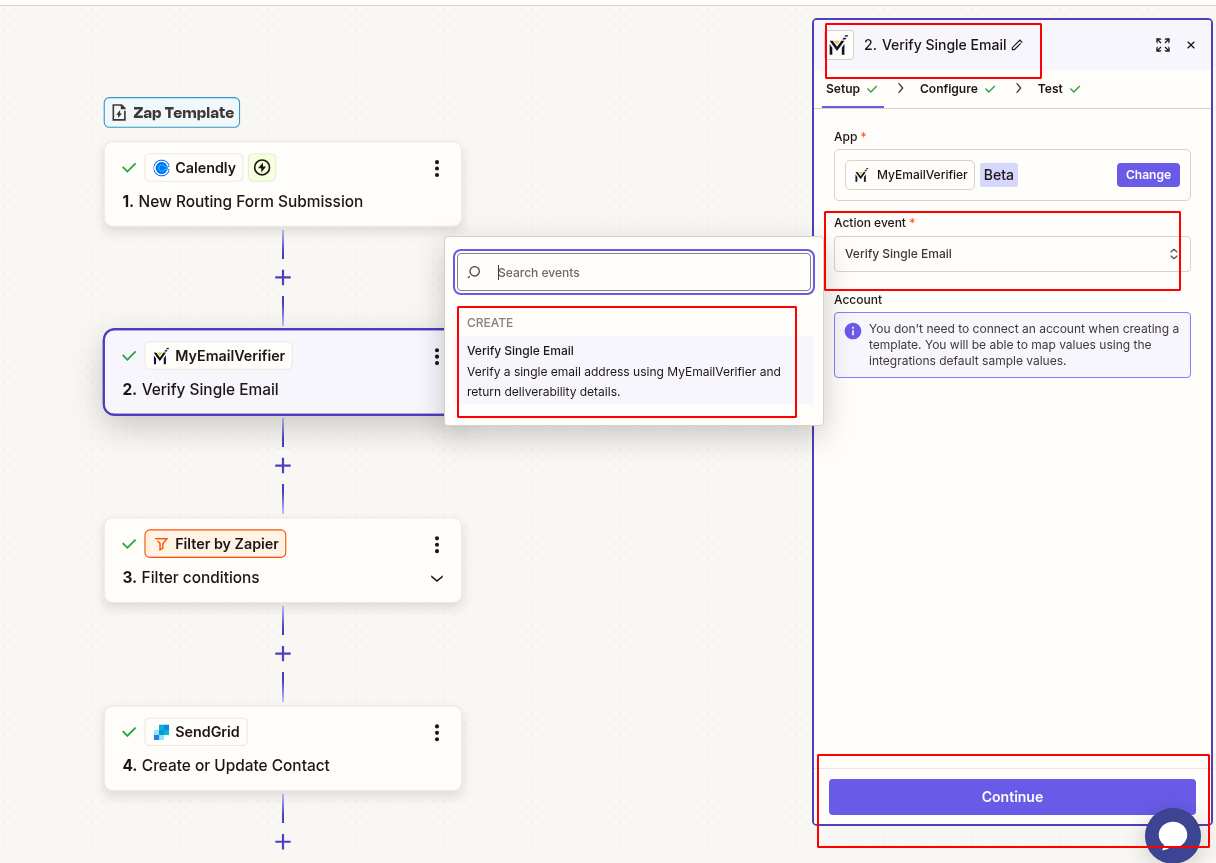
Click the "+" button to add a new action. Search for "MyEmailVerifier" and select "Verify Email Address".
In the Email Address field, select the email field from your Calendly trigger data.
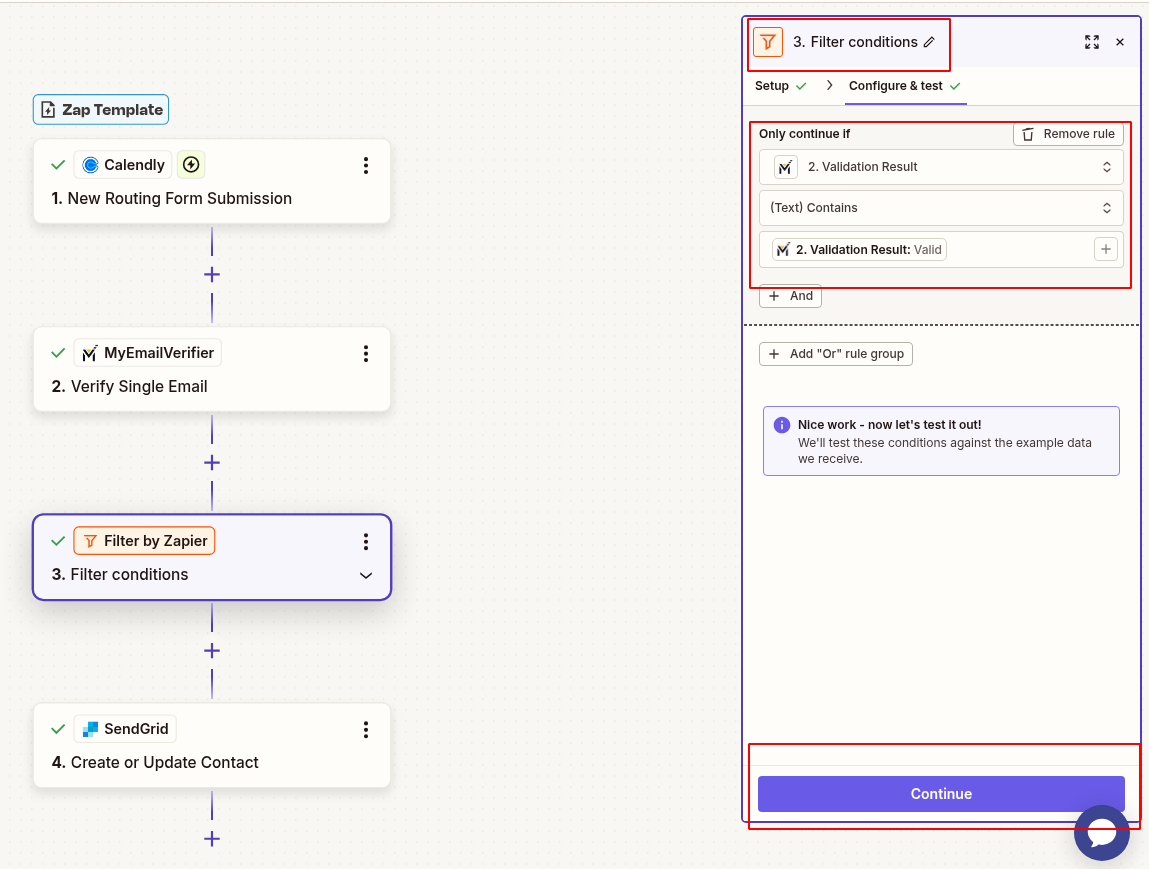
Add a Filter step to only continue if the verification status is "valid". This prevents invalid emails from reaching SendGrid.
Add SendGrid as the final action. Map the verified email and any other relevant fields from the Calendly trigger.
Test your Zap with a sample Calendly submission. Once verified, turn on your Zap!
Capture leads through Calendly and ensure only valid contacts enter your SendGrid contact lists.
Verify attendee emails in real-time to send event updates and confirmations to valid addresses only.
Build a clean subscriber list from the start by validating every Calendly signup before adding to SendGrid.
Ensure new customers provide valid emails so onboarding emails and product updates reach them successfully.
Setup time: 5-10 minutes • No coding required
Set up this workflow in less than 5 minutes
Get Started Now
Copyright © 2026 · MyEmailVerifier · All Rights Reserved