Step-by-Step Setup Guide
1Prepare Your Airtable Base
Set up your Airtable table with the necessary fields:
- Create or open your base (CRM, Leads, Contacts, etc.)
- Ensure you have an Email field (type: Email or Single Line Text)
- Add these new fields for verification data:
- Verification Status - Single Select: Valid, Invalid, Risky, Unknown
- Diagnosis - Long text
- Verification Date - Date
- Verification Details - Long Text (optional)
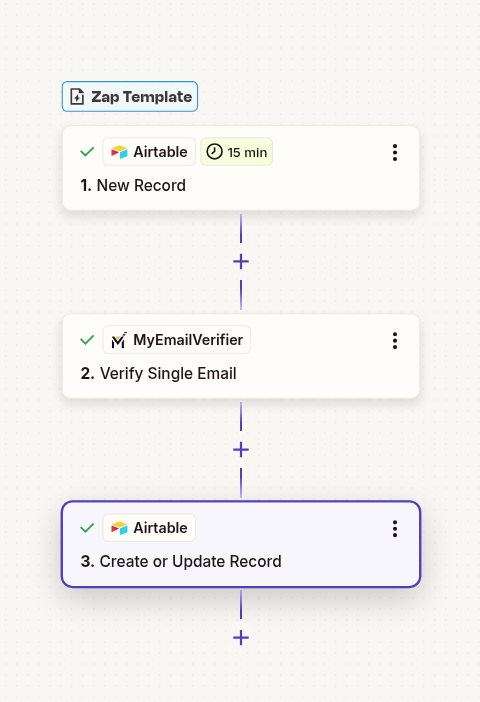
2Connect Airtable as Trigger
Set up Airtable as the trigger in Zapier:
- Log in to Zapier and create a new Zap
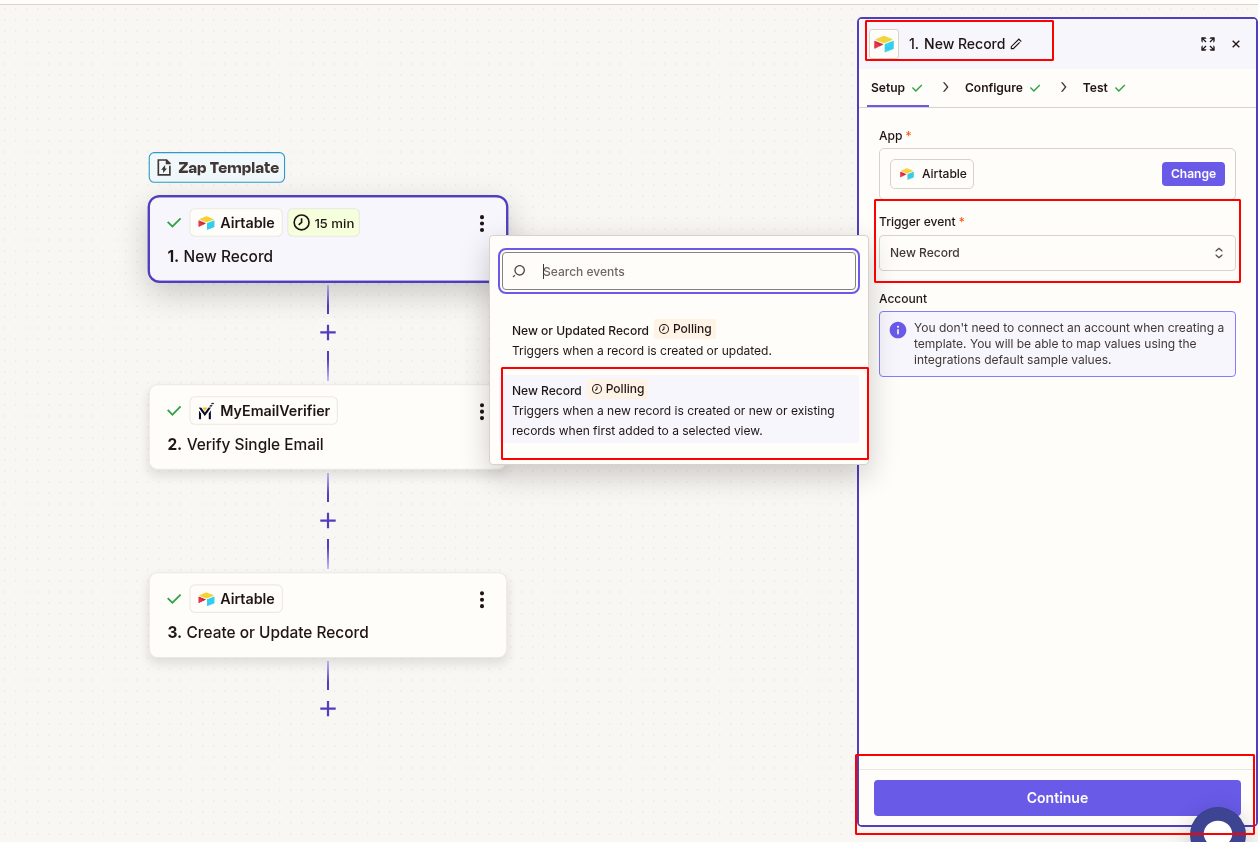
- Search for "Airtable" and select it as trigger
- Choose trigger event: "New Record in View"
- Connect your Airtable account
- Select your Base and Table
- Select a View (e.g., "Unverified" or "All")
- Test the trigger to pull a sample record
3Add Filter for Empty Status
Only verify records that haven't been verified yet:
- Add "Filter by Zapier" step
- Set condition: Verification Status is empty or does not exist
- This prevents re-verifying already processed emails
4Add MyEmailVerifier Action
Verify the email address:
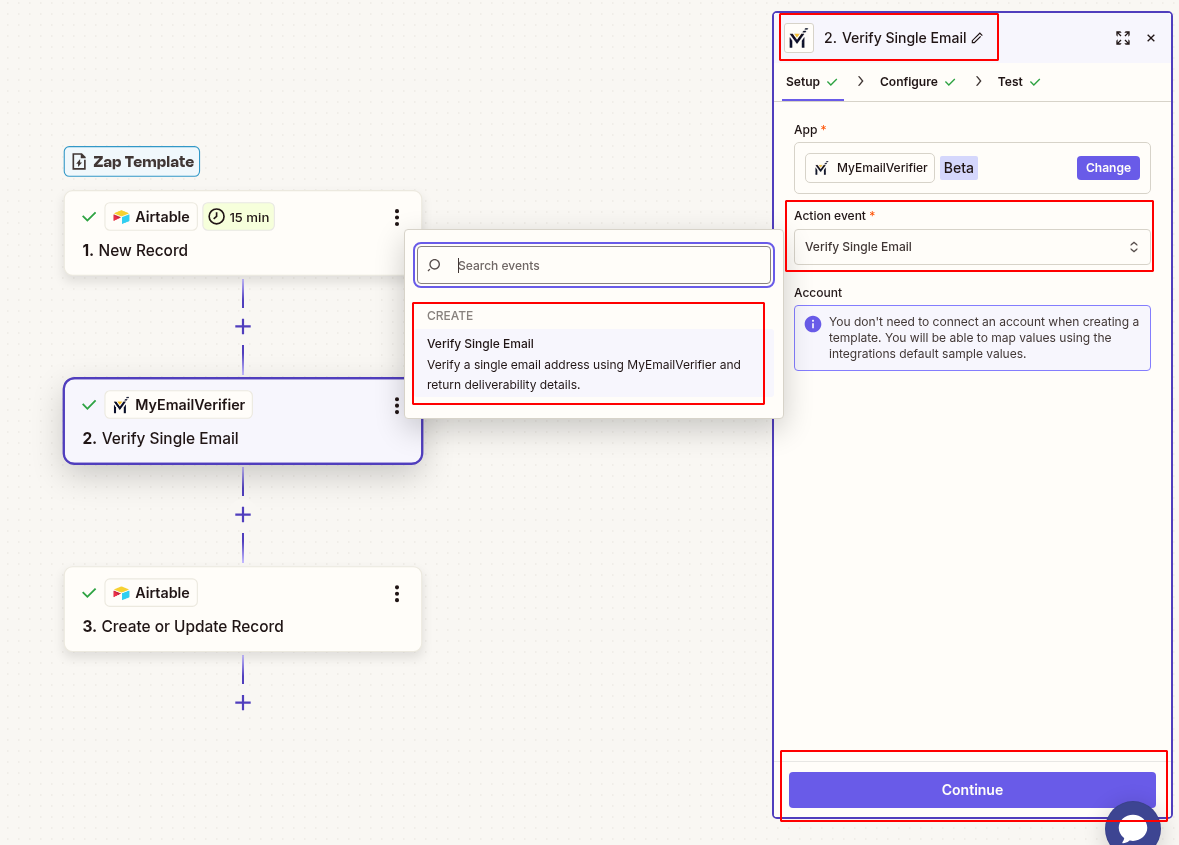
- Click "+" to add action
- Search for "MyEmailVerifier"
- Choose action: "Verify Email"
- Connect your MyEmailVerifier account using API key
- Map the Email field from Airtable to the verification input
- Test the step to see verification results
5Update Airtable Record
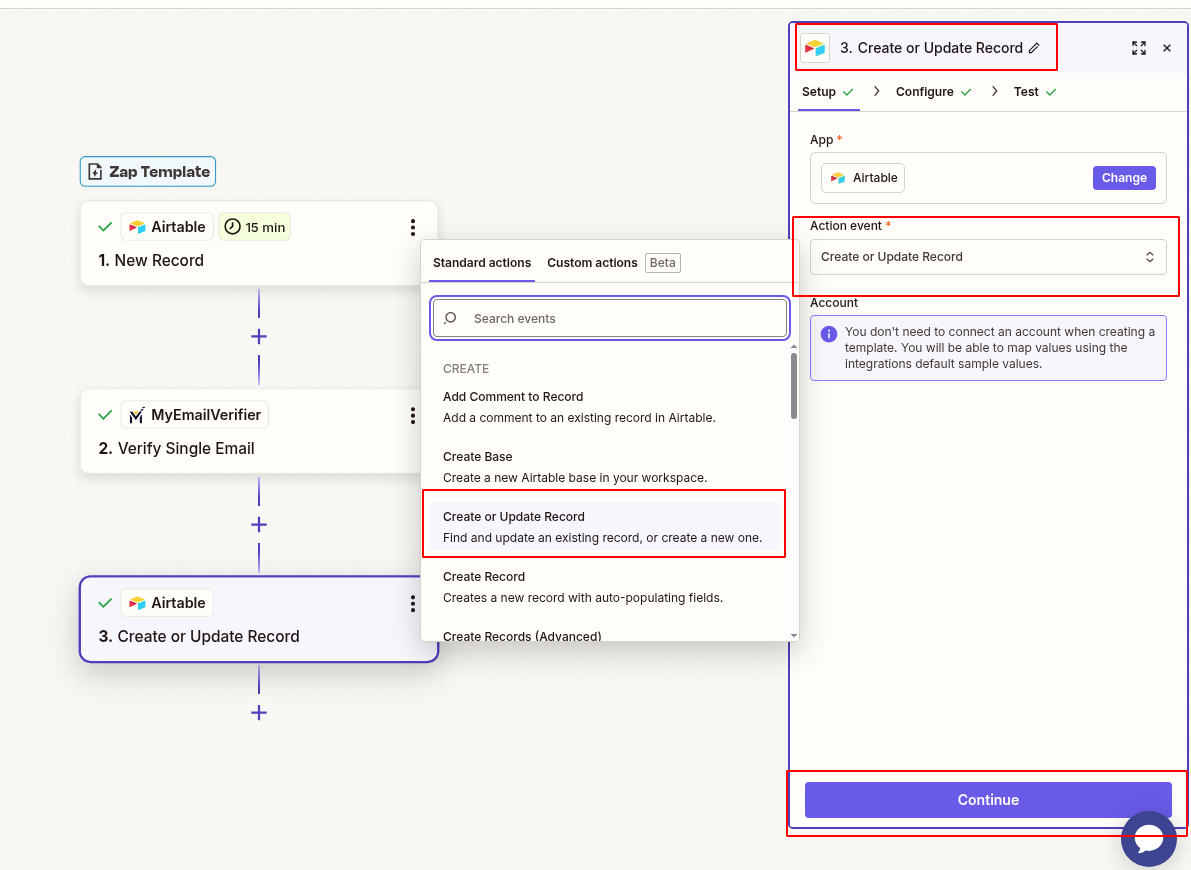
Write verification results back to Airtable:
- Add another Airtable action: "Update Record"
- Use the same Base and Table
- Map Record ID from step 2 (the trigger)
- Map verification data to Airtable fields:
- Verification Status: Status from MyEmailVerifier (valid/invalid/risky)
- Diagnosis: Detailed verification explanation
- Verification Date: Now (current date/time)
- Verification Details: Full response JSON or specific reason
6Test & Activate
Verify everything works correctly:
- Test the complete workflow with a sample record
- Check Airtable to confirm fields are updated correctly
- Verify color coding or icons appear based on status
- Turn on the Zap to start automatic verification
Advanced Airtable Automation Ideas
Bulk Re-Verification
Setup: Create a "Needs Re-Verification" view for emails older than 90 days or with "Risky" status.
Action: Configure Zap to trigger on this view and update records with fresh verification data.
Result: Keep your database current. Email deliverability changes over time.
Visual Status Indicators
Setup: Use Airtable's Single Select field with color coding:
- 🟢 Valid - Green
- 🔴 Invalid - Red
- 🟡 Risky - Yellow
- ⚪ Unknown - Gray
Result: Instantly see email quality at a glance.
Alert on Invalid Emails
Setup: Add a Slack or Email notification action when verification status is "Invalid".
Use Case: Notify sales rep immediately when they add an invalid email, so they can get the correct contact info.
Result: Faster correction, fewer missed opportunities.
Email Quality Dashboard
Setup: Use Airtable's grouping and summary features to track:
- Total valid vs. invalid emails
- Status and diagnosis breakdown
- Verification rate by source or rep
Result: Data quality metrics at your fingertips.
Real-World Use Cases
CRM Database Hygiene
Scenario: Using Airtable as a lightweight CRM for sales team. New leads are constantly added from various sources.
Workflow: Every new contact record is automatically verified. Sales reps see validation status before reaching out.
Benefit: Reduce bounce rate by 95%, improve email deliverability, save time on invalid outreach.
Event Registration Management
Scenario: Managing event registrations in Airtable. Need to send confirmation and reminder emails.
Workflow: As registrations come in (via form integration), emails are verified instantly. Only send communications to valid addresses.
Benefit: Reduce failed deliveries, improve attendee communication, cleaner attendee list.
Educational Institution Records
Scenario: University maintains student/alumni database in Airtable for newsletter and event invitations.
Workflow: Verify all email addresses. Flag outdated alumni emails for manual update requests.
Benefit: Maintain engagement with graduates, reduce bounce complaints, better communication reach.
Nonprofit Donor Management
Scenario: Nonprofit tracks donors and volunteers in Airtable. Communication is critical for fundraising.
Workflow: Verify donor emails to ensure donation receipts and updates reach them. Track status and diagnosis for segmentation.
Benefit: Ensure tax receipts are delivered, maintain donor relationships, improve campaign performance.
What You'll Need
Airtable Account
Free or paid plan with API access enabled
Zapier Account
Starter plan or higher (multi-step Zaps)
MyEmailVerifier API
Active account with verification credits
Troubleshooting Tips
Record Not Updating
Issue: Verification runs but Airtable record doesn't update
Solution: Ensure you're using Record ID (not Airtable Record URL) in the Update step. Check field name spelling matches exactly.
Duplicate Verifications
Issue: Same record verified multiple times
Solution: Add Filter step checking if Verification Status field is empty. Only proceed if not already verified.
Single Select Not Matching
Issue: Status field stays empty despite update
Solution: Ensure Single Select options match exactly: "valid", "invalid", "risky". Case-sensitive. Use Formatter to capitalize if needed.
View Trigger Issues
Issue: Zap not triggering for new records
Solution: Ensure view includes new records immediately. Avoid complex filters that delay record appearance in view.
Ready to Automate Airtable Email Verification?
Clean your Airtable databases automatically and maintain perfect data quality.
Create This Zap View All Templates
Copyright © 2026 · MyEmailVerifier · All Rights Reserved