 Posted by
Klaviyo is one of the most powerful email marketing platforms for eCommerce brands. But even the best platform cannot help you if your email list is full of invalid addresses.
Here is a frustrating reality. You spend hours crafting the perfect email campaign. You hit send. And then you watch your bounce rate climb while your sender reputation takes a hit.
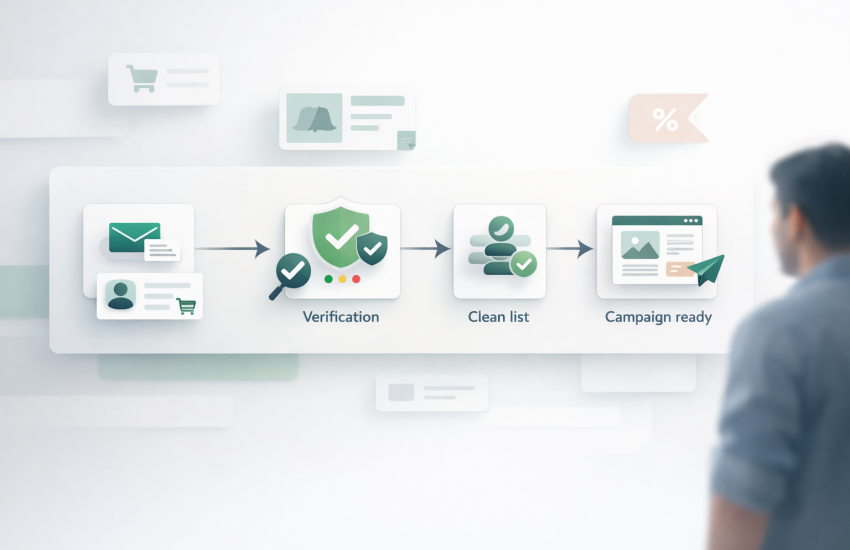
The solution? Verify your emails before they ever reach Klaviyo.
According to ActiveCampaign’s 2025 benchmarks, a healthy email bounce rate should stay below 2%. Anything higher signals list quality issues that can damage your deliverability.
In this guide, you will learn exactly how to verify emails for Klaviyo using three different methods. Whether you are importing a new list, setting up real-time verification, or cleaning existing segments, we have got you covered.
Why Klaviyo Users Need Email Verification
Klaviyo does have some built-in protections. It automatically suppresses email addresses that hard bounce. It also marks emails as “suspicious” if they have bounced in any other Klaviyo account.
But here is the problem. These protections only kick in after the damage is done.
When you send to an invalid email, that bounce already counts against your sender reputation. Gmail, Yahoo, and other inbox providers are watching. Too many bounces and your emails start landing in spam folders.
There are four key reasons why proactive verification matters for Klaviyo users:
- Klaviyo charges per profile. Invalid emails waste your money. Why pay for contacts that will never see your emails?
- Bounce rates affect all campaigns. One bad send can hurt deliverability for your entire account.
- Klaviyo requires open rates above 33%. Sending to dead emails drags down your engagement metrics.
- Prevention is easier than recovery. Rebuilding sender reputation takes months. Verification takes minutes.
According to Email Vendor Selection’s 2026 research, 12.6% of email marketers have a bounce rate higher than 10%. Do not be part of that statistic.
When to Verify Your Klaviyo Email List
Not every situation requires verification. But there are specific moments when you absolutely should run your list through an email verifier.
Before Importing New Lists
This is the most critical time to verify. Whether you are migrating from another ESP, importing leads from a trade show, or uploading contacts from your CRM, always verify first.
New lists often contain typos, fake emails, and outdated addresses. A single import of dirty data can tank your deliverability overnight.
Before Major Campaigns
Black Friday sale coming up? Product launch email scheduled? Verify your list before any high-stakes send.
Email lists decay at a rate of 22% to 30% per year. Addresses that worked six months ago might be dead today.
After 3 to 6 Months of Inactivity
Suppose a segment has not received emails in a while, re-verify before sending. People change jobs. They abandon old email addresses. Inboxes fill up and get deactivated.
When Bounce Rates Start Climbing
See your bounce rate creeping above 1%? That is a signal to clean your list. Please do not wait until it becomes a bigger problem.

Method 1: Bulk Email Verification Before Klaviyo Import
This is the most common workflow. You have a list of emails, and you want to clean it before importing it to Klaviyo.
Here is the step-by-step process:
Step 1: Export Your Email List
Get your email list into a CSV file. Most CRMs, spreadsheets, and marketing tools let you export contacts easily. Make sure you have at least an email column.
Step 2: Upload to myEmailVerifier
Go to myEmailVerifier and create a free account. You get 100 free email verifications daily to test the service.
Upload your CSV file using the drag-and-drop interface. The system will automatically detect your email column.
Step 3: Wait for Verification
MyEmailVerifier processes thousands of emails per minute. For most lists, you will have results within a few minutes.
The system checks each email for syntax errors, domain validity, MX records, and mailbox existence.
Step 4: Download Your Clean List
Once verification is complete, download your results. You will get a file with each email marked as:
- Valid: Safe to send
- Invalid: Will bounce, do not import
- Catch all: Risky, import to a separate segment
- Unknown: Could not verify, treat with caution
- Disposable: Temporary email, do not import
Step 5: Import Only Valid Emails to Klaviyo
Download the valid emails only. Go to Klaviyo, navigate to Lists and Segments, and import your clean file.
Your list is now verified and ready for campaigns.
Method 2: Real-Time API Verification for Klaviyo Forms
What if you could stop nasty emails from entering your Klaviyo list in the first place?
Real-time API verification checks email addresses the moment someone types them into your signup form. Invalid emails get rejected before they ever reach Klaviyo.
This is especially useful for:
- eCommerce checkout forms
- Newsletter signup popups
- Lead generation landing pages
- Account registration forms
How It Works
When a visitor enters their email, your form sends it to the myEmailVerifier API. Within milliseconds, the API returns a result.
If the email is valid, the form submits normally. If the email is invalid, the visitor sees an error message asking them to check their email address.
This catches typos like “gmial.com” or fake emails like “[email protected]” before they pollute your list.
Setting Up Real-Time Verification
You will need a developer or someone comfortable with JavaScript to implement this. Here is the basic flow:
- Get your API key from your myEmailVerifier dashboard
- Add a JavaScript snippet to your signup form
- Configure the API call to verify on form submission
- Display validation messages based on the response
For detailed API documentation and code examples, visit the myEmailVerifier Real Time API page.
Method 3: Cleaning Existing Klaviyo Segments
Already have contacts in Klaviyo that need cleaning? Here is how to verify your existing lists without losing your data.
Step 1: Create a Segment of Contacts to Verify
In Klaviyo, go to Lists and Segments. Create a new segment targeting the contacts you want to verify.
Good candidates for verification include:
- Contacts who have not opened an email in 90 days
- Contacts who have soft bounced 2 or more times
- Older contacts from before you had verification in place
- Contacts imported from other sources
Step 2: Export the Segment
Click on your segment and export it as a CSV. This will give you all the email addresses in that segment.
Step 3: Verify with myEmailVerifier
Upload the exported file to myEmailVerifier. Run the verification just like you would for any new list.
Step 4: Suppress Invalid Emails in Klaviyo
Download the invalid emails from your verification results. In Klaviyo, go to Profiles, then Suppressed Profiles. Import the invalid emails to suppress them.
Suppressed profiles will not receive any future emails. They also do not count toward your billing if you are on a profile-based plan.
How to Handle Different Verification Results
Not all verification results are created equal. Here is what to do with each type:
Valid Emails
These are safe to send. Import them directly to your main Klaviyo list and include them in all campaigns.
Invalid Emails
Do not import these. They will hard bounce and hurt your sender reputation. Delete them permanently.
Catch All Emails
Catch all domains, accept all emails regardless of whether the specific mailbox exists. This makes them risky but not necessarily invalid.
Best practice: Create a separate Klaviyo segment for catch-all emails. Send to them in smaller batches and monitor bounce rates closely. If bounces stay low, you can gradually include them in primary campaigns.
Unknown Emails
Sometimes a mail server does not respond during verification. The email might be valid, or it might not.
Try verifying again after a few hours. If the result is still unknown, treat these like catch-all emails and send with caution.
Disposable Emails
These are temporary email addresses from services like Mailinator or Guerrilla Mail. People use them to get past signup forms without giving their real email.
Do not import disposable emails. They will never convert into real customers.
Best Practices for Klaviyo List Hygiene
Verification is not a one-time task. Follow these practices to keep your Klaviyo list healthy long term.
Enable Double Opt In
Klaviyo supports double opt-in on all lists. When enabled, new subscribers must click a confirmation link before being added to your list.
This catches typos and fake emails at the source. Someone who misspells their email will not receive the confirmation and will not be added.
Verify Before Every Major Campaign
Email lists decay fast. According to industry data, 22% to 30% of your list becomes invalid every year.
The Email Vendor Selection report found that only 31.6% of companies clean their email list monthly. Be part of that group.
Monitor Your Bounce Rates
Check the Deliverability Hub in Klaviyo regularly. If you see bounce rates climbing above 1%, it is time to clean your list.
Klaviyo shows you bounce reasons so you can identify if the problem is with specific segments or your entire list.
Remove Unengaged Subscribers
Create a sunset flow for subscribers who have not opened an email in 90 to 120 days. Send them a reengagement campaign. If they still do not engage, suppress them.
Keeping unengaged subscribers hurts your open rates and signals to inbox providers that people do not want your emails.
Common Mistakes to Avoid
Even experienced marketers make these email verification mistakes with Klaviyo:
Importing Without Verification
The number one mistake. People assume their list is clean because it came from a trusted source. Always verify anyway.
Deleting Catch All Emails Entirely
Many valid business emails are on catch-all domains. Instead of deleting them, segment them separately and test carefully.
Waiting Until Bounces Happen
Klaviyo suppresses hard bounces automatically, but the damage is already done. Your sender reputation took a hit. Verify before sending to prevent this entirely.
Verifying Once and Never Again
Email lists decay constantly. An email that was valid six months ago might be invalid today. Build regular verification into your workflow.
Frequently Asked Questions
How often should I verify my Klaviyo list?
At a minimum, verify before any major campaign. For active lists, monthly verification is ideal. For segments you email weekly, quarterly verification works well.
What happens if I send to unverified emails in Klaviyo?
Invalid emails will hard bounce. Klaviyo suppresses them after the bounce, but your sender reputation is already affected. High bounce rates can lead to more emails going to spam and potential account review by Klaviyo.
Does myEmailVerifier integrate directly with Klaviyo?
Currently, integration requires exporting from Klaviyo, verifying with myEmailVerifier, and reimporting. The real-time API can be used with custom signup forms that feed into Klaviyo.
What is the ideal bounce rate for Klaviyo?
Keep your bounce rate below 1%. Below 0.5% is excellent. Anything above 2% needs immediate attention.
Can email verification remove me from blocklists?
No. Verification prevents you from getting blocked by keeping your bounce rates low. If you are already blocked, you need to go through a separate delisting process with each blocklist provider.
Start Verifying Your Klaviyo Emails Today
Email verification is not optional if you want to succeed with Klaviyo. It protects your sender reputation, improves your deliverability, and saves you money on invalid contacts.
Whether you choose bulk verification, real-time API, or segment cleaning, the important thing is to start.
Ready to clean your Klaviyo list? Try myEmailVerifier free with 100 daily email verifications. No credit card required.
Your future campaigns will thank you.

James P. is Digital Marketing Executive at MyEmailVerifier. He is an expert in Content Writing, Inbound marketing, and lead generation. James’s passion for learning about people led her to a career in marketing and social media, with an emphasis on his content creation.